My journey to build a once-a-decade top of the line Linux gaming PC (Complete)

BigBadBeef

Well-Known Member
Joined
Sep 23, 2021
Messages
507
Reaction score
316
Credits
4,682
Per the request of several users here on the forums, I am making this topic

I am building a top of the line Linux gaming PC, which I do around once a decade, though this one will the first one solely dedicated to playing games on Linux.

I have spent months researching parts, making sure it will all work well together and not have any issues with Linux compatibility. It will most likely run a debian-based distro to keep it simple, and it will be the best money could buy UP TO THE POINT where the price would reach the "ridiculous" territory with major cost increases for minimal gain. My part list is as follows:
  • Be Quiet! Light base 900FX White
  • Gigabyte X870E Aorus Pro Ice
  • AMD 9800X3D
  • Thermalright Peerless Assassin 420 SE A-RGB
  • Thermal Grizzly KryoSheet + Thermal Grizzy Duronaut (in case I fail installing sheet properly, 1st time using one)
  • Asrock Steel Legend 9070 XT
  • Samsung 990 Evo Plus NVMe 2.0 SSD 4TB
  • ASUS ROG Loki SFX-L Platinum 1000W modular PSU
  • 4x16GB of RAM, 5000+MHz (RAM shortage atm, will have to scrape something decent up)
Most of the parts will be ordered from Germany, which is 2 countries away for me. I did this before, because the difference in price compared to ordering locally can only be labeled as "theft".

I am excited, but I am also sad. My old "friend", which I have taken meticulous care of, still works perfectly, but just can't keep up with the times anymore. I will have to let him go, but I will also keep my fingers crossed that my new beast will serve as reliably as the old one has.

As I have updates, I will post them as comments here, so that the interested parties will get notified that something is going on, rather than edits to the original topic which won't. If any of you wish to track my progress, I believe you know what to do.


Gigabyte X870E Aorus Pro Ice
The only thing I would do first before you buy is if that realtek network card works on the distribution you use as I've seen a lot of posts of the years with people having trouble getting those working and being dependent on an external driver. I'm not sure if that information is still current but I can't tell you since I've mostly stuck to motherboards that have an intel network adapter.
 

UPDATE


Well, I already got my first shenanigan. I tried to order the parts today from caseking.de, with a debit card being the only payment method available to me. Well, it didn't go through. The payment authenticated successfully, but as I wished to confirm the order, the vendor suddenly said he cannot process it.

There was nothing on the bank app, no payment failure notices, no funds deducted, nothing!

After back and forth with my bank's customer support for almost an hour, while I had a sufficient daily transaction limit set on my card, that limit is somehow bifurcated to the various types of purchases, leaving only 500€ for web shopping. I had the limit set to much higher, but the last time I made such a large purchase, the following turn of events took place:

  1. Initially I was with Bank "A". That bank issued me Visa Electron for online purchases that had a very high daily limit attached by default.
  2. After that, there was a hostile takeover of Bank "A" by Bank "B". Bank "A" was dissolved and I was issued a new card that a unified daily limit, but a sufficient one
  3. Bank "B" then sold its ass off to become a subsidiary of bank "C" and I was issued a new card again - a visa debit card. They adequately disclosed the size of the daily spending limit, but they failed to mention that said limit was to be bifurcated to various types of purchases.
All this happened in the span of 12 years from the last time I bought a pc. Anyways, we came to the bottom of it all, and found the appropriate settings in my banking app. It will take a few hours for the changes to take effect, so I will have to order tomorrow.

On a personal note: "When did all this get so complicated from just giving them the money and getting the goods?!? Geez, man!"

I was hoping to see a GPU in the list, probably one with dimensions like aircraft carrier.
That is a textbook example of the "ridiculous territory" I was talking about. Besides, time to check out what team red has to offer, Nvidia has gotten insufferably greedy. I'll just have to swallow it and buy a new GPU before the aforementioned decade passes again.

The only thing I would do first before you buy is if that realtek network card works on the distribution you use as I've seen a lot of posts of the years with people having trouble getting those working and being dependent on an external driver. I'm not sure if that information is still current but I can't tell you since I've mostly stuck to motherboards that have an intel network adapter.
I've considered that, and firstly, the distro I'd use isn't set in stone, and secondly, there appear to be proprietary vendor drivers available.
 
Last edited by a moderator:
looking forward to the completed build! sounds like it will be quite the beast once assembled. a very quick search indicates that wifi7 is supported just in case the realtek ethernet has issues.
 

UPDATE 2​


What a headache. Took me yesterday all day and today all afternoon after work to fix the debit card shenanigans. My bank and the German vendor essentially pointing fingers at each other. I had to flip them both off at this childish "it was him, not me" bull*. In the end, several components (especially the RAM) went out of stock in the meantime.

12 years ago, the last time I did this, I got the whole thing done in 30 minutes!

I couldn't wait any longer. I had to order locally and damn the consequences. Imagine my surprise that RAM prices didn't go up as far as they did in Germany, and thanks to this fact, the difference in price of my part list isn't going to be as high as I originally estimated!

The problem was what they had in supply. I had to order from 3 different vendors. the RAM from one vendor, the 420mm AIO from the other one, and the rest by the third one.

All totalling 3067.77€ incl. shipping, roughly "only" 200€ more expensive than ordering abroad. The first one I had to pay via direct bank transfer, the second one through a secondary payment processor, and the third directly using my debit card which actually worked this time!

Well, at least the parts are on their way now... or they will be soon as soon as the bank transfer for the first one clears... FFS!

P.S.: The RAM of choice (or lack thereof) is 4x16GB Kingston Fury Beast White EXPO 5600MT/s.

=================================================================================================

I don't think I will be posting anything other than answers to your comments until the parts arrive... unless there is a development. At this point, nothing would surprise me.

Does anyone remember the times when businesses were happy to take your money and did everything in their power to facilitate a smooth transfer of funds? I kind of miss the times when they robbed you blind without making you jump through all those hoops you have to do today.
 
Last edited by a moderator:

UPDATE 3​


The RAM arrived.

Stuck in a large brown envelope meant for documents with only a bit of bubble wrap at the sides for protection from impacts. The delivery guy was at my house early in the morning and couldn't get me on the phone because I was at work, so he stuck the envelope on the windowsill... behind the flower pot with petunias.

Weather... damp AF, the package, being woefully inadequate, was sitting all day on the moist, cold air.

I don't live in a third world country, but sometimes it seems that for my people, progress peaked with smacking rocks together (knapping). Fortunately I have proof of mishandling and all hell will be raised the memory fails the stress test.
 

UPDATE 4​

Parts have arrived, assembly has begun and trouble was brewing.​

The parts have arrived and I have already done a lot of assembly today. Alas, it has not been smooth sailing. I put together enough of it to boot the system, and that is where the trouble started. I have on-board buttons to power it, and also a display for showing error codes.
As I powered it on, the system came to life, The lighting that was connected was running properly, so were all the fans and other cooling solutions, but the system would not boot. My troubleshooting procedure was as following:

  • Booted the system for the first time. No monitor signal. Display shows error code related to RAM.
  • Removed all memory sticks but one. At this point, didn't even try monitor cable, booted, received error code for "power management".
  • Checked all vital power connections on both the side of PSU and the motherboard itself - PM error persisted.
  • Fiddled around by putting different ram sticks in different slots, had errors alternating between RAM, "RAM or CPU" (according to the displayed error code) and "power management".
  • Setting one stick of RAM into memory slot 4 produced a funny result where error codes would put out faster than I could read them until it settled into the error code for the CPU failing to initialize after several seconds.
It may be the RAM, but then why is giving power management errors whenever the RAM error isn't present? Or a CPU error when it is placed in slot 4?

Could the motherboard be shot out of the box? Or maybe the PSU? If the PSU, Then why is it giving our RAM errors?

I don't know.

The truth is, I kind of had to call it a day. I was assembling the thing for over 6 hours with my cousin, and other than cable management and having to reseat the CPU cooler several times, it went rather smoothly. Right now I'm tired, my tinnitus is acting out and I need to clear my head.

I'll fiddle with it some more tomorrow. That's what I get for buying locally. Like giving patronage to cyber-orangutans.
 
I'd love to, but I can't even get a display going on the system.
 
I was too excited for your new pc, I forgot that detail after having read your most recent post. You should get output if your gpu is connected and you have power. Have you tried switching output, ie: DP vs HDMI?
 

UPDATE 5​

The drama continues...​

Something is definitely shot. I keep getting 3 different types of recurring error codes - one type for memory, one type for cpu OR memory and one type for "power management". the codes for memory disappear when I use only one stick of RAM, but the warnings for cpu OR memory remained.

I removed the cooler, CPU and inspected the whole thing. The CPU pins are intact and there doesn't seem to be anything that would cause a short of prevent flow of signal or power. the CPU also isn't showing any signs of damage.

the copper plate of the CPU cooler on the other hands is showing marks on the copper where the CPU edge was seated on the bottom side, implying excessive pressure. How was this possible I don't know, the cooler itself has a spring-loaded mechanism that prevents over-tightening.

Upon reassembly with the radiator already being in position, I noticed a downward force being exerted due to the rigidity of the hoses connecting the radiator to the pump, while the indentations in the copper plate are exactly in the position of the direction that force is pushing down to. However I don't think that force is strong enough to cause any damage because I was still able to position the pump in place using 3 fingers, but I cannot know for sure... copper is a pretty soft metal.

Oh, and btw, the cryo sheet was done for, ripped as the cooler went off, so I had to use thermal paste the second time. Once everything was reassembled, I tried booting again and... no change.

I am a graduated computer tech with 25 years of experience of man(lol)handling computer components, and I would have loved to dig into it myself, but the problem is that I don't have any spare parts lying around to swap things out and see if using the "alternative" will work... simply because the codes indicate there are 3 problems -

Is it all three of them? How can you tell?
Just two? Which two?
Or one? Which one?
What if the motherboard is the one that lost bowel control?

Thusly I am resigned to take it to a shop to find out what has croaked so I can send it back for warranty. Shouldn't be that much of a cost for a simple diagnosis. That's all she wrote for now, folks. I'll see to getting you some pictures of the assembly process thus far in the next few days.
 

UPDATE 6​

raw-3697087164.gif


Yeah, I got it working... but with some caveats.​


Turns out there were more than just one issue. I sent if off to a shop as discussed previously. They discovered the system needed a BIOS update to recognize the memory properly and run it in dual channel mode, which is why I kept getting error.

There is... well, was, a GPU clearance issue. The heat pipes were in the way of he cooling system for the ancillary NVME device slots, which sat right in between the PCI-E slots. The clearance issue was less than 0,5mm... half a milimeter! If you don't know what that is, that is literally one half of what is in between the smallest two lines in a measuring tape that uses the metric system.

This had to be resolved because my motherboard uses some kind sensing mechanism tied to the release button for securing the GPU. Without it clicking into place, the BIOS would refuse to even try to boot the GPU. The repair guy used a brass hammer to tap the heat pipes until he got that one millimeter of clearance I needed for the GPU to fit, and that was that.

This was the state of it once I got it back from the shop:
IMG_20251216_171807_500.jpg

Yeah, it ran, but it was "RGB puke", and they put windows 11 on it... Eeeeew, gross! They also shuffled my cables around for some reason, most of my connectors were plugged in elsewhere!

But before we continue, here's some images of the assembly process:
IMG_20251129_123216_221.jpg

IMG_20251129_124041_299.jpg
IMG_20251129_130232_294.jpg
IMG_20251129_123208_583.jpg


By the way, the marks on the copper plate I was concerned about are nothing. Since I initially used a graphene sheet before taking it apart, the dents on the copper pad merely represent the edges of where it sat. It's graphene, it's hard AF.

Anyways, upon laboring to get everything in order, here is how it looks like now:
IMG_20251220_203822_140.jpg


Keep in mind that this is before I installed any RGB control software whatsoever, everything is simply being controlled by the ARGB hub. My plan worked perfectly!

PoP!_os is installed, the thermal and stress testing was done. Everything MEETS OR EXCEEDS average scores based on how the system was configured. I am already playing games on it, and the system seems to be downright unbothered by the simple notion of me gaming. Fans aren't even moving past their stock speeds outside of loading screens, while my old PC screamed like a banshee just for me to get 60fps.

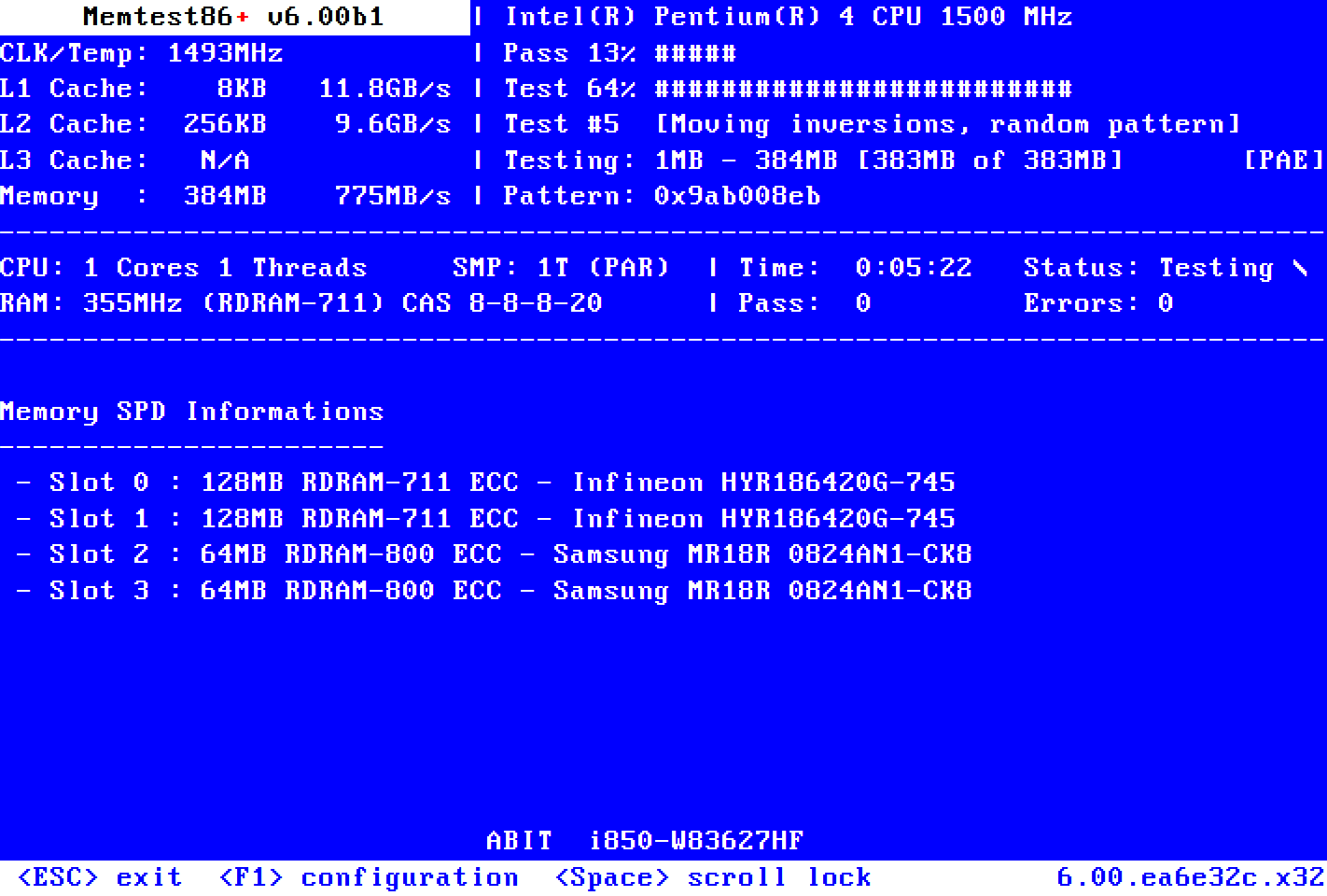
Which brings me to the issue I am currently working on. The RAM passed through memtest with flying colors, but I can't get neither XMP or EXPO working. The RAM is designed to operate at 5600MHz, but I can't get it above 4800MHz. But that is a story for another day and another post. It works and it works... uh mostly as intended.

So yeah, here it is - a working, top of the line, brand new Linux gaming PC.

Regards,
BBB
 
Looking awesome your new pc ! What distro you running on it?
PoP!_os with Cosmic desktop (Wayland). It's unbelievably fast! On boot, by the time the monitor powers up, I can already see the login screen waiting for me. But you can tell it's rather new, It's a bit janky, but nothing I can't handle.
Yikes!! That's $3,616.60 (i.e., U.S. dollars).
My whole vacation bonus and setting aside 100€ from each paycheck for the last 15 months. When I everyone else was soaking their ba**s in the ocean, I stayed behind and worked through the summer. Worth it?

And I got off easy, since I bought it just before RAM price went berserk! Something told me it was "now or never".
 
Yikes!! That's $3,616.60 (i.e., U.S. dollars).
parts are expensive in Europe as an example

Using Amazon for comparison, and CORSAIR Vengeance RGB DDR5 64GB as an example, then Amazon EU is £50 more than Amazon UK and £350 more than Amazon US,

I have taken to buying many of my parts direct from China
 
parts are expensive in Europe as an example

Using Amazon for comparison, and CORSAIR Vengeance RGB DDR5 64GB as an example, then Amazon EU is £50 more than Amazon UK and £350 more than Amazon US,

I have taken to buying many of my parts direct from China

That seems pretty high and a wide difference in price. Are those figure with any added taxes?
 
Are those figure with any added taxes?
UK and EU purchase tax is included in the retail price, not sure on your end


Follow Linux.org

Members online

No members online now.

Top