
im a little new to linux ive made my account on linux.org not too long ago but ive been a fan of linux for a bit longer. my dad wont let me dual-boot any distros or have linux as my only os and im too lazy for a subsystem so i just use a vm but i still want to dual-boot linux on my laptop how do i make my grub boot menu look less of a boot menu. i would look up a youtube tutorial but honestly i wanted an excuse to make a post on linux.org

You are using an out of date browser. It may not display this or other websites correctly.
You should upgrade or use an alternative browser.
You should upgrade or use an alternative browser.
kinda new to linux
- Thread starter desk
- Start date
To me, a good way to run Linux in your situation would be to install it to an external USB SSD or HDD. When you do the install, choose to install grub to that external drive, being careful to choose the correct drive. You'll need two USB drives for this, but one needn't be too big. A small pen drive will work to hold the installation media. The Debian net-install .iso file will fit on a 1GB drive. Install Ventoy on that drive, copy the .iso file to it using a normal copy, from Windows if you want, then attach the larger drive you intend to use for the full Linux install, the Ventoy drive, and reboot. How to access the boot manager varies by PC brand, so you need to find how to boot from a USB drive. When you do that, choose the Ventoy drive, and then you'll get a menu allowing you to choose any .iso on it. When that boots, choose to install, and then choose the other USB drive as the target. At the end, you should be asked where you want to install grub, and choose that same USB drive. Then you can just run Windows as usual, no difference, no mention of Linux, unless you choose to boot from the external Linux drive.

I'm with our member @deb_user. Running Linux Live from a usb is good.
You can add an image to your Grub menu by editing the /etc/default/grub configuration file.
Modify the GRUB Configuration File:
You can add an image to your Grub menu by editing the /etc/default/grub configuration file.
|

Modify the GRUB Configuration File:
- Open the
/etc/default/grubfile using a text editor with root privileges (e.g.,sudo nano /etc/default/grub). - Find the line
GRUB_BACKGROUND=. - If it exists, change the path to your image.
- If it doesn't exist, add the line
GRUB_BACKGROUND=/path/to/your/image.png(replace/path/to/your/image.pngwith the actual path to your image).
Save the changes to the file.
This command will regenerate thegrub.cfgfile with the new background setting. - Make sure your image is a .png and not a .jpg.
- Don't forget to update Grub after you edit that file.
-
Code:
sudo update-grub


AlphaObeisance
Well-Known Member
im a little new to linux ive made my account on linux.org not too long ago but ive been a fan of linux for a bit longer. my dad wont let me dual-boot any distros or have linux as my only os and im too lazy for a subsystem so i just use a vm but i still want to dual-boot linux on my laptop how do i make my grub boot menu look less of a boot menu. i would look up a youtube tutorial but honestly i wanted an excuse to make a post on linux.org
I would suggest inviting your dad to study Linux with you as it would be a solid bonding experience by experiencing something you're interested in with him. Engage with the community, ask questions; have your dad ask questions.
I concur with the others about USB booting, you can still run Linux. Per your circumstances, you really won't get a much better experience. If you pick up a good sized drive, you could treat that little flash drive like your own little mini-computer, and you could take it wherever you go haha.

I would suggest inviting your dad to study Linux with you as it would be a solid bonding experience by experiencing something you're interested in with him. Engage with the community, ask questions; have your dad ask questions.
Both are really solid suggestions. While my personal experience with cross-generational computer adventures hasn't been all that great (My own father couldn't be convinced that computers in general were worthwhile and my kids just wanted Windows 10 for gaming), the idea of bringing your dad along on your Linux journey sounds like a win/win idea - but only if he's actually interested.I concur with the others about USB booting, you can still run Linux. Per your circumstances, you really won't get a much better experience. If you pick up a good sized drive, you could treat that little flash drive like your own little mini-computer, and you could take it wherever you go haha.
For USB booting, choose a distro that resides mostly in RAM and the speed bottleneck of USB will be much less important.
I like the way you think! There's a ton of experience and expertise around here.i would look up a youtube tutorial but honestly i wanted an excuse to make a post on linux.org

Condobloke
Well-Known Member
Depending on his age/background/mindset, you may have to clear the air with him......that the 'linux crowd' in general are not a bunch of banner waving, bearded weirdos, who sit in darkened rooms all day smoking weed etc etc
Make your approach, perhaps, by telling him that the world runs on Linux.
It is the truth.
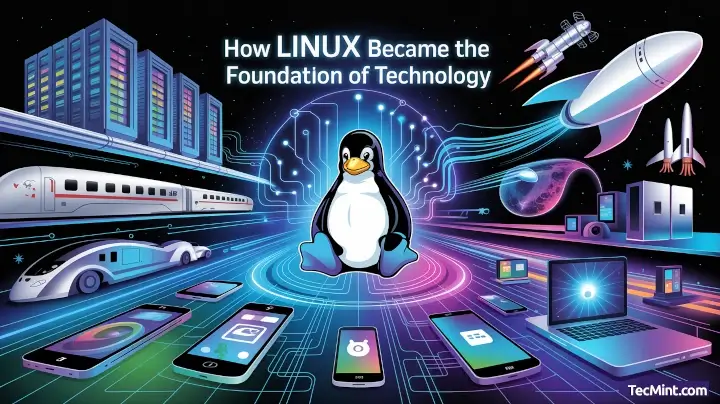
 www.tecmint.com
(3 Dec 2025Linux runs 96.3% of the world's top web servers, runs on 100% of the world's top 500 supercomputers, and sits on approximately 5.27 billion Android devices.)
www.tecmint.com
(3 Dec 2025Linux runs 96.3% of the world's top web servers, runs on 100% of the world's top 500 supercomputers, and sits on approximately 5.27 billion Android devices.)
Just lay a few facts on him (gently) .....and don't overwhelm him. Give him time to mull over what you have said and send a few links to his email, so he can read for himself.
The one above is accurate.
My search was :
'how much does the world rely on Linux operating systems'
type or copy and paste that into DuckDuckGo or google etc
Make your approach, perhaps, by telling him that the world runs on Linux.
It is the truth.
How Linux Became the Foundation of Technology (2025 Edition)
Linux runs 96.3% of the world’s top web servers, runs on 100% of the world’s top 500 supercomputers, and sits on approximately 5.27 billion Android devices.
www.tecmint.com
Just lay a few facts on him (gently) .....and don't overwhelm him. Give him time to mull over what you have said and send a few links to his email, so he can read for himself.
The one above is accurate.
My search was :
'how much does the world rely on Linux operating systems'
type or copy and paste that into DuckDuckGo or google etc

Welcome!

beanburrito
Active Member

AlphaObeisance
Well-Known Member
you may have to clear the air with him......that the 'linux crowd' in general are not a bunch of banner waving, bearded weirdos, who sit in darkened rooms all day smoking weed etc etc
This is an oddly specific stereotype and I'd be curious to hear the back story as to what brought it to fruition.
I never understood the stereotypes, must be a dated thing. Out in the "real world", I'm about the last kind of person you'd expect to be a basement dwelling hyper nerd.
I suppose I live two different livestyles; both dying.
Condobloke's right kid. Don't let anyone convince you that just because someone's using Linux that they're somehow inherently some goofy basement dwelling neck beard with no life. Live a little.

Rocketing-warp9
Well-Known Member
Welcome to the fourms!

im a little new to linux ive made my account on linux.org not too long ago but ive been a fan of linux for a bit longer. my dad wont let me dual-boot any distros or have linux as my only os and im too lazy for a subsystem so i just use a vm but i still want to dual-boot linux on my laptop how do i make my grub boot menu look less of a boot menu. i would look up a youtube tutorial but honestly i wanted an excuse to make a post on linux.org
Many of the mainstream Linux distros have a 'live' environment. You just select the USB thumb drive during the boot process. From there, it boots to Linux. It'll be a little slow when starting, but it'll be faster after that. It's slow because it loads everything into RAM. It doesn't write anything to your computer's storage -- unless you expressly tell it to do so.
A VM is also a fine way to dabble in Linux. You can customize it and use it. You can learn how to keep it updated. There are a lot of things you can learn before trying to use it on bare metal. That's not a bad thing. It's a good thing to learn, plus you'll still be using Linux while adhering to your parents' wishes.
As for the stereotypes, I'm very much a geek, but you'd likely never know it unless you asked. I have a car collection, play guitar, I'm happily married, my house is big enough to store all of my stuff, I have a ton of friends, my community respects me, and the list goes on.
I don't hide in a basement. My friends aren't all computer geeks. In fact, most of my friends are successful adults who work in a variety of professions. In fact, I have two (now adult) kids who are happy, healthy, and productive. I'm also financially independent, meaning I don't have to work for a living.
To add to that, a part of why I'm where I am is because of having some 'geekish' traits. My company used a variety of operating systems, depending on what the hardware was meant to do. That included using Linux -- though mostly on servers. Some folk did use Linux on the desktop, as employees could mostly pick whatever workstation OS they wanted.
Anyhow...
What you can do is make a complete backup of your existing computer. You can then also make sure that you have the ability to reinstall Windows. You can clone/image the drive. Then, if things don't work out with Linux, you can use that backup to restore Windows.
Well, that's not what you're allowed to do, but you can do it.
I strongly suggest that you DO NOT do that.
I'd learn how it is done. Then, I'd approach my parents to show them that it's easy to restore Windows if things break.
Heck, have your dad stop by the forum to see what we're about. Then, we can explain to him how easy it will be to make an image of the existing Windows and how easy it is to restore that image.
My own kids don't use Linux. They don't use Windows, as well. They both use MacOS.

welcome to the forums!im a little new to linux ive made my account on linux.org not too long ago but ive been a fan of linux for a bit longer. my dad wont let me dual-boot any distros or have linux as my only os and im too lazy for a subsystem so i just use a vm but i still want to dual-boot linux on my laptop how do i make my grub boot menu look less of a boot menu. i would look up a youtube tutorial but honestly i wanted an excuse to make a post on linux.org
why don't you install linux as your only operating system instead of dual-boot?
that's what I did with my good old legacy lappy
besides, it's the safest option in my opinion, to use linux on bare metal exclusively
specially if you dont know how to handle partitions properly
; )
why don't you install linux as your only operating system instead of dual-boot?
Seems rather plain to see.my dad wont let me dual-boot any distros or have linux as my only os
johnblackwood1
Member
just install puppy linux on a USB and boot it up. no install to your hard drive required. just to the USB. use a tool like the Pi imager or balena etcher (yes i know that the Pi imager is for raspberry Pi SBCs but i used it on my old imac and it worked perfectly) the Pi imager is more easy than balena etcher cause etcher is more prone to not even write (well it was like that for me) and was annoying to use. So grab that 8 gb PNY usb drive stick it in there and install linux to it. Good luck man..

Or most other versions of Linux. Puppy is the smallest, likely.install puppy linux on a USB and boot it up. no install to your hard drive required. just to the USB.
I've done that with Debian. And so have countless others.
johnblackwood1
Member
i never used puppy linux before (but i know some other people here have.) but i know its good on USB devices because its size can range from 1.5 g to 800 mb. making it fit on a 8 gb usb drive very nicely. its based on debian (some of the flavors are not all) and have actually pretty small desktop enviornments.Or most other versions of Linux. Puppy is the smallest, likely.
I've done that with Debian. And so have countless others.
Similar threads


- Replies
- 0
- Views
- 235


- Replies
- 9
- Views
- 1K




