If you're referring to single click on folders, this is a DE desktop function, you should find it somewhere in desktop settings.
KDE desktop has it, but IDK for Cinnamon.
I thank you both for the help. I have it sorted now to single click. The installation is beginning to become more instinctive. I am learning how things can be changed if I can only find where to look.
I am trying to find time to install a dedicated sound card to get sound to function in Linux.
I am still unable to get any sound into separate speakers. I was thinking of adding a sound card to my PC that would overcome the problem but completely befuddled by the complicated specs and prices of them. I also find tiny sound cards offered built into a usb plug. I really have no need for multi-channel sound output. 2 channel simple stereo output is perfectly adequate. I don't stream movies or fiddle with audio files. I just want to listen to the audio output of short video clips or news channels on the internet.
I have found loads of threads on various sites about Linux sound problems and have tried literally dozens of terminal commands. The ones that do anything at all simply bring up the list of installed software and nothing changes.
Can anyone recommend a simple (and cheap) solution to getting sound from my Linux desktop? The sound output was perfect for years with Windows 7 installed but now it just doesn't like Linux Mint.
I am still unable to get any sound into separate speakers. I was thinking of adding a sound card to my PC that would overcome the problem but completely befuddled by the complicated specs and prices of them. I also find tiny sound cards offered built into a usb plug. I really have no need for multi-channel sound output. 2 channel simple stereo output is perfectly adequate. I don't stream movies or fiddle with audio files. I just want to listen to the audio output of short video clips or news channels on the internet.
I have found loads of threads on various sites about Linux sound problems and have tried literally dozens of terminal commands. The ones that do anything at all simply bring up the list of installed software and nothing changes.
Can anyone recommend a simple (and cheap) solution to getting sound from my Linux desktop? The sound output was perfect for years with Windows 7 installed but now it just doesn't like Linux Mint.
Before you open the case of your 10 year old desktop and replace the sound card maybe try MX Linux Live from a usb thumb drive.
First see if you have sound.
OR> you could try {if you still have the Live medium of Linux Mint} and see if you have sound running that Live.
There is sound in the kernel so I don't understand why you don't have sound by now. Very puzzling situation I believe that you have going on here.
When I can't seem to find a fix I go to the Arch Linux trouble-shooting WiKi's.
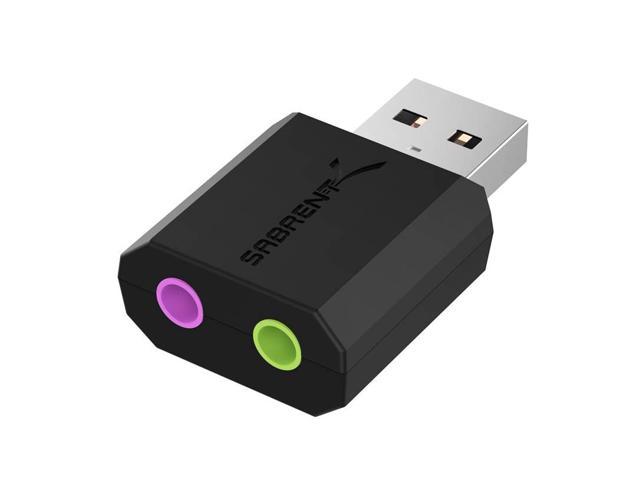
Buy SABRENT USB External Stereo Sound Adapter for Windows and Mac. Plug and Play No Drivers Needed. (AU-MMSA) with fast shipping and top-rated customer service. Once you know, you Newegg!
www.newegg.com
With external hardware like a usb wifi adapter or sound adapter you may have to blacklist the onboard adapter (module that the kernel is using due to what's installed on the mobo) that way the new adapter works.
Here's an article that teaches how to blacklist a kernel module.
The Linux kernel provides modular support to allow loading kernel modules during runtime. To prevent security issues, learn how to disable or blacklisting.
Thankyou for responding to my dilemma. My PC doesn't have a dedicated sound card. It has something integrated on the motherboard that gives basic 2ch sound. Since changing to Linux Mint there is no sound going to my external speakers but there is (poor) sound coming from the speakers in the monitor. I have tried another set of external speakers than are working well on a different PC. I have tried installing various recommended things like ALSA and PAVU-something and tried to find some setting I may be missing with no luck.
I still have the Installation CD for Mint if that is what you mean by "Live Medium" but I don't recall hearing any sound while doing the install. I have been assuming that my motherboard sound was somehow incompatible with Linux so thought I would find a cheap external sound card that would bypass the onboard sound via a USB connection on the back panel. Then the fun began trying to find something that claims to be compatible with Linux. Someone on another forum recommended a small box that works well with Mint and I have been trying to get it from Aliexpress. Only about 8 euros but I am having trouble getting logged in. Other sources here want 20 to over 50 euros for exactly the same unit. I don't want to gamble that much on something that might have to go to landfill if it doesn't work.
So far I have been happy with the speed and simplicity of Mint and would switch over 100% if I can get the sound to work but until then my main PC is staying with a debloated Windows 7 with no telemetry.
Thankyou for responding to my dilemma. My PC doesn't have a dedicated sound card. It has something integrated on the motherboard that gives basic 2ch sound. Since changing to Linux Mint there is no sound going to my external speakers but there is (poor) sound coming from the speakers in the monitor. I have tried another set of external speakers than are working well on a different PC. I have tried installing various recommended things like ALSA and PAVU-something and tried to find some setting I may be missing with no luck.
I still have the Installation CD for Mint if that is what you mean by "Live Medium" but I don't recall hearing any sound while doing the install. I have been assuming that my motherboard sound was somehow incompatible with Linux so thought I would find a cheap external sound card that would bypass the onboard sound via a USB connection on the back panel. Then the fun began trying to find something that claims to be compatible with Linux. Someone on another forum recommended a small box that works well with Mint and I have been trying to get it from Aliexpress. Only about 8 euros but I am having trouble getting logged in. Other sources here want 20 to over 50 euros for exactly the same unit. I don't want to gamble that much on something that might have to go to landfill if it doesn't work.
So far I have been happy with the speed and simplicity of Mint and would switch over 100% if I can get the sound to work but until then my main PC is staying with a debloated Windows 7 with no telemetry.
You're welcome.
Like you I had a sound problem and no matter what I did I couldn't get the sound to work.
I solved it by installing another Linux distribution and the sound issue vanished.
I respect and understand that you want to stay with Mint.
Yes, that's what I mean by you still having on hand the 'Live Medium'. Does running the Linux Mint CD Live (not installing it) just using the browser give you sound on online video's?
With your PC not having a dedicated snd crd , and something integrated on the mobo I understand better now....so thank you for making that clear.
Fifty euro's seems a tad over the top to me for a simple usb device for sound.
Does Aliexpress have a customer service phone number or e-mail?
The number I found for them is
English
0800 043 0010
for the United Kingdom location.
Maybe our Moderator @Brickwizard can assist you as I think this may be his neck of the woods. Notice I said: 'maybe' not sure.
Thanks to you both. Your suggestions are most appreciated. My searches have turned up dozens of units like the one in Brickwizard's link. I hardly ever see it mentioned in the ads that it will work with Linux. I will order one today and see how I get on.
Thanks to you both. Your suggestions are most appreciated. My searches have turned up dozens of units like the one in Brickwizard's link. I hardly ever see it mentioned in the ads that it will work with Linux. I will order one today and see how I get on.
Hey, that was quick thanks.
Yes the volume works although it is a bit quiet, but Mint cannot detect the external USB audio adapters which worked well on Windows. Is there a driver for this type of thing?