OP
Hopeless-case
Member
I have already discovered that. Sadly it only offers the choice of Solved or Tutorials. None listed for Unsolved.


None listed for Unsolved.

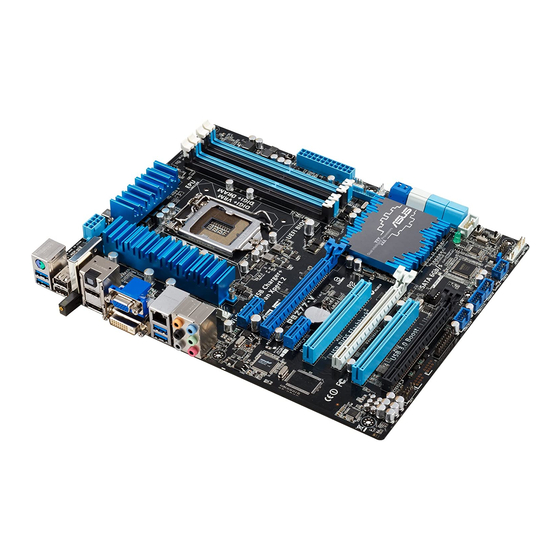
I found the manual for your Asus monitor here:The desktop monitor is an Asus VG249Q5R. The PC is home built. Motherboard- Asus P8Z77-V, processor is Intel Core i5-3570, 16gb Crucial memory.
 www.asus.com
 www.manualslib.com
uname -rAnd in post #24 you asked:I put inxi -Axxx in the terminal and got a list of I.D. about the computer and Linux stuff. I don't know how to get a screenshot to post here.
"Alsa by default should have the snd-hda-intel driver out of the box.
Ensure that the correct output is selected."
Where do I look to see what output is selected?
Audio:
  Device-1: Intel Raptor Lake High Definition Audio vendor: ASRock
    driver: snd_hda_intel v: kernel bus-ID: 00:1f.3 chip-ID: 8086:7a50
    class-ID: 0403
  Device-2: NVIDIA GK208 HDMI/DP Audio vendor: Micro-Star MSI
    driver: snd_hda_intel v: kernel pcie: speed: 5 GT/s lanes: 8 bus-ID: 01:00.1
    chip-ID: 10de:0e0f class-ID: 0403
  API: ALSA v: k6.19.8+deb14-amd64 status: kernel-api
  Server-1: PipeWire v: 1.6.2 status: active with: 1: pipewire-pulse
status: active 2: wireplumber status: active 3: pipewire-alsa type: plugin[~]$ lspci -nnk | grep -i -A3 aud
00:1f.3 Audio device [0403]: Intel Corporation Raptor Lake High Definition Audio Controller [8086:7a50] (rev 11)
Subsystem: ASRock Incorporation Device [1849:1897]
Kernel driver in use: snd_hda_intel
Kernel modules: snd_soc_avs, snd_sof_pci_intel_tgl, snd_hda_intel
--
01:00.1 Audio device [0403]: NVIDIA Corporation GK208 HDMI/DP Audio Controller [10de:0e0f] (rev a1)
Subsystem: Micro-Star International Co., Ltd. [MSI] Device [1462:8c93]
Kernel driver in use: snd_hda_intel
Kernel modules: snd_hda_intelI get it."Alsa by default should have the snd-hda-intel driver out of the box.
Ensure that the correct output is selected."
Where do I look to see what output is selected?
"Did you try running alsamixer like @Condobloke suggested?"
Yes, see post #8.
"What kernel is your Mint running?"
Cinnamon? or is it something else?
I do appreciate your help but this is like learning Cantonese to me, and half the time I don't understand the jargon. Sorry.
Other thoughts:Once we know if the sound driver is in use we can then find out if the driver is loading.
 linuxmint.com
Yes. I have the speakers plugged into the green socket on the motherboard panel. I also tried all the others in the same panel just to be certain.I have Mint Cinnamon 22.1...main SSD... Cinnamon 22.2..spare SSD and Mint mate 22.3 running in Virtualbox...all have sound through the same speakers. My HDMI Monitor doesn't have speakers and is only 2 years old.
Do you have the speakers plugged into the correct port on the Motherboard ? If I unplug my speakers...I have no sound...that's why I ask.
My 14 year old laptop running Mint xfce 22.1 also has sound that's built in to the Laptop. View attachment 31117
 I finally got the screenshot to work. Selecting source #1 works through the monitor speakers. Source #2 and 4 don't work at all. I don't know what this means.
Thanks for the screenshot.Here it is.View attachment 31191
lsmodSorry to hear of all the changes and headaches with your ISP and the new setup.Hi Guys. Sorry for the slow response but it has been Bedlam here. We had a broadband fibre installation here and as a result we had no comms for the first two days, followed by three more trying to get our 2 desktops and one laptop, one mobile phone, and an internet radio to connect to the new Orange fibre wifi box. Oddly, the radio was the easiest to get working, followed by the Linux pc. They both work via wifi. I can only get the Windows desktop and laptop to work by ethernet cable. So not a happy bunny. Having no sound on the Linux has been a "back burner issue".
Screen shot of lsmod had to be taken in two parts because it is too long. Hope its OK.
View attachment 31462View attachment 31463
I'm having difficulty getting the screenshot thing to select. It seems to have a mind of its own. It misses out one letter of the left hand side.
cat /proc/modulesPerhaps change the sound output to the "Line Out" device, which is linked to the green socket on the motherboard. Run a lead from the socket to speakers that are amplified, that is, not just passive speakers, but speakers that have an internal amplifier with a volume control.I finally got the screenshot to work.
View attachment 31173View attachment 31173I finally got the screenshot to work. Selecting source #1 works through the monitor speakers. Source #2 and 4 don't work at all. I don't know what this means.





