Several settings missing, no internet, function key unresponsive, help

Here's a post from the Ubutnu forums where someone got that same Realtek network card working.

I could definitely give this a go. My only concern is I checked the available drivers from the site they linked and the newest r8125 driver seems to only support up to kernel 6.12, which I don't know if that means it might not work on 6.14?


The module is located here. on the file-system.
Code:
/usr/lib/modules/6.18.6-arch1-1/kernel/drivers/net/wireless/mediatek/mt76/mt7921/mt7921e.ko.zst
You could check if it's listed here on your Ubuntu 24.04 installation, it with the terminal or by browsing to the location with a file-manager.
Code:
ls /usr/lib/modules/6.14.0-33-generic/kernel/drivers/net/wireless/mediatek
Then "mt7922" should be listed there or just share what you see there.
Ok so I followed the path in a file manager and there wasn't a wireless folder. Searching also doesn't reveal any Mediatek folder.
 
I could definitely give this a go. My only concern is I checked the available drivers from the site they linked and the newest r8125 driver seems to only support up to kernel 6.12, which I don't know if that means it might not work on 6.14?
I was checking the Debian repos which are similar to the Ubuntu repos. There I see these.
Code:
r8125-dkms/stable 9.015.00-1 all
  dkms source for the r8125 network driver

firmware-realtek/stable 20250410-2 all
  Binary firmware for Realtek network and audio chips
It would probably easier to try those first.
 
Can you share what you do see in the "net" folder?
net.jpg
 
Device 1 - MEDIATEK MT7922 802.11ax PCI Express Wireless Network Adapter
You could try this.
You would need to follow the instructions for your Mediatek device, which is section 2.
2. MT7922 - mt7922e chipset (AMD RZ616) (WiFi 6e)
I'm linking it because I have no way better of explaining it than those instructions. Do you think you are able to make sense of those instructions?
 
You could try this.
You would need to follow the instructions for your Mediatek device, which is section 2.

I'm linking it because I have no way better of explaining it than those instructions. Do you think you are able to make sense of those instructions?
Thank you, I will give this a shot and report back with how it goes.
 
You could try this.
No success unfortunately. I was able to follow all the instructions, but found that the required files already existed in the /lib/firmware/mediatek folder, so clearly there already is firmware present, just something not working properly. I still updated the files just in case, but yea no change.
 
A few ideas.:)

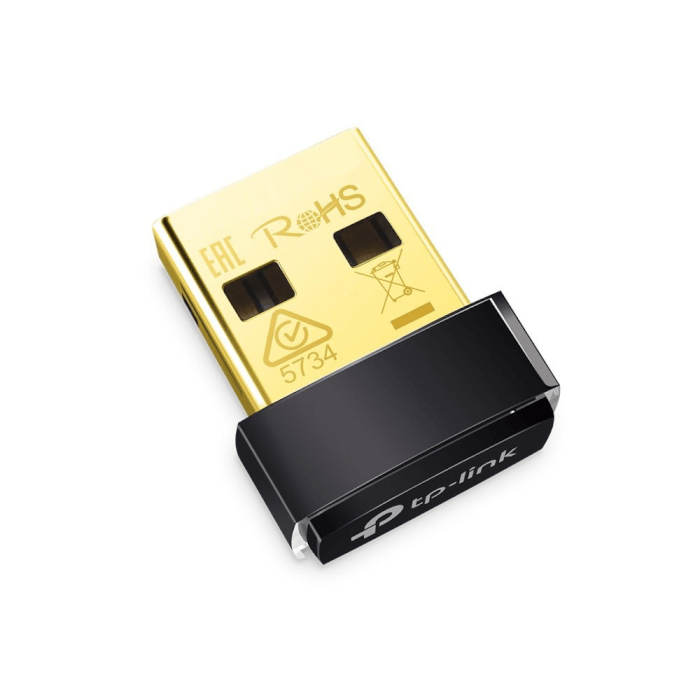
Maybe purchase a USB Wireless dongle that works with Linux.
TP-Link (compatable with Realtek), and Panda Wireless.


More here:


My thinking is that you'll have to blacklist the driver that's associated with your onboard nic.
Then install the driver for the usb dongle if it's not already in your kernel and reboot.


There's one I found on Amazon (a quick search) called BrosTrend 650Mbps Linux Compatable WiFi Adapter.
Says it's suitable for Kali, Mint, Debian and Ubuntu.


Payment

Secure transaction


Add a gift receipt for easy returns


$18.99


Add to List


Other sellers on Amazon


New & Used (11) from
$18.99 FREE Shipping on orders over $35.00 shipped by Amazon.


Click to see full view


No success unfortunately. I was able to follow all the instructions, but found that the required files already existed in the /lib/firmware/mediatek folder, so clearly there already is firmware present, just something not working properly. I still updated the files just in case, but yea no change.
Yeah sorry I forgot to have you theck that location before hand. Out of curiosity of what you do see on your system. Can you show the output of the following.
Code:
ip a
lspci -nn | grep -i net
lspci -v | less
For the last one search for the mediatek section and share that here, so including if it mentions any kernel driver and modules. Also for your realtek adapter, both will have a name similar to what you see from the seccond command.
 
Also something I thought about after another topic that just got solved because of that. Have you tried updating your laptop's motherboard's firmware to the most up-to-date version available from the vendor's website?
 
Can you show the output of the following.
Sorry for the delay, here's the outputs.
ip a.jpg

lspci 1.jpg

lspci 2.jpg

Also something I thought about after another topic that just got solved because of that. Have you tried updating your laptop's motherboard's firmware to the most up-to-date version available from the vendor's website?
I haven't but will look into that in the meantime.
Update: The firmware is already on the latest version, last update on that was in 2023.
 
Last edited:
As such, Ubuntu 24.04.4 HWE brings Linux 6.17 kernel and Mesa 25.2.7 The Ubuntu 24.04.4 LTS release date is set for February 12, 2026. This is the date when a shiny new ISO (with Linux kernel 6.17 and Mesa 25.2.7 preinstalled to boot from) is released.
That kernel may be available through the Backports repository I do not know if it is available by default or not - I do not know since I do not use Ubuntu, I do know it is available for Debian 13 - kernel 6.17.13
 
Sorry for the delay, here's the outputs.
Can you run the following?
Code:
sudo modprobe mt7921e
sudo modprobe r8169
lsmod | grep -E "mt7921e|r8169"
Then run this again.
Code:
ip a
The last command should show network interfaces with output? If that's not the case could you also please create a flash drive with Ventoy and then boot from the Ubuntu(25.10), the PikaOS and the Nobara isos to see if you network interfaces do show up with a newer kernel? But before you that could you try connecting a network cable to the ethernet port of your realtek network card to see if they by any chance does something, as maybe for some reason the driver doesn't activate until something is connected for some strange reason.
 
Can you run the following?
I did but it returned errors for missing files and ip a seemed to give the same output as before
SC 1.jpg

SC 2.jpg

SC 3.jpg

I tried the network cable but no change, Ubuntu just refuses to recognize anything's there. I will try the Ventoy thing later though as soon as I got time and report back.
But also
I was checking the Debian repos which are similar to the Ubuntu repos. There I see these.
Code:
r8125-dkms/stable 9.015.00-1 all
  dkms source for the r8125 network driver

firmware-realtek/stable 20250410-2 all
  Binary firmware for Realtek network and audio chips
It would probably easier to try those first.
I haven't had the chance to try those yet. I followed the link you provided but am actually a bit confused, you mention 9.015.00-1 but the versions I see listed are all 9.011.00-4ubuntu1.1 and a couple 9.016.01-1 in the source package. So I am a bit lost on what I am looking for unless I misunderstood something?
 
As such, Ubuntu 24.04.4 HWE brings Linux 6.17 kernel and Mesa 25.2.7 The Ubuntu 24.04.4 LTS release date is set for February 12, 2026. This is the date when a shiny new ISO (with Linux kernel 6.17 and Mesa 25.2.7 preinstalled to boot from) is released.
That kernel may be available through the Backports repository I do not know if it is available by default or not - I do not know since I do not use Ubuntu, I do know it is available for Debian 13 - kernel 6.17.13
This may help greatly and for OP I hope it does.

I seem to recall approx. 3 years ago there was a gentlemen that had a media tek ssd and he couldn't get Linux of any flavor to work or run.
 
Sorry about post # 29.
Lot's of code on a page I copied trying to find something on Amazon.
When I tried to rm it it was a mess.
 
I did but it returned errors for missing files and ip a seemed to give the same output as before
Okay so it seems not even that driver is available on that system.

I haven't had the chance to try those yet. I followed the link you provided but am actually a bit confused, you mention 9.015.00-1 but the versions I see listed are all 9.011.00-4ubuntu1.1 and a couple 9.016.01-1 in the source package. So I am a bit lost on what I am looking for unless I misunderstood something?
What you can try is looking up the packages "r8125-dkms" and "dkms", then downloading them here, for your Ubuntu version(24.04 / Noble) and then installing them with dpkg or apt locally. Once downloaded you can either install them using apt, dpkg or the software center I think.
Code:
sudo dpkg -i pkg1.deb pkg2.deb
Replace the name with the actual package names but the problem might be that those packages have other dependencies. But trying to live boot Ubuntu 25.10, PikaOS and Nobara will probably be easier.
 
But trying to live boot Ubuntu 25.10, PikaOS and Nobara will probably be easier.
Quick update. Been busy for a while so couldn't get to this properly, and I am currently still trying to figure out the Ventoy thing. But in the meantime I did pop in and liveboot from my old Ubuntu flash for a quick check and yeaaaap everything works fine on that one, wi-fi and ethernet, function key etc. Seems to have no problem accessing the drivers, so idk what the fuck happened that it randomly decided those drivers don't exist anymore after a couple months of use. Whether it was the Mediatek thing or that it just really doesn't like switching to Windows.
net 1.jpg

net 2.jpg
 
I did pop in and liveboot from my old Ubuntu flash for a quick check and yeaaaap everything works fine on that one, wi-fi and ethernet, function key etc. Seems to have no problem accessing the drivers, so idk what the fuck happened that it randomly decided those drivers don't exist anymore after a couple months of use. Whether it was the Mediatek thing or that it just really doesn't like switching to Windows.
So if I'm understanding correctly you created a new flash drive with Ubuntu, is this a newer version of Ubuntu or still 24.0 and are you livebooted now or did you also reinstall?


Follow Linux.org

Members online

No members online now.

Top