I am experiencing difficulties connecting to the Wi-Fi network.

Mole_linux

New Member
Joined
May 5, 2025
Messages
8
Reaction score
1
Credits
57
My HP 15 laptop, equipped with 8 GB of RAM and 254 GB of storage, experienced a Wi-Fi connectivity failure upon initiating Linux Mint. Troubleshooting attempts, including utilizing online video tutorials and the driver manager, proved unsuccessful. Furthermore, tethering via my mobile phone and executing command-line instructions yielded no positive results, all performed offline. System restoration to Windows is not feasible due to its absence. I require technical assistance to resolve this critical hardware malfunction.
 
Last edited:


Welcome
this is an English language site, Please make all post in English [American English is fine], if you do not speak English please translate before you post on the boards
so you have an HP laptop and cannot connect to Wi-Fi, we need to know which Wi-Fi card you have.
in MINT open a terminal, input inxi -Nn and enter, copy and paste back the result,
 
The command execution resulted in the following output: Device-1: MEDIATEK driver
 
your inxi should look like this....

Network:
Device-1: Intel Ethernet I219-LM driver: e1000e
Device-2: Intel Wireless 8265 / 8275 driver: iwlwifi
Device-3: Intel Bluetooth wireless interface type: USB driver: btusb

the wi-fi should be device 2
 
No, it only appears with Device-1: MEDIATEK driver: and next to that there is N/A
 
dose it not give a chip set /card number? Usually starting MT with 4 following numbers, or on older ones may have Realtek chips which will be numbered rtl8????

without the chipset or card number, we cannot recommend which drivers to install
 
I regret to inform you that this does not align with my findings; I have only received one instance, not four.
 
ok try another way [this will take longer]
from the maker's plate on your laptop, give me the full model number and I will see if i can find a workshop sheet for it
 
From what I have found, the Wi-Fi should be either RTL8822CE or RTL8188EE if these numbers are not showing in inxi, then it sounds like an internal connection problem, so check the machine is not in hard block [that flight mode is not on]

I will not be available for a while now.
 
I regret to inform you that this does not align with my findings; I have only received one instance, not four.
If the kernel has not loaded a wifi driver then the first step it's wise to take is to upgrade the installation to the latest version available which includes the latest version of the kernel if the machine is not running the latest software. Wifi drivers are added to kernels as they are progressively released, so it's possible a relevant driver is available from such a later version. It appears from post #5 that the machine has a mediatek wifi device. In the case of mediatek drivers, they are more recent additions.

Nevertheless, if no driver is yet available in the kernel, then one needs to identify the chipset of the wifi device and then seek out a relevant driver if one exists. Often drivers not yet in the kernel are available for installation from a site such as github and are easily installed.

In the case of a mediatek wifi device, a chipset number will usually resemble something like: mt7921au. When one has that number they can search for a driver for it.

One can use the following commands to try and find the number thus:

Code:
inxi -Nnxx

lspci -nnkd ::2xx


Note that the above inxi command is different to the one suggested in post #2.

If you return the exact outputs from those commands here, readers may be in a position to help further. It's best to post the exact commands entered and the outputs shown, fully and exactly here. One can paste the text and use code tags to show the whole pristine output.

If you are unsure on the use of code tags, see the illustrated "code" example here: https://www.bbcode.org/how-to-use-bbcode-a-complete-guide.php.
Or one can also use the "</>" icon in the Post reply tool bar. It's under the left most three dot icon. One pastes the copied output code, highlights it and hits the icon.

 
if the wifi card is not seen in linux, what about the bluetooth? they are usually on the same card. If you can't get them to see then most likely your wifi card is not linux compatible. Or maybe more correctly put ... "only compatible with windows". get a new card. They run about $25 and you just open the laptop and replace it. It is a small postage stamp sized card with 2 wires running from the display area to the card. those are antennae. You will see the card is held in by one screw. Remove it and but a new one that is not only for windoze. This is the cheapest and easiest way to deal with a card that is not working. You can spend the next few months trying to make it work or swap it out. or just put in a wifi USB dongle and that will do it too.
It is not worth all your time and aggrevation just to save $25
 
@Mole_linux check in the HP bios to ensure that wifi is enabled. if it is, when you're booted into the OS, run a lsusb or lspci & look for the hardware id - it'll be displayed as xxxx:yyyy - then take that & do a search (google, etc) for it with "site:linux-hardware.org" as part of the search - that should (probably) indicate if the wifi device is compatible.

if it's not, refer to the links in my signature for more information on wifi adapters that are compatible.
 
Hi sorry for not being active in this post, I have answers apparently I have a MediaTek card or a MediaTek connection driver that apparently has not had an update (not even the most recent one has one) so I damaged my computer I only have 2 options 1. install Windows again but struggle to get a driver or 2. buy a USB wifi adapter but some are not good or some are good but do not have support for the version of Linux I want. anyway if you recommend something I would appreciate it
 
buy a USB wifi adapter

Fairly easily done. NewEgg is useful and accurate with this. Search for 'USB wifi adapter' and then add 'Linux' to the results. You're in the US, so this will be fairly painless.

Heck, I'll generate a link for you:


If you want to sort by price:


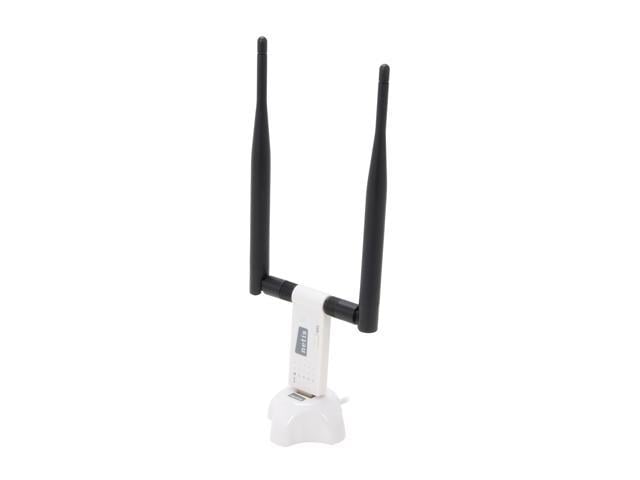
Specifically, I have these - including a couple of spare units:


Those have worked well for me and handle enough bandwidth for my needs. I may have to change that up in the near future, but they've been flawless for me so far. No additional drivers are needed.
 
Fairly easily done. NewEgg is useful and accurate with this. Search for 'USB wifi adapter' and then add 'Linux' to the results. You're in the US, so this will be fairly painless.

Heck, I'll generate a link for you:


If you want to sort by price:


Specifically, I have these - including a couple of spare units:


Those have worked well for me and handle enough bandwidth for my needs. I may have to change that up in the near future, but they've been flawless for me so far. No additional drivers are needed.
Thanks friend, I'm going to see what adapters there are to see if there is one that works for me, if not I'll buy that one


Follow Linux.org

Members online


Top