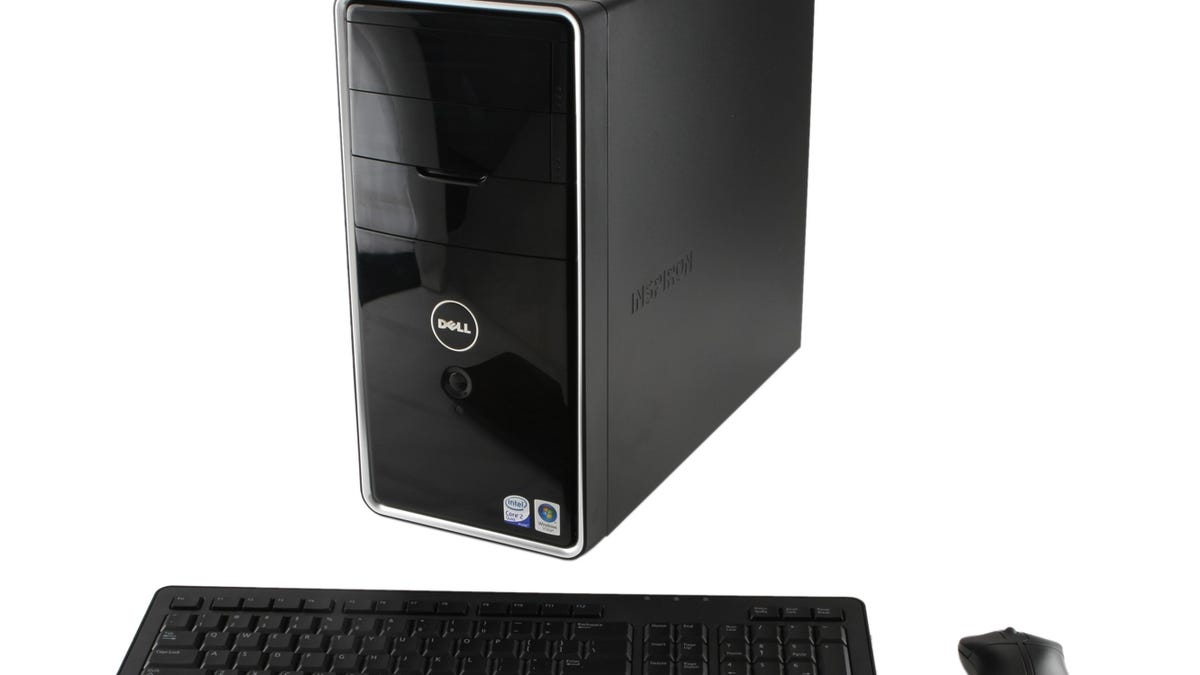
Here are my System Specs:
I have gone into "Boot Configuration" and changed the boot order to "Removable" which is Usb, then CD Rom and Hard Disk. However when I go to "Boot Options" the system does not recognized the plugged-in Usb. I tried this several times with just re-starting and even with completely shutting down the system. I have a MX Linux 25.1 installed on the Usb using Balena-Etcher which completed successfully and verified. I am trying to do an in-place upgrade from MX 23.6 (fluxbox) to MX 25.1 Xfce. I don't understand why the usb is not recognized as I have not had any problems doing so in the past. I do have Windows installed on another partition but doubt this has any bearing. I am at a loss. I really Like MX and the array of tools and am eager to try out MX 25.1 as suggested by a member who thought it would be better for a noob like me. Any ideas?
Code:
Snapshot created on: 20260413_1109
System:
  Kernel: 6.1.0-44-amd64 [6.1.164-1] arch: x86_64 bits: 64 compiler: gcc v: 12.2.0
    parameters: BOOT_IMAGE=/boot/vmlinuz-6.1.0-44-amd64 root=UUID=<filter> ro quiet splash
    init=/lib/systemd/systemd
  Desktop: Xfce v: 4.20.0 tk: Gtk v: 3.24.38 info: xfce4-panel wm: xfwm v: 4.20.0 vt: 7
    dm: LightDM v: 1.32.0 Distro: MX-23.6_x64 Libretto Jan 12  2025 base: Debian GNU/Linux 12
    (bookworm)
Machine:
  Type: Desktop System: Dell product: Inspiron 545 v: 00 serial: <superuser required> Chassis:
    type: 3 serial: <superuser required>
  Mobo: Dell model: 0N826N v: A03 serial: <superuser required> BIOS: Dell v: A12 date: 11/17/2009
CPU:
  Info: model: Pentium E5400 bits: 64 type: MCP arch: Penryn level: v1 built: 2008
    process: Intel 45nm family: 6 model-id: 0x17 (23) stepping: 0xA (10) microcode: 0xA0B
  Topology: cpus: 1x cores: 2 smt: <unsupported> cache: L1: 128 KiB desc: d-2x32 KiB; i-2x32 KiB
    L2: 2 MiB desc: 1x2 MiB
  Speed (MHz): avg: 1386 high: 1556 min/max: 1200/2700 scaling: driver: acpi-cpufreq
    governor: ondemand cores: 1: 1556 2: 1217 bogomips: 10772
  Flags: ht lm nx pae sse sse2 sse3 ssse3 vmx
  Vulnerabilities:
  Type: gather_data_sampling status: Not affected
  Type: indirect_target_selection status: Not affected
  Type: itlb_multihit status: KVM: VMX disabled
  Type: l1tf mitigation: PTE Inversion; VMX: conditional cache flushes, SMT disabled
  Type: mds status: Vulnerable: Clear CPU buffers attempted, no microcode; SMT disabled
  Type: meltdown mitigation: PTI
  Type: mmio_stale_data status: Unknown: No mitigations
  Type: reg_file_data_sampling status: Not affected
  Type: retbleed status: Not affected
  Type: spec_rstack_overflow status: Not affected
  Type: spec_store_bypass status: Vulnerable
  Type: spectre_v1 mitigation: usercopy/swapgs barriers and __user pointer sanitization
  Type: spectre_v2 mitigation: Retpolines; STIBP: disabled; RSB filling; PBRSB-eIBRS: Not
    affected; BHI: Not affected
  Type: srbds status: Not affected
  Type: tsa status: Not affected
  Type: tsx_async_abort status: Not affected
  Type: vmscape status: Not affected
Graphics:
  Device-1: Intel 82G33/G31 Express Integrated Graphics vendor: Dell driver: i915 v: kernel
    arch: Gen-4 process: Intel 65n built: 2006-07 ports: active: VGA-1 empty: none bus-ID: 00:02.0
    chip-ID: 8086:29c2 class-ID: 0300
  Display: x11 server: X.Org v: 1.21.1.7 compositor: xfwm v: 4.20.0 driver: X: loaded: intel
    dri: i915 gpu: i915 display-ID: :0.0 screens: 1
  Screen-1: 0 s-res: 1366x768 s-dpi: 96 s-size: 362x204mm (14.25x8.03") s-diag: 416mm (16.36")
  Monitor-1: VGA-1 mapped: VGA1 model: Dell IN1910N serial: <filter> built: 2009 res: 1366x768
    hz: 60 dpi: 85 gamma: 1.2 size: 410x230mm (16.14x9.06") diag: 470mm (18.5") ratio: 16:9 modes:
    max: 1366x768 min: 720x400
  API: OpenGL v: 2.1 Mesa 22.3.6 renderer: i915 (: G33) direct-render: Yes
Audio:
  Device-1: Intel 82801I HD Audio vendor: Dell driver: snd_hda_intel v: kernel bus-ID: 00:1b.0
    chip-ID: 8086:293e class-ID: 0403
  API: ALSA v: k6.1.0-44-amd64 status: kernel-api tools: alsamixer,amixer
  Server-1: PipeWire v: 1.0.0 status: active with: 1: pipewire-pulse status: active
    2: wireplumber status: active 3: pipewire-alsa type: plugin 4: pw-jack type: plugin
    tools: pactl,pw-cat,pw-cli,wpctl
Network:
  Device-1: Realtek RTL810xE PCI Express Fast Ethernet vendor: Dell driver: r8169 v: kernel pcie:
    gen: 1 speed: 2.5 GT/s lanes: 1 port: ce00 bus-ID: 03:00.0 chip-ID: 10ec:8136 class-ID: 0200
  IF: eth0 state: up speed: 100 Mbps duplex: full mac: <filter>
Drives:
  Local Storage: total: 931.51 GiB used: 63.58 GiB (6.8%)
  SMART Message: Unable to run smartctl. Root privileges required.
  ID-1: /dev/sda maj-min: 8:0 vendor: Western Digital model: WD10EZEX-00BN5A0 size: 931.51 GiB
    block-size: physical: 4096 B logical: 512 B speed: 3.0 Gb/s type: HDD rpm: 7200 serial: <filter>
    rev: 1A01 scheme: MBR
Partition:
  ID-1: / raw-size: 100 GiB size: 97.87 GiB (97.87%) used: 63.58 GiB (65.0%) fs: ext4
    dev: /dev/sda4 maj-min: 8:4
Swap:
  Kernel: swappiness: 15 (default 60) cache-pressure: 100 (default)
  ID-1: swap-1 type: file size: 2 GiB used: 0 KiB (0.0%) priority: -2 file: /swap/swap
Sensors:
  System Temperatures: cpu: 40.0 C mobo: N/A
  Fan Speeds (RPM): cpu: 813 mobo: 1137
Repos:
  Packages: pm: dpkg pkgs: 2261 libs: 1111 tools: apt,apt-get,aptitude,nala,synaptic pm: rpm
    pkgs: 0 pm: flatpak pkgs: 0
  No active apt repos in: /etc/apt/sources.list
  Active apt repos in: /etc/apt/sources.list.d/debian-stable-updates.list
    1: deb http://deb.debian.org/debian/ bookworm-updates main contrib non-free non-free-firmware
  Active apt repos in: /etc/apt/sources.list.d/debian.list
    1: deb http://deb.debian.org/debian/ bookworm main contrib non-free non-free-firmware
    2: deb http://security.debian.org/debian-security/ bookworm-security main contrib non-free non-free-firmware
  Active apt repos in: /etc/apt/sources.list.d/google-chrome.list
    1: deb [arch=amd64] https://dl.google.com/linux/chrome/deb/ stable main
  Active apt repos in: /etc/apt/sources.list.d/mx.list
    1: deb http://mirror.math.princeton.edu/pub/mxlinux/mx/repo/ bookworm main non-free
  Active apt repos in: /etc/apt/sources.list.d/google-chrome.sources
    1: deb https://dl.google.com/linux/chrome-stable/deb/ stable main
Info:
  Processes: 200 Uptime: 16m wakeups: 0 Memory: 5.78 GiB used: 2.88 GiB (49.9%) Init: systemd
  v: 252 target: graphical (5) default: graphical tool: systemctl Compilers: gcc: 12.2.0 alt: 12
  Client: shell wrapper v: 5.2.15-release inxi: 3.3.26
Boot Mode: BIOS (legacy, CSM, MBR)
I have gone into "Boot Configuration" and changed the boot order to "Removable" which is Usb, then CD Rom and Hard Disk. However when I go to "Boot Options" the system does not recognized the plugged-in Usb. I tried this several times with just re-starting and even with completely shutting down the system. I have a MX Linux 25.1 installed on the Usb using Balena-Etcher which completed successfully and verified. I am trying to do an in-place upgrade from MX 23.6 (fluxbox) to MX 25.1 Xfce. I don't understand why the usb is not recognized as I have not had any problems doing so in the past. I do have Windows installed on another partition but doubt this has any bearing. I am at a loss. I really Like MX and the array of tools and am eager to try out MX 25.1 as suggested by a member who thought it would be better for a noob like me. Any ideas?