
Condobloke
Well-Known Member
Delete cookies and site data when LibreWolf is closed


youtube especially... try to base what they show you on what you click on..
.....but it's easier just to delete the cookies.
Same hereI keep cookies for the sites that I would need to login like forums.
Persistent storage... I'm still newish and plan to check if this happens in LinuxI have Firefox set to clear cache when I close it.
This is something I'll probably want to do later when I'm not so new.i'm not wanting the wwweb to be thrashing my SSD drive, so I reassigned my entire ".cache" folder to RAM. it's working just fine; no problems with anything whatsoever. other programs that use the ".cache" also regenerate the contents too. i don't miss anything, and i regained a bit of space. supposedly, every time i shut down the computer it gets deleted. it's just wierd how fast the folders get recreated; i guess that happens on boot for some things.
This sounds easier...The cache is configured to run in the /tmp directory so it is deleted on shutdown.
Why would you keep them???On this system it goes back to at least October of 2023.
I don't mind the consequences.Deleting ALL cookies en masse, of course, usually comes with unwanted consequences.
BookmarksI don't depend on my browsing history so I simply don't allow firefox to keep a browsing history.
Do you have black tape on the camera lens of your phone too?Paranoid S.O.B. that I am, I decided to make sure that there will be nothing except my bookmarks, preferences and extensions (mainly ad blockers) persisting beyond a certain point - and I define that point.
Me neither.ads following me around the web after a google search, that doesn't seem to be happening any more.
I realise that saying this won't win me any friends, but it's modern online reality, unfortunately. We're all of us just a "commodity". No more, no less.
(shrug...)
Mike.

My settings:
These are my settings in privacy & Security in Librewolf, just to give you something for comparison.


..... to test your browser:
Unless you watch YouTube videos without an account, deleting cookies in your browser won't do much. Google keeps track of your video watching and browsing history. You can delete it in your YouTube account.
Sadly, I never delete my cookies or browsing history. If i am getting tracked, then i am glad that someone knows who and where i am, since i am so old i am buggered if i know who or where i am most days, now. ;-)Curious if you delete browsing history, cookies and cache, how often and for what reason?
Reason I'm asking is because I used to clear it every now and then but figured out it serves no real purpose other than loosing your history in case you need it.
Troubleshooting web site navigation is an exception though to clear cache or cookies.
How long is your browsing history?
Do you maybe back it up?
VPN will not protect against detecting device ID.No matter how measures I take to protect my privacy they can still fingerprint me. Even with a VPN they still have my device ID. I've been asking around if there is a way to change it or mask it. I have a new geek friend who told me it's possible. He works in cyber security.
If i am getting tracked, then i am glad that someone knows who and where i am, since i am so old i am buggered if i know who or where i am most days, now. ;-)

@reboot sleep 420; find ~/.cache/ -type f -atime +365 -deleteTor browser does it to a limited degree in that you only have 2 cores and a fake resolution (well, if you don't maximize it, lol). It fakes fonts and user agent (though nobody uses this these days since, IIRC you can can it in most browsers anyway FF = Chrome, Chrome = FF...) but the problem is few people have those specs so it's a flag to sites you're using Tor Browser, which is TBB's goal: needle in haystack -- the problem is there isn't enough hay yet.Hardware masking is quite over the top but if you are interested read up about Qubes OS. This is one way of hiding your hardware ID. Of course there are other options too.
We realised that the Chromium-based browsers / forks have no 'simple' or 'easy' way to accomplish this automatically, so one of our Puppy forum members figured out the following short stanza that we add to the very end of the launch wrapper-script in the 'portable' browsers most of us now use:-I have Firefox set to clear cache when I close it.
yad --undecorated --center --text="                        Do you wish to clear the Chromium cache? " \
--button="YES PLEASE - clear cache":2 \
--button="NO THANKS - don't clear cache":1 \
#
foo=$?
#
[[ $foo -eq 1 ]] && exit 0
#
if [[ $foo -eq 2 ]]; then
rm -rf $HERE/PROFILE/Default/Cache/*
/usr/lib/gtkdialog/box_splash -placement top -bg "#07FE18" -fg black -timeout 5 -text "   ~~~ CACHE CLEARED! ~~~" && exit 0
fiHERE="$(dirname "$(readlink -f "$0")")"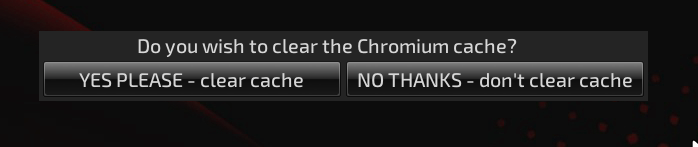
That means they have a CHOICE .....and that, is what Linux is all about.What this does is to bring up a wee YAD-powered GUI that gives the user the option of whether to clear the cache or not.

We realised that the Chromium-based browsers / forks have no way to accomplish this automatically





