

Hah!
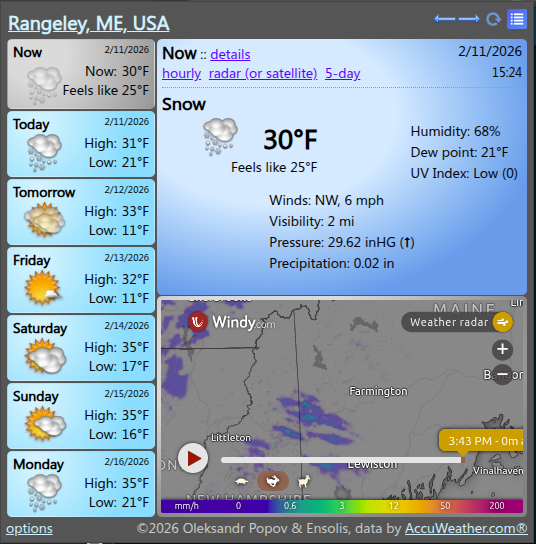
I fixed it -- for me -- on Chromium. (Amusingly, it's from doing things I'd never suggest doing.)
Here is what I did... (I started with a Google search.)
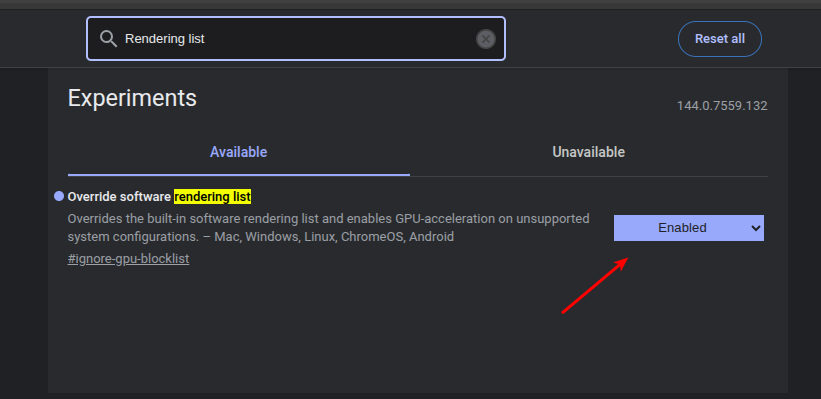
Open:
Search for:
Using the drop down menu on the left, change it to:
Shut down Chromium, making sure all processes have quit.
Open Chromium.
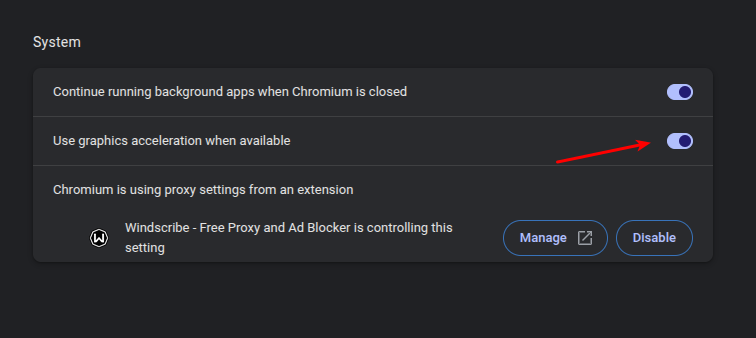
Open 'Settings' and navigate to:
Enable this setting:
Shutdown Chromium, making sure all processes have quit.
Open Chromium.
I do not guarantee that this will work for you.
All I can say is that it worked at my house on my computer with a fully-updated Chromium browser.
If you're using Chromium (or even Chrome), it might work for you.
However, enabling 'hardware acceleration' (what they're now calling 'graphics acceleration') is known to cause strange bugs. One of the things I end up suggesting on a regular basis is disabling hardware acceleration.
If this does introduce bugs, you'll probably want to find a different site for your weather observations so that you can revert the changes made above. At this point in time, I can't say if it's going to cause me any trouble. But, yeah, we usually tell folks to turn that off -- but it appears to be working at my house.
I fixed it -- for me -- on Chromium. (Amusingly, it's from doing things I'd never suggest doing.)
Here is what I did... (I started with a Google search.)
Open:
chrome://flags/Search for:
Rendering listUsing the drop down menu on the left, change it to:
enabledShut down Chromium, making sure all processes have quit.
Open Chromium.
Open 'Settings' and navigate to:
System (on the left)Enable this setting:
Use graphics acceleration when availableShutdown Chromium, making sure all processes have quit.
Open Chromium.
I do not guarantee that this will work for you.
All I can say is that it worked at my house on my computer with a fully-updated Chromium browser.
If you're using Chromium (or even Chrome), it might work for you.
However, enabling 'hardware acceleration' (what they're now calling 'graphics acceleration') is known to cause strange bugs. One of the things I end up suggesting on a regular basis is disabling hardware acceleration.
If this does introduce bugs, you'll probably want to find a different site for your weather observations so that you can revert the changes made above. At this point in time, I can't say if it's going to cause me any trouble. But, yeah, we usually tell folks to turn that off -- but it appears to be working at my house.





