@KGIII :-
I never really knew what "markdown" meant.....but I learnt the 'black art' of directly entering BBcode in posts as I wrote them, years ago on the old Murga-Linux 'Puppy' forum. I still do it nowadays; I actually find it quicker than using the menu buttons in the various forum text editors.....and by doing so, I don't tend to lose the gist of what I'm saying so easily.
phpBB does all this in small letters. Many others - like here, at Linux.org - use the exact same BBcode 'tags'.....just in capitals instead. Emojis, in particular; many are the same wherever you happen to be, although 'unusual' ones will have tags that need to be learnt initially.
Thanks for the info about the use of the

(The 'thumbup' emoji I've just used is one of a whole bunch of original Skype emojis which I've saved over the years. Most have been 'downsized' using the 'resize' feature over at
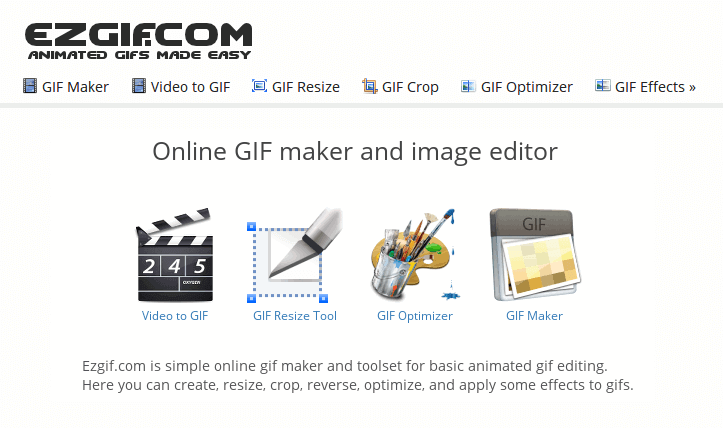
 ezgif.com
.....then re-saved in a smaller, more usable 'forum-friendly' size, followed by uploading to a dedicated folder where I keep all of these in my PostImages image-hosting a/c. From here, I can 'share' as & when wanted.)
I confess, I'm quite fussy about post presentation. I was taught to write - and think - in proper 'Queen's English' all those years ago in school.....and have discovered for myself what a huge difference it makes - many times! - when reading - & being able to easily absorb the content of - articles/posts/blog entries made by others.
The way many of my own countrymen murder the English language is a source of constant amusement.....and frequent annoyance. And don't get me started on the 'delights' of text-speak....

Mike.
I never really knew what "markdown" meant.....but I learnt the 'black art' of directly entering BBcode in posts as I wrote them, years ago on the old Murga-Linux 'Puppy' forum. I still do it nowadays; I actually find it quicker than using the menu buttons in the various forum text editors.....and by doing so, I don't tend to lose the gist of what I'm saying so easily.
phpBB does all this in small letters. Many others - like here, at Linux.org - use the exact same BBcode 'tags'.....just in capitals instead. Emojis, in particular; many are the same wherever you happen to be, although 'unusual' ones will have tags that need to be learnt initially.
Thanks for the info about the use of the
backtick in this context, David. That's another "string to my bow"!
(The 'thumbup' emoji I've just used is one of a whole bunch of original Skype emojis which I've saved over the years. Most have been 'downsized' using the 'resize' feature over at
Animated gif tools
Easy to use online animated GIF maker and image editor. Create, convert, crop, resize, reverse, optimize animated GIF, WebP, APNG files, images and videos.
.....then re-saved in a smaller, more usable 'forum-friendly' size, followed by uploading to a dedicated folder where I keep all of these in my PostImages image-hosting a/c. From here, I can 'share' as & when wanted.)
~~~~~~~~~~~~~~~~~~~~
I confess, I'm quite fussy about post presentation. I was taught to write - and think - in proper 'Queen's English' all those years ago in school.....and have discovered for myself what a huge difference it makes - many times! - when reading - & being able to easily absorb the content of - articles/posts/blog entries made by others.
The way many of my own countrymen murder the English language is a source of constant amusement.....and frequent annoyance. And don't get me started on the 'delights' of text-speak....
Mike.
Last edited: