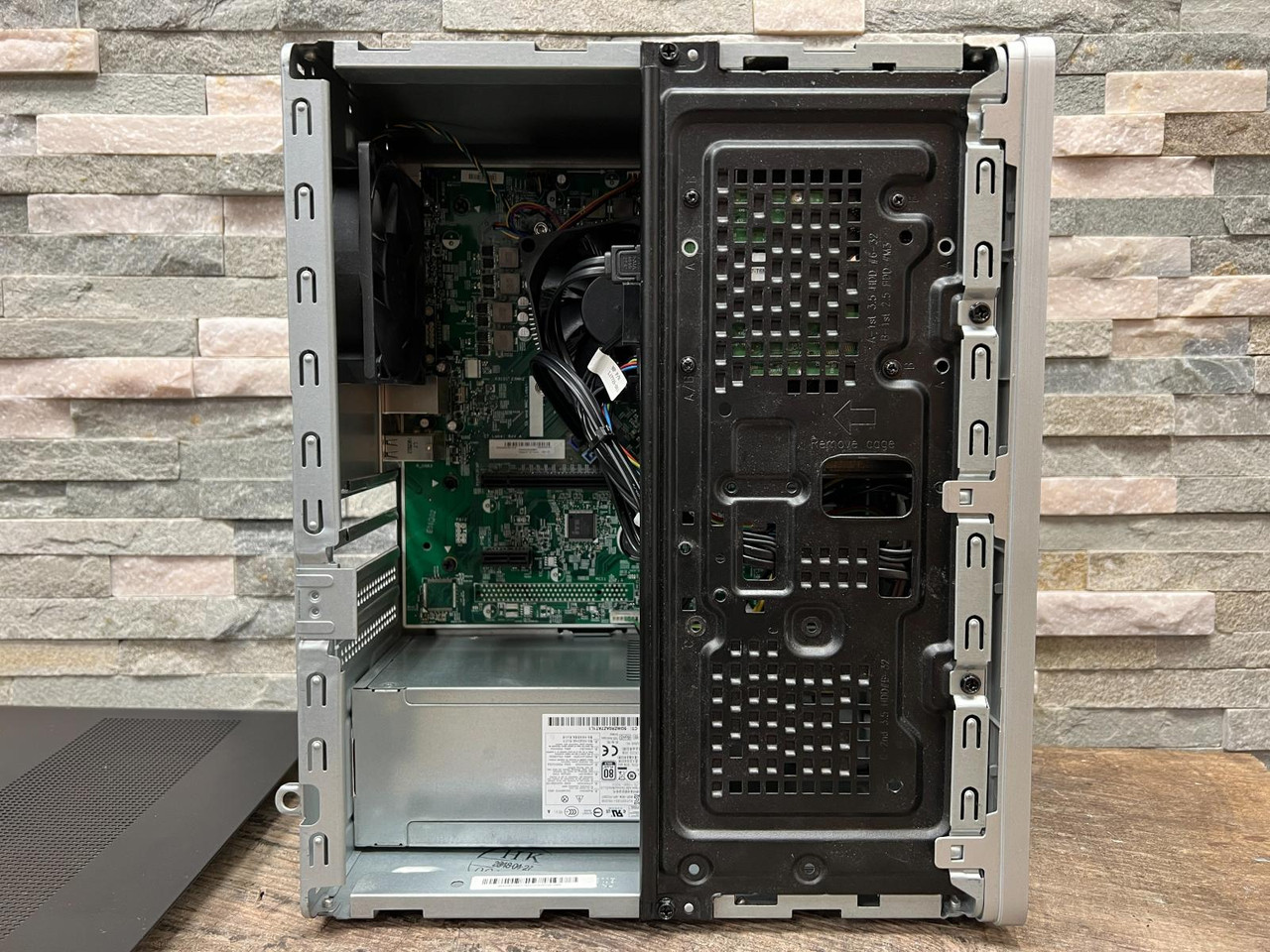
....and now it's upgrade time for the Pavilion desktop : new GPU + CPU!

Well. THAT was easy.

I think that had to have been the simplest PSU swap I've ever performed. I know many of us find fault with HP for all sorts of niggling reasons, but I'll give 'em their due; the desktops, at least, are remarkably easy to work on.
I recently purchased a HP laptop. Its also supposed to be easy to work on. I haven't opened it yet but I'm liking the laptop so far. The keyboard is one of the best I ever used. It also depends on which models you get from each company. They all have their good and bad models/line ups.

I still love my Dell Latitude laptop so I'll switch between the two to change things up and also keep my home directory backed up on both laptops in case one messes up.
 
Last edited:


Hm. Turns out that, all unknowingly, I've bought myself the top-end i5 of the "Coffee Lake" generation. That 'K' suffix denotes an unlocked multiplier.....but the H370 chipset doesn't support overclocking. 'Salright; I had no intentions of heading down that road anyway.....mostly, I wanted to keep around the same base frequency. The G5400 runs @ 3.7 GHz, but doesn't have the Turbo Boost.....so that'll be a nice bonus. (i5-8600K is 3.6 GHz base, up to 4.3 GHz 'turbo').

Up to 7th-gen, (Kaby Lake / Skylake), both i5 AND i7 had hyper-threading. From the 8th-gen onwards, both chips had the same hexa-core configuration.....but if you wanted hyper-threading, you were expected to shell out more for an i7.

(shrug...)


Mike. ;)
 
Hm. Turns out that, all unknowingly, I've bought myself the top-end i5 of the "Coffee Lake" generation. That 'K' suffix denotes an unlocked multiplier.....but the H370 chipset doesn't support overclocking. 'Salright; I had no intentions of heading down that road anyway.....mostly, I wanted to keep around the same base frequency. The G5400 runs @ 3.7 GHz, but doesn't have the Turbo Boost.....so that'll be a nice bonus. (i5-8600K is 3.6 GHz base, up to 4.3 GHz 'turbo').

Up to 7th-gen, (Kaby Lake / Skylake), both i5 AND i7 had hyper-threading. From the 8th-gen onwards, both chips had the same hexa-core configuration.....but if you wanted hyper-threading, you were expected to shell out more for an i7.

(shrug...)


Mike. ;)
The same thing happened to me more than once. Don't underestimate Intel's ability to confuse people. Just kidding. Its a good thing to have options so you can be more precise in what you want. I prefer U series (I think there is one even lower than that) as anything higher than that is just a waste of electricity for my usage. It may be overwhelming for someone who is inexperienced in buying computers with all the different intel processors.
 
What's your compatibility chart telling you about this one, Brian?
the H370 intel chipset is the driver for the CPU other components on the mobo may have different restrictions, the only CPU's guaranteed to work by HP are listed below they are all medium wattage

Processor upgrade information​

  • TDP: 65 W
  • Socket type: LGA1151
  • Motherboard supports the following processor upgrades:

    Intel Core i5-8400 (2.8 GHz base frequency, up to 4 GHz with Intel Turbo Boost Technology, 9 MB cache, 6 cores)

    Intel Core i7-8700 (3.2 GHz base frequency, up to 4.6 GHz with Intel Turbo Boost Technology, 12 MB cache, 6 cores)

    Intel Core i3-8100 (3.6 GHz base frequency, 6 MB cache, 4 cores)

    Intel Pentium Gold G5400 (3.7 GHz base frequency, 4 MB cache, 2 cores)

    Intel Celeron G4900 (3.1 GHz base frequency, 2 MB cache, 2 cores)
 
Last edited:
Just a tip Brian... your call.
...the only CPU's guaranteed to work by HP are listed below

My practice when I say "this is definitely so", or "guaranteed" is to cite a reference link.

But then I can be anal about accuracy, lol.

Chris
 
But then I can be anal about accuracy, lol.
i would have thought this is self-explanatory

the only CPU's guaranteed to work by HP are listed below t
 
@Brickwizard :-

You have to remember, Brian; HP - from what I've seen of them! - seem to decide what combo of components they'll use in a given machine, then figure out a power-supply envelope to just cover that demand.....with a tiny bit to spare. My quite extensive research these last few days shows that their machines over the last decade are running at 80-85% PSU usage, minimum, in standard trim.....ALL THE TIME. Their PSUs are only JUST enough to do the job.

Being almost on the limit in standard trim is NOT a good place to be. And many others are of the same opinion; the more power-supply 'headroom' you have, the better. For a fixed, non-upgradeable component, that's fine.....but for a system - like a PC - where upgrading is a normal activity, it seems rather short-sighted to me.

Of course, I think HP would prefer you NOT to do your own upgrades. They'd rather sell you a ready-upgraded machine..... A couple of threads on Tom's Hardware pretty much stated that HP machines were never designed to be upgraded, and were only ever intended to be used as they came, OOTB.

~~~~~~~~~~~~~~~~~~​

My guess is that that list of medium-wattage CPUs takes into account the low-output PSUs that came as standard with all HPs of that generation. The 400W PSU I now have is not 'standard', and in fact research shows that when these machines first came on the market, around 2018, nobody made aftermarket upgrades.....HP themselves would at the time have been the sole source for slimline PSUs that would fit the chassis.

After-market upgrades for these PSUs are a recent development, this last 2 to 3 years.

It seems, too, that HP almost never use 'standard' ATX/mini-ATX boards. Invariably, their machines use custom components all the way through. There is nothing 'standard' about them at all..!

~~~~~~~~~~~~~~~~~~~​

Further research shows there's 2 variants of the 843b 'Lincs' mobo.

Extensive trawling through the HP Community forums unearthed several threads from folks who had the same revision of the 843b as me. Many of these people were making fairly common queries - RAM upgrades / storage upgrades / CPU upgrades / GPU compatibility, etc.....the usual stuff. Most of the replies revealed that the H370 supported both 8th- AND 9th-gen Core i5/i7s, and the 843b, more generally, was used in several different HP ranges. The specific CPU I've ended up with was referenced more than once, and at least one individual confirmed they had it working on that board.

By all accounts I've read, this 'upgrade' should work. If it doesn't, well.....ya live & learn. I CAN return it for a refund.

(shrug...)


Mike.
hat-tip5.gif
 
Mike as i said in #19 I have only had one fail and that was my old HP pro-desk, it came with 15-4590 i tried to up it to I7-4790 [same socket, same temperature,] my compatibility chart gave 95% success rate, I was unlucky! You may be lucky, the list is the only upgrades HP will guarantee to work, so take your pick, it won't hurt to try
 
@Brickwizard :-

Well, we shall see.

I also looked into the H370 compatibility chart on Intel's website. That says the 8th-gen (and 9th-gen) Core i5's are guaranteed to work with it, 'cos these were both Coffee Lake, and the H370 was pretty much built FOR these two generations.

However; I take your point about whether other stuff on that board will 'play ball'. It's entirely possible HP spec'd weaker traces that won't carry the higher current required, so.....yeah. I confess, THAT's only just now occurred to me.

It's unfortunate that the 843b mobo specs page has disappeared off HP's site without trace. Can't find it for love or money, but I remember it had the full list of possible CPU upgrades on it.....and it was a BIG ol' list, too.

None of the 'manuals' sites seem to have a copy, and I cannot track down a copy anywhere else. I knew I should have downloaded it while I had the chance, but.....I didn't.
(grrrr.....)

What to do, what to do? Don't want a blown mobo, so..... Hmm....


Mike. ;)
 
@MikeWalsh

Is this your motherboard.

Another concern I would have is will the OEM 65 watt HSF be able to efficiently cool a 95 watt processor properly.

OEM HSF Coolers are usually bare minimum to keep a processor cool.

Installing a higher wattage processor under a HSF not designed for it can cause a HSF to run max RPM to keep it cool.

I'd also have concerns about installing a 95 watt processor in a socket recommended for a 65 watt processor.

Check the current bios you have.
Check what bios is needed to support a particular processor.
 
Last edited:
@MikeWalsh my last rig had a cpu from that era (not sure if it was the K model or not) and I recommend a noctua brand heatsink/cooler - never had an issue with that brand.

95w tdp seems rather excessive but I guess I've gotten use to my current rig which is slightly less than half of that
 
@MikeWalsh my last rig had a cpu from that era (not sure if it was the K model or not) and I recommend a noctua brand heatsink/cooler - never had an issue with that brand.
Noctua coolers are excellent coolers providing you have the room to fit one.

The ones I've installed are of the push pull dual fan conf. and rather large.

Takes up a lot of real estate.

95w tdp seems rather excessive but I guess I've gotten use to my current rig which is slightly less than half of that
I've only experience using quad core processors and 65 watt to 95 watt seems to be the norm on the ones I use.

The newer processors nowadays seem to have a very low wattage rating.

I've seen some 35 watt to 65 watt processors.

Smaller processor die fabrication nowadays then back in the days not so long ago.

I think most of the i5 cores I have are 65 watt and use an OEM Intel HSF Cooler.
 
@The Duck :-

After deliberation, I think I'm going to return the i5-8600K, and go with the Core i7-8700 instead.

I've located a decent one on eBay for around GBP £65.00. Yes, I know an i7 will be more expensive, but I don't object to paying another £25, assuming I can get the i5-8600K refunded. At least this one is on the "official" list.....'cos I, too, am starting to doubt the wisdom of going with a substantially higher TDP.

I don't doubt the socket itself can handle it.....but as to whether the VRMs, etc, are designed to handle the higher load I wouldn't care to speculate. I don't have a "death wish"!


Mike. ;)
 
@theLegionWithin :-

Much as I like the looks of the Noctuas, I have to agree with @The Duck . The snag with these HP Pavilions is that when closed, the drives sit in a hinged tray that pivots down above the CPU.....so any heat-sink has to be "low-profile", y'see.

If I stay with the 65W TDP envelope, it's close enough to the current 58W that the existing heatsink should handle it.


Mike. ;)
 
Last edited:
After deliberation, I think I'm going to return the i5-8600K, and go with the Core i7-8700 instead.

I've located a decent one on eBay for around GBP £65.00. Yes, I know an i7 will be more expensive, but I don't object to paying another £25, assuming I can get the i5-8600K refunded. At least this one is on the "official" list.....'cos I, too, am starting to doubt the wisdom of going with a substantially higher TDP.
May be more expensive initially but may end up being cheaper in the long run as it will cost less to run than the 95W processor.


he snag with these HP Pavilions is that when closed, the drives sit in a hinged tray that pivots down above the CPU...
my pro-desk isn't so bad, in the overhead pict. the alloy hinged carrier holds the DVD, a 3.5 " HDD or with an adaptor [more money] 2x 2.5" SATA HDDs /SSD's, and if fitted the multi card reader, under this are the 2 ram slots, the cpu is easy to get to, but it has a huge fan held on with 4 blind star drive bolts

hp-prodesk-400-g25-sff-400-g3-sff-common-processor-cooler-assembly-rated-at-65w-810642-001-824...jpg


hp-prodesk-400-g3-sff-gia-loc-3-754861360.jpg
 
@Brickwizard / @theLegionWithin :-

This isn't my exact model, but it's a 590-series desktop rig.....close enough for illustrative purposes.

HP-Pavilion-drive-tray-location.jpg


This is exactly what I see when I first remove the side-cover. See what I mean about the "hinged" drive tray sitting part way over the top of the CPU? No room there for anything other than a low-profile heat-sink of some kind, because there's barely an inch of clearance betwixt the two when the drive tray is in place. And the SATA cable for the optical drive sits immediately above the fan anyway.

I guess this was the only way they could pack everything in. It's a non-standard, "mini" tower shape, custom mini-ATX board to fit, and the silver box at the bottom is that weird slimline, non-ATX PSU.

At least after removing 4 screws & unplugging 3 cables, you CAN lift the drive tray completely out of the way. There's a lot more room to work with after that; in this one respect, it's actually not such a bad design.

But it IS, shall we say, "bijou". VERY compact.....no room to swing a cat.

~~~~~~~~~~~~~~~~~~~~~​

Brian / @The Duck :- Now I think about it, I'm almost certain my own heat-sink is like the one you've shown above. I'm not pulling it apart again just to check, but I'm sure it's held down by screws, NOT the plastic push-pins at all.

Huh. This may not be as awkward as I feared...


Mike. ;)
 
Last edited:
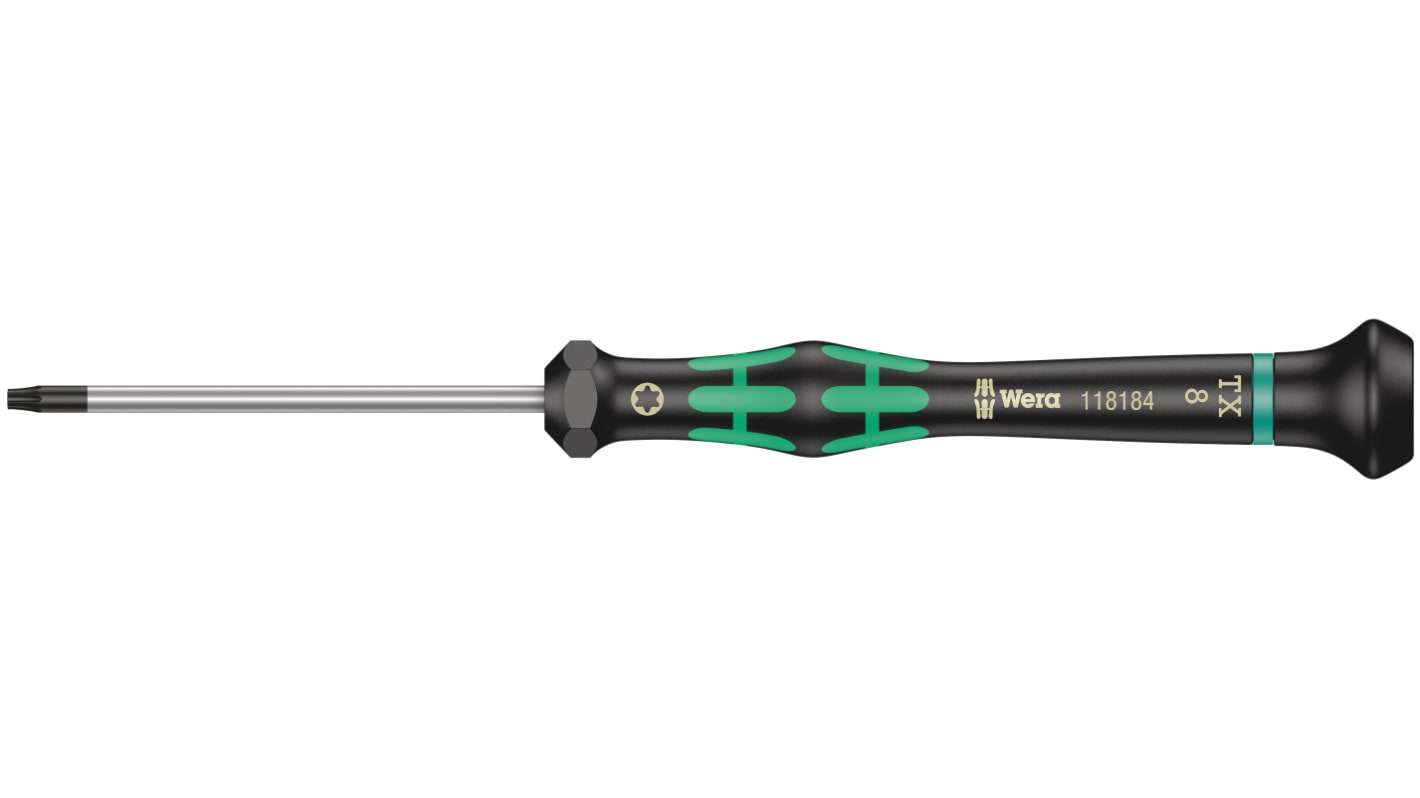
If its the same as in my first picture, you will need a small star drive screwdriver to safely remove/reset it


Follow Linux.org

Members online

No members online now.

Top