Will you help to search a good Linux?

Uncle Zsolt

New Member
Joined
May 10, 2026
Messages
5
Reaction score
5
Credits
43
Hi,

My name is Uncle Zsolt (you can call me Zsolti though) and I'm 64 years old and I came from Hungary. Here we manage a bigger network system of 17 computers connected on a Local Area Networtk and, at the same time it's connected to the big internet line. We use windows 7, but I'd hired a medium security manager from the pink telecommunication company (shame on them!) She basically said that our system is in big danger of Viruses and told I have a flat fee of $1000 to repair the network and remove the Viruses.


I regard the $1000 as massively outpriced, and in turn i contacted my IT tech brother, he said to IMMEDIATELY install Linux on them (didn't say which one)

so what linux do you recommend? I didn't hear good stuff about Ubuntu mainly due to data stealing and etc. Maybe Debian or Kalli is good? This is a church (my work place) and the operating method requires only Firefox, and playing movies locally. Computers have Intel Core and 16 GB RAM.
 
This person who said to clean Windows 7 from viruses should have told you that Windows 7 is dead and no longer supported.
There's no point in cleaning it.
so what linux do you recommend?
Debian
See reasons why:

Kali is not recommended for what you need.
 
Hi & Welcome to Linux.org Zsolt-:)

If this were my kettle of fish I would install Rocky Linux or Alma Linux. Debian would be another good choice.

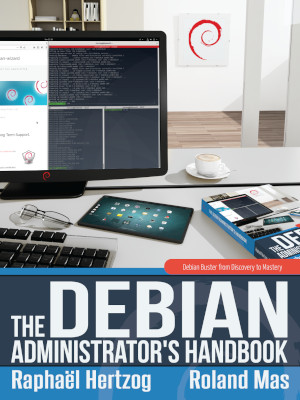
The Debian Administrators Handbook

 
FWIW, Zsolt, I've been running Debian Linux (back when it was Debian 6 Feb. 2011) and this stable os has never let me down.
A learning curve at first but the stability and performance is exceptionally good. A operating system well maintained by the Debian developers and their security team.

I'll be using it for my future online business w/o a doubt:-:)
 
Hello @Uncle Zsolt
Welcome to the Linux.org forum, enjoy!
I would also recommend Debian for your network. Solid & stable.
 
It's unlikely to have malware but compared to Debian, Debian is long living, predecessor, very popular and widely used for servers, enterprises and similar.
Plenty of people use it for personal use or for development and various professional uses.

I use it also and don't want anything else.
Compare it to Mercedes, once you drive it you don't want anything else. ;)
 
If AlmaLinux had malware, someone would notice. Ubuntu doesn't spy on you. There are many Linux desktop distributions, but folks are likely to just recommend what they use. If you want to use Firefox, that means you'll need to prepare for that. If they're going to watch movies, you'll need software for that. Some of that can come with the distro you choose. If those are your only requirements, you really won't need anything fancy.

I'd pick something that's easy to use, with a basic GUI desktop environment. I'd probably put a firewall between the router and the internet, so that you can lock down what's done on the computers. Most any distro will do what you're asking.

You might even consider using a live instance, so that things are wiped when the power goes off or the flash drive is unplugged. You can even use a centralized image and have people connect to that with forwarded graphics. Do you want to disable all unused USB ports? What types of security processes are you implementing?

There's just a lot to unpack with this.

Also, $1000 isn't much. While Linux is free, it also costs time.
 
You might even consider using a live instance, so that things are wiped when the power goes off or the flash drive is unplugged. You can even use a centralized image and have people connect to that with forwarded graphics. Do you want to disable all unused USB ports? What types of security processes are you implementing?
Don't know much about disabling, but we trusted the kids not to insert malicious USB on our computers. But we definitely talked some remote tools to monitoring the computers, not sure if there are free ones for Debian.

What's the best firefall and how much one costs? If i set up, then no malware can come from the internet? Also, if I use a live instance, then no malware can work?
 
What's the best firefall and how much one costs?
The best firewall is handcrafted nftables script, but if you never done this it will be difficult and time consuming for a beginner.
Linux firewalls, including nftables, are otherwise free.

If i set up, then no malware can come from the internet?
It's not that easy, firewall is just one component to take care of.
The biggest malware is user who uses a computer, you'll want to educate yourself and others about safe computing, malware is of lesser concern, because not many malware exists for Linux like it does for Windows, but it does exist and threat is real.

I suggest to stay with us here for few months to learn, if you want to grasp about security in Linux, ask questions you want to know and take some time to practice.

There is no magic button to press and forget about threats, security is not that easy.
 
How can I in general block all harmful websites, and only allow the good ones? Because some kids were watching pornography content on the computers.
The easiest and quickest method is to use special DNS like this one:
 
not sure if there are free ones for Debian.

Heck, there are free RDP types of programs that will let you watch the computers from a centralized computer. Once configured, which wouldn't be too hard, you'd be all set. Instead of using IP addresses, use local domains such as computer1.local, for example.
 
Heck, there are free RDP types of programs that will let you watch the computers from a centralized computer. Once configured, which wouldn't be too hard, you'd be all set. Instead of using IP addresses, use local domains such as computer1.local, for example.
If I may add RustDesk here as well, it seems to work well.
 
If I may add RustDesk here as well, it seems to work well.

They can also use TeamViewer, presumably for free. It's free for 'personal use', but it works fine in Linux.

They would do well to learn about Linux before moving forward. Linux is, almost first and foremost, a multi-user system. It's multi-user in the truest sense of the word. If applied properly, and with care and thought, they can really lock these machines down tight.

They can even do a kiosk mode thing that gets loaded into memory at each boot/restart/logout.

They could even do shared/stored data that's stored not on the device but on a centralized computer.

There's a lot to learn, if they want to do it right. As they're a church, they might find some people willing to assist them for free. They've got a whole flock of people and other churches that are likely affiliated.

Done properly, they could do a lot with the hardware they have.

The current situation is a security nightmare. Windows 7 hasn't been supported at all for more than 6 years. Their computers are likely riddled with malware, clandestinely used for malice, and storing who knows what on them. The time to move to Linux was two years before Windows 7 lost support.


Follow Linux.org

Staff online

Members online


Top