
OperaGX for Linux.....finally!

MikeWalsh

Well-Known Member
Joined
Aug 29, 2022
Messages
2,149
Reaction score
3,037
Credits
29,711
Morning, gang.

If I'm honest, I'm something of a browser "junkie". I collect browsers like they're going out of fashion. This is engendered - to a degree - by the fact of my incorporating as many browsers as possible into Puppy's 'portable' app ecosystem. I DO like to offer as wide a choice as I can.

Not only this, but it's important we have a good selection of different browsers to choose from; everybody's tastes & requirements are different, yet without 'em, we'd be stuffed. Browsers are the "glue" that hold online communities like ours together, so.....the more, the merrier (so far as I'm concerned).

For myself, I've been a staunch Opera user for a long time now. It's rock-solid, reliable, and does everything I could possibly want from a browser......and they're constantly adding nifty little features where you least expect 'em.

~~~~~~~~~~~~~~~~~~~~~~~​

I've been waiting for this one for quite some time now. It's been the exclusive province of the Windows ecosystem for a long while, since that's where all the gamers have traditionally lived.....but with the rapid improvements in Linux gaming - largely courtesy of Valve, the WINE project (which Valve have been backing recently), Steam and, of course, Proton - along with the rise of dedicated gaming distros like CachyOS, Garuda Linux, Bazzite, etc, it was really only a matter of time before this baby was released as a Linux package.

I'm talking, naturally, about OperaGX.....the 'gaming' build of standard Opera. And it's primarily about the sort of extra 'bling', gadgets & widgets that gamers seem to expect nowadays.

I follow what's happening on Opera's blog on a semi-regular basis.....every few weeks or so. There was no mention of this on my last visit back in early March, so I'm guessing the decision to port this to Linux is a fairly recent one.

Anyroad; the object of this post is to let y'all know that OperaGX IS now available for Linux. You can find out more about it here:-
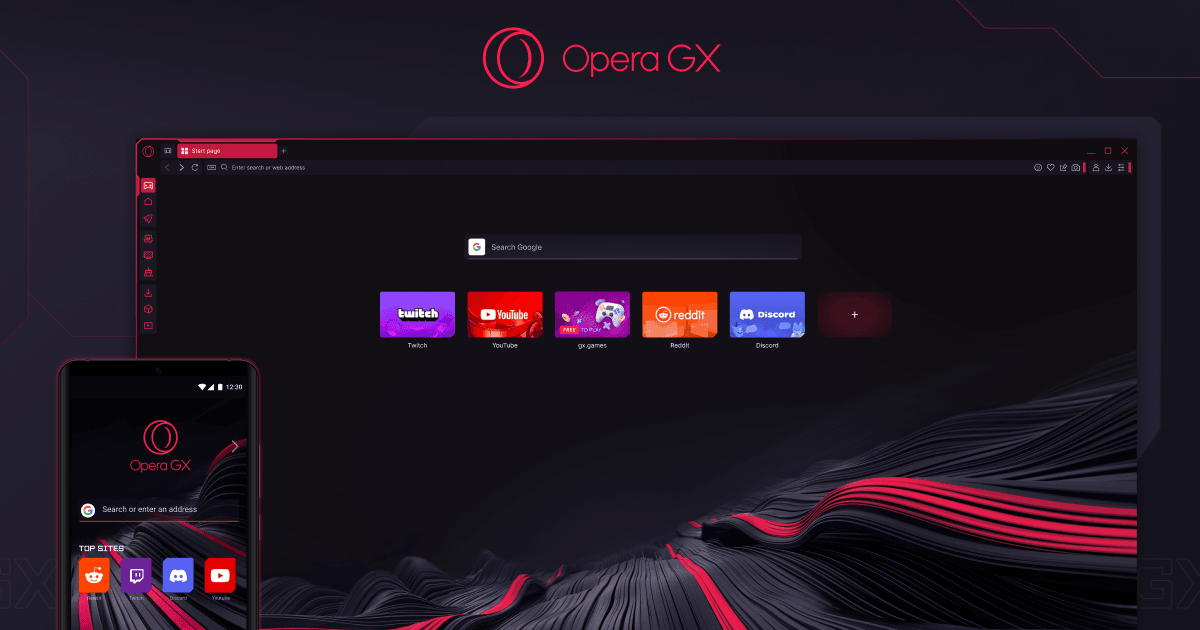

I have, of course, already made this available to the Puppy community in 'portable' format. Anyways; have fun!


Mike. ;)


Testing on various Puppies as we speak.:cool:
 
Anyroad; the object of this post is to let y'all know that OperaGX IS now available for Linux. You can find out more about it here:-

I read the page you linked to, I'm still not understanding what supposed to make this web-browser stand out and what makes it a "gaming web-browser. The only thing I see is that this web-browser has some integrated services like Discord, Youtube, etc. Also that web-page is terrible, you have to click on on arrows to left or right to scroll through the page horizontally to view what they didn't add to the vertical scrolling part of the page.
 
I'm not really a browser connoisseur , but I downloaded this on a whim.

Pros: It's fast and responsive. Very customizable.
Cons: A bit heavy on resources (I have resources, so this doesn't bother me). If you want to resize the browser window
you have to be very precise on mouse position, I only get a couple of pixel width window border.
Meh: It has back ground music, keyboard sounds, color themes. Some of these get to be obnoxious after a while
:)
 
@f33dm3bits :-

Yeah, it IS a bit of a sod to navigate through.....though website design seems to be getting all 'tricksy' nowadays.

I forget which site it was, but I came across one, some weeks back, where you only scrolled vertically as normal.....but as you did so, the page itself jinked left & right as though it had a mind of its own!

Anyways; I suspect you're kinda 'missing the point' here, Maarten. Your interpretation of what a 'gaming browser' should be is rather different to how the Opera team see it. You're quite 'practical', and are looking to find specific, gaming-related functionality.....whereas to the Opera team, it appears to be ALL about 'bling', and 'tarting it up'. (Mind you, I can see where they're coming from with the RAM and Network limiter controls, given how many games get played on-line these days).

~~~~~~~~~~~~~~~~~~​

I'd always been curious about it, but the reality actually suits me. I've always loved Opera's rock-solid reliability.....but often wished I could alter its appearance, somewhat after the fashion of Vivaldi (though THAT one's a flamin' nightmare to set-up. Even for a Linux geek, there's just too MUCH choice for my liking!)

This is still the same rock-steady Opera that I like.....just with the ability to customise the way it looks. And the Opera team haven't gone OTT the way Vivaldi's lot have!

Still; each to their own, of course. At the end of the day, we all like different things.


Mike. ;)
 
Last edited:
@dos2unix :-

Meh: It has back ground music, keyboard sounds, color themes. Some of these get to be obnoxious after a while
I'm with you there, Ray. I don't mind the colour themes - the 'classic' red-on-black, especially, I find quite endearing.....but as for the other stuff, about the first thing I did in the settings was to turn all the rest of it OFF.

Still, it does seem to run snappier than standard Opera.....and even their built-in 'VPN' seems to be faster & more stable than that of its parent. I do make occasional use of it, given the state of the internet here in the UK after the Online Safety Act was introduced.

Horses for courses (of course!) Time will tell, but I'm quite happy with it ATM...

(shrug...)


Mike. ;)
 
Anyways; I suspect you're kind missing the point here, Maarten. Your interpretation of what a 'gaming browser' should be is rather different to how the Opera team see it. You're quite 'practical', and are looking to find specific, gaming-related functionality.....whereas to the Opera team, it appears to be ALL about 'bling', and 'tarting it up'. (Mind you, I can see where they're coming from with the RAM and Network limiter controls, given how many games get played on-line these days).
I installed the web-browser to have a look, as soon as I opened it my eyes hurt. It came across to me as a highly modified version of Vivaldi with theming that hurts the eyes. I clicked around it for a few minutes, but it doesn't seem to be too different from any other web-browser. It seems I still prefer Vivaldi over anything that is even more customized, I might even go back to just plain Chromium. I guess I like my web-browsers mostly how I like my Linux distributions, ones that aren't highly customized and if they are I don't want them hurting my eyes when I open them so that's probably also the reason I can't appreciate Garuda Dr460nized Gaming edition as the theming of that also hurts my eyes.
 
I read the page you linked to, I'm still not understanding what supposed to make this web-browser stand out and what makes it a "gaming web-browser.
Me too, web page design is unreadable, feels like designed for some large 5000x3000 screen.

I was expecting to see some features related to browser games, but discord and twich, I'm not into that.
 
I'm not sure that I need a 'gaming' browser, but I was once a huge Opera fan.

Opera used to be a tech leader. There are a lot of things that they pioneered, including some of what's now standardized by organizations like W3W.

Not everything they did was great. One of the things they introduced was 'blinik' - meaning you could use different color fonts and make them blink off and on. Yup. That was Opera. I don't think that ever made it into the standards, but other browsers supported it not long after.

The list of 'firsts' for Opera is pretty long.

Opera was so good that I happily paid for it. They did have a free version, but I think it showed ads. Either way, it was so good that I paid for it. Opera has been available since 1995. They started with Linux support not much later. They used to be in many default repositories.

Then... Well... They were sold (to a Chinese company), and they converted to being another Chromium-based browser. The browsers released during that transition were, well... Let's say that they were buggy.

They're fine, at this point. They made that change years ago. That was way back in 2013, so they've improved a lot since then.
 
Yeah, it is a bit much for my taste. But then again I am not a gamer and not gen Z. Plus I'm easily distracted. So all this bling is not for me.
Too many things I am personally not interested in, too many costumizations, to many choices to make. Oh, the choices.

However: I do see userbase for this browser. The younger under us might appreciate it a lot. There are quite a few games to play in that browser which are made available on the fly. I could see why a game centered person could dig that.
Also the available and manual cutomization possibilities could keep them busy for hours on end to "figure out a way to match the browser's layout with their colorful backlighted keyboard and mouse".

Currently testing MikeWalsh's portable version on various Puppies to test it's behavior and so far on Puppy there are no real issues in running smooth and performing well. So far.

Here it is running on BionicPup64.

Screenshot.png
 
I'm actually using it now after hearing my neighbor next door jumped in on his W11 Machine, Overall runs alright. I use the "Force Dark Mode" on pages. Now, I don't get Blinded by my schools Portal when signing on! (You really need it for long-term use, as it does not have it's own dark mode).
Me too, web page design is unreadable, feels like designed for some large 5000x3000 screen.

I was expecting to see some features related to browser games, but discord and twich, I'm not into that.
It's more built to let your PC Handle games better. Like a built in RAM Limiter so you have more of your space available to keep your FPS High on whatever your playing, But I mainly play GT 7 on the P-S 5 So it does not really apply to me. I actually want to try it out on a low-end system to see what "Performance" I get from the ram limiter. Maybe my install won't hog about a gig of ram on 2GB! I Do Get what you are onto with the screen resolution, however. I Like that it's more "Lego" Than other browsers with most others with it "Built in"
 
Last edited:
Like a built in RAM Limiter so you have more of your space available to keep your FPS High on whatever your playing
IMO you should never run a web browser while gaming, or any other program all together, exactly in order to put resource use to minimum and let only your game have the whole PC for itself.
 
I use the "Force Dark Mode" on pages. Now, I don't get Blinded by my schools Portal when signing on!

There's an extension for every major browser that does that for all of the sites you visit.

Dark Reader and Sauron are the most popular examples that I know of. They're actually very lightweight. You won't notice any performance difference.
 
I use the "Force Dark Mode" on pages. Now, I don't get Blinded
Aah, the luxurious eye candy of just black panes and white text! Having been a user of numerous dark extensions on firefox, I finally gave them all up for a more radical solution, which may be a bit extreme for users, but it suits me. Instead of using any extension on firefox, and on its clone waterfox which I also use, I use the color management facility in the firefox browser itself.

The choices are as follows:
Settings -> General -> Language and Appearance (Website appearance): I choose Dark.

Settings -> General -> Language and Appearance -> Override colors (custom) -> Manage Colors: here there are four variables to select color from a color palette. I select black for the background, white for the text, make the Unvisited Links a lighter blue than default, and make the Visited Links a lighter purple than the default.

The result is that website's text are mostly rendered with white text on black, displacing the website's own choice of color. Sometimes, text is actually obscure in this arrangement, so the mouse is needed to highlight it, which is something that some users would not tolerate, but it's okay in my case. I don't think this arrangement would in any way be popular but I'm accustomed to it now :-) .


Follow Linux.org

Members online


Top
