
blizzardfromoz
Member
You can use FAT32. If you use the raspberry imager its the only option there.Does my USB drive (pen) need to be formatted to NTFS to store an ISO on it?

You can use FAT32. If you use the raspberry imager its the only option there.Does my USB drive (pen) need to be formatted to NTFS to store an ISO on it?
@Sam999_984 ; try to intall ligt weight os ,@Sam999_984 I have an old Windows 7 computer (around 15 years old) that I resigned to a box on a shelf in the garage a long time ago and didn't bother to throw out. ... It's 64-bit with a processor speed of 2.8Ghz (an AMD Athlon 2 CPU), 4GB of RAM, a 500GB hard drive and NVidia GeForce 6150SE graphics.
... Do you think this is too old a computer to convert to a Linux OS ..like Linux Mint Cinnamon?
 Very fast, runs from USB
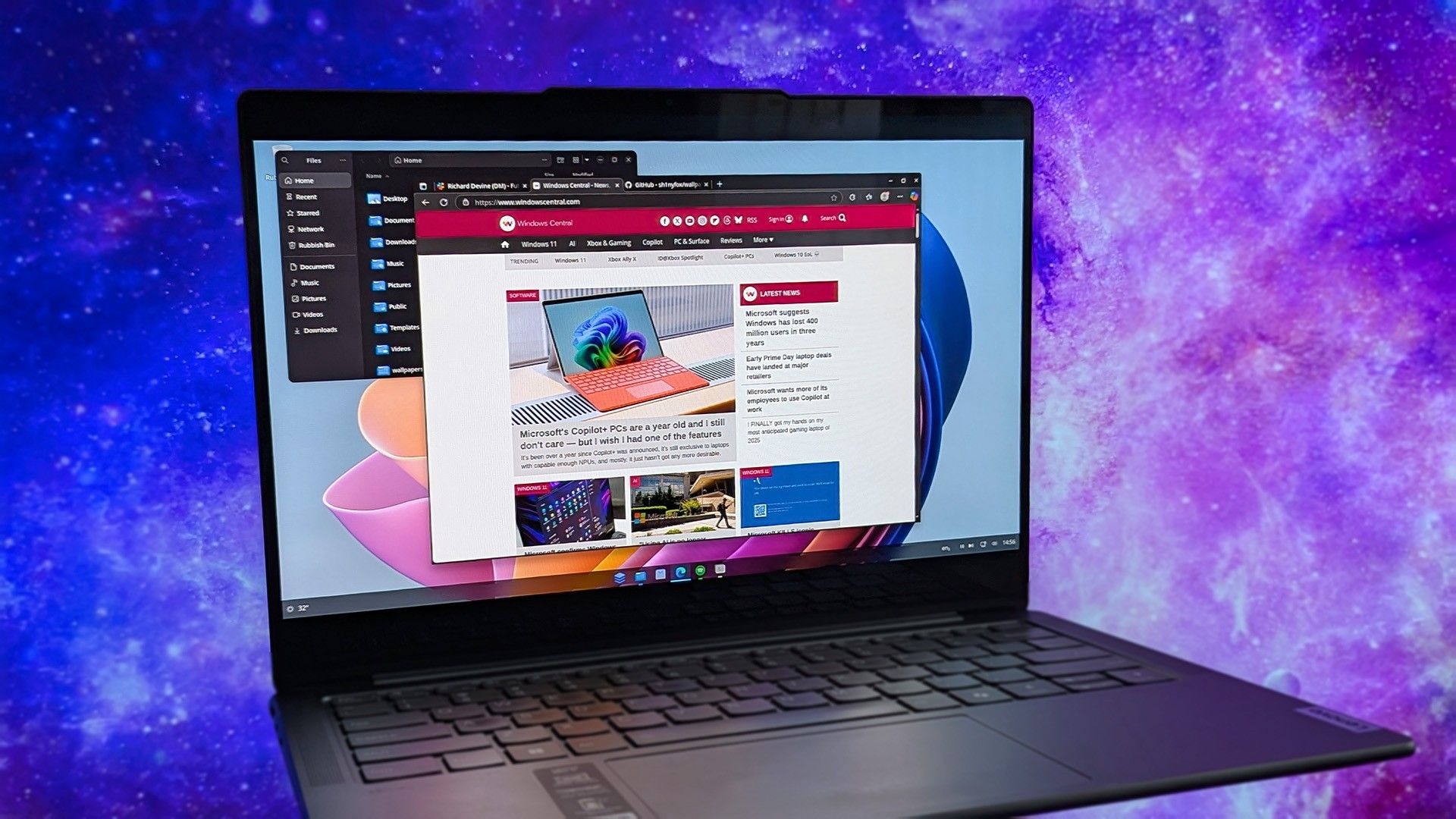
 www.windowscentral.com
 github.com

No. Use EXFAT or FAT32. NTFS is a Windows file system, incompatible with Linux file systems. EXFAT and FAT32 are compatible with both of them.Does my USB drive (pen) need to be formatted to NTFS to store an ISO on it?
Mmm. Good idea in theory, but perhaps not so in practice.@Sam999_984 ; try to intall ligt weight os ,
Puppy Linux
- RAM: 256 MB (runs from RAM!)
- Size: ~300 MB ISO
- Based on: Ubuntu / Slackware
- Best for: Extremely old PCs
- https://puppylinux.com/

The answer is yes. MX Linux, EndeavourOS, ParrotHome Edition, Mint LMDE just to name a few.What confuses things is a non-answer
He has a w7 desktop with an Athlon x2 CPU, Up to the beginning of covid I was running an Athlon x2 set up for both my daily machine and with 5 hard drives testing Linux distributions, with some distros it used to run hot so i installed 2 extra 4 inch fans, [it died when we had a power surge which took out the PSW and motherboard]Install Linux on the Windows 7 computer.
I believe a bit of that slowness has to do with the Gnome 46 or Gnome 47 desktop environment that Cinnamon is built from.
Gnome desktop environment is demanding on system resources and if them system resources ain't available it will load the processor and give slow overall performance.
Xfce and Mate desktop environments aren't very resource demanding and are a better choice for older not so powerful computers.
Anduin os , i haved tried, and is so lag (heavy), my specs ryzen 3 4350g ram 16gb , no GPU just SSD + hdd 500gb, maybe not my luck but i tried nobara, bazzite, mint cinnamon, cachyos , opensuse tumble, fedora 42 all fine (not lag), btw i'm still in the distro hop way ... For my pleasure (gaming and virtualbox) not for working because i'm a farmer , and still looking the best experience with Linux systemAs the poster is a Windows user and seems a little scared of Linux, I will throw another distro into the mix,
A Microsoft engineer made a Linux distro that's like a comfort blanket to ex-Windows users — I finally tried it, and I'm surprised how good it is
AnduinOS is the brainchild of Anduin Xue, a software engineer at the company famous for not building Linux distros. It's not Windows, but it has that familiarity.
download from

GitHub - Anduin2017/AnduinOS: AnduinOS is a custom Ubuntu-based Linux distribution that offers a familiar and easy-to-use experience for anyone moving to Linux.
AnduinOS is a custom Ubuntu-based Linux distribution that offers a familiar and easy-to-use experience for anyone moving to Linux. - Anduin2017/AnduinOS

No, it is better to either format it to ext4 or leave it alone and making a bootable .iso on it will automatically do the formatting for you.Does my USB drive (pen) need to be formatted to NTFS to store an ISO on it?





