
I am relative new to MX Linux. And I'm in trouble already. I dual-boot with Windows 10 and MX Linux. I am going to switch entirely to MX Linux when Windows EOL in 6 mos. I was having probblems with Windows and ran some commands to fix them. In doing so I lost my option to boot into MX linux as it seems that I inadvertently removed grub bootloader. Is there anyway to recover Grub?? Tia

You are using an out of date browser. It may not display this or other websites correctly.
You should upgrade or use an alternative browser.
You should upgrade or use an alternative browser.
Solved Grub Bootloader Missing
- Thread starter Sikntired
- Start date
Solved issue

if you have been messing with windows, open UEFI/BIOS and make sure windows fast boot is still disabled [if itis then re-boot after dissabling ], still not booting to grub, switch off and switch on whist holding shift key down, this should open the boot menu, select MX and boot, one you have your screen, open a terminal and run sudo update-grub
I have an older machine with GPT/BIOS. Can you explain "switch off" and "switch on" while holding shift key down. I can't boot into windows as it is in a "Automatic Repair Loop and I'm researching as to how to get out of it and that is how I messed up Grub. I hope this is a better explanation. Thank you for your interest.
ok if the machine is older than 2010 it may have a legacy bios, in which case power off the machine and press and hold Esc key until the grub screen appears
I'm sorry, I should have stated that I am accessing this forum using a MX Linux Live disk. The distro is installed and I have no option to boot into it from Windows as the dual-boot is not an option as Windows is stuck in automatic repair loop. I apologize for not posting this earlier as I am anxious that I may have lost my access to MX Linux. I set aside a 100 MB partition for it.
I'm going to have to leave for a bit. Thanks
I'm going to have to leave for a bit. Thanks
Last edited:


One thing many people do is make systems that will boot more than one choice of operating systems. This little article is a new and better way to do this. Often we have to fix the multi boot systems because an update changed something and damaged our grub configuration. Windows is especially good at doing this. So here is the best way to do this that allows you do make a multiboot system without having to do anything to grub or play with configurations.
This can only be done in a system that can accept more than one drive and an expansion card.
What you will need.
1.. One hard...
This can only be done in a system that can accept more than one drive and an expansion card.
What you will need.
1.. One hard...
- APTI
- Replies: 8
- Forum: General Linux Topics

great is it MX you have installed? if yes open terminal and run the update grub as above,should have stated that I am accessing this forum using a MX Linux Live disk.

This situation is usually resolved by re-installing grub without any loss to data at all. One needs to know which partition is the root partition of the linux installation. One set of instructions for doing this are here: https://wiki.debian.org/GrubEFIReinstall, which is from debian, which MX is based upon. Note that there is a link on that page to here: https://help.ubuntu.com/community/Grub2/Installing#via_ChRoot, which is written for ubuntu, but these instructions are pretty much generic and so would be expected to work for MX. If unsure, you could ask on the MX forum here: https://forum.mxlinux.org/, but the basic solution to the issue is the re-installation of grub, then update grub and reboot.I am relative new to MX Linux. And I'm in trouble already. I dual-boot with Windows 10 and MX Linux. I am going to switch entirely to MX Linux when Windows EOL in 6 mos. I was having probblems with Windows and ran some commands to fix them. In doing so I lost my option to boot into MX linux as it seems that I inadvertently removed grub bootloader. Is there anyway to recover Grub?? Tia
I am not addressing this forum through the installed MX .I am addressing this forum with a live disk as I don't have the option to boot into the installed MX distro due to Windows boot configuration which I cannot alter because the option to boot into Mx or Windows is gone. I guess I'm clutching at straws as there is no way to get to the installed version of MX.
Thanks
Thanks
If you read the links in post #8 it will be clear that you can re-install grub from the live diskI am not addressing this forum through the installed MX .I am addressing this forum with a live disk as I don't have the option to boot into the installed MX distro due to Windows boot configuration which I cannot alter because the option to boot into Mx or Windows is gone. I guess I'm clutching at straws as there is no way to get to the installed version of MX.
Thanks
 .
.
FROM YOUR LIVE DISC
Press CTRL + ALT + T simultaneously to open the terminal.
Type or copy/paste sudo update-grub and enter
Press CTRL + ALT + T simultaneously to open the terminal.
Type or copy/paste sudo update-grub and enter
Updating grub basically runs the following:FROM YOUR LIVE DISC
Press CTRL + ALT + T simultaneously to open the terminal.
Type or copy/paste sudo update-grub and enter
Code:
grub-mkconfig -o /boot/grub/grub.cfgThere may actually be some GUI live disk that can do the same job, but I'm not familiar with one, but other readers may know more.
Last edited:
I followed instructions and it asked Password for Demo: I didn't think it was possible but thought I'd ask. Thanks for suggestions. I'll concentrate on Automatic Repair Loop in windows. I could reinstall MX but I would have no way to boot into it.?
If you fix up your windows, which I cannot help you with, and then after that, install MX, you may resolve the issue, however, during the installation of MX you would need to instruct the installer to install grub on the disk at the point in the installation when it asks you where to install grub. You would not install grub on a partition, but on the disk. To miss that step would mean that you could not boot into MX and would be left with the original problem.I followed instructions and it asked Password for Demo: I didn't think it was possible but thought I'd ask. Thanks for suggestions. I'll concentrate on Automatic Repair Loop in windows. I could reinstall MX but I would have no way to boot into it.?
If you do the above, grub normally will use its osprober to probe for other installations and it will usually find windows and put it in the menu for you to select on boot up. If that all succeeds, then you need to apprise yourself of the way in which windows may overwrite grub, about which I cannot help, but that process would best be identified and avoided lest you be shunted back into your original problem.
Edit: It's not clear which instructions you mentioned that you followed, nor which app asked for "Password for Demo" but since you mentioned that you'd repair windows and reinstall MX, the comments above were made.
Last edited:

There may actually be some GUI live disk that can do the same job, but I'm not familiar with one, but other readers may know more.
Probably
boot-repair would be the starting point for this.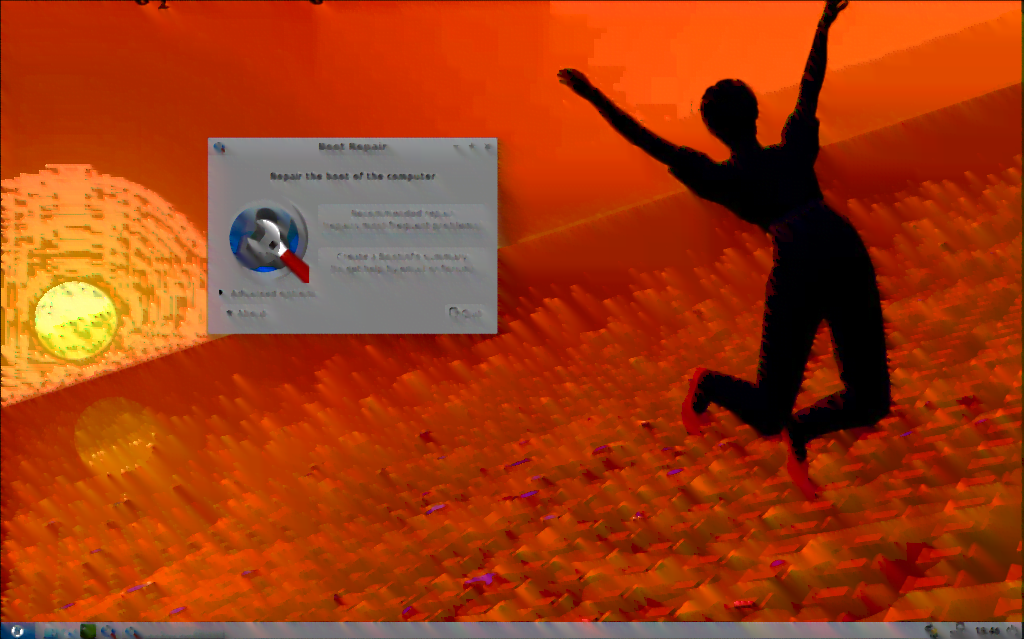
Repair Your Linux Boot Process With 'Boot-Repair' • Linux Tips
There are any number of reasons why Linux will refuse to boot property. In most instances, you can easily fix your Linux boot this with 'boot-repair'.
 linux-tips.us
I had the same problem last week on a machine i was asked to fix, it was running mint 19 [out of date] mint 22 and Windows 7, I booted with my Parrot drive ran sudo update-grub and just entered when it asked for a password, and it worked just fine [i only use debian based distributions thease days]
I'm glad to hear that you resolved the problem you had @Brickwizard , but you would need to provide the details quite fully to be understood. It's not actually possible in normal functioning for a live disk to alter a /boot/grub/grub.cfg on the installed system without that file having been mounted by the live disk, hence running update-grub from the live disk without relevant mounts can't succeed in altering or fixing a faulty grub.I had the same problem last week on a machine i was asked to fix, it was running mint 19 [out of date] mint 22 and Windows 7, I booted with my Parrot drive ran sudo update-grub and just entered when it asked for a password, and it worked just fine [i only use debian based distributions thease days]
The OP can certainly try your suggestion, but in all likelihood, it will fail for his situation. I'd be happy to eat my hat if any other result obtained
.
Last edited:

MzQ1NjExN2
Well-Known Member
I think I had used Time Shift once and it recreated the Grub or something similar. I believe it was a Grub issue. Do you have Time Shift back ups? I remember a while back you were asking questions about Time Shift.Sadly none of these suggestions work. How can I recover Grub and boot into MX that is installed on a partition from a Live
disk? I am not an expert obviously but it seems a stretch as osprey states.

Although Brian @Brickwizard is me mate (and has a wizard's hat), I am inclined to agree with @osprey.
The only way a live disk would fix up the grub menu is if you used it to chroot into the installed MX, and with no disrespect, I think that that solution might be hard for the OP @Sikntired to follow, with his skill set, although chrooting is a good skill to learn.
That being said, MX is a bit like a Swiss Army Knife for its tools, so I will take a look on my tomorrow, with my MX'es and possibilities.
I have to sign off for now for my evening.
Carry on, regardless.
Cheers
Wizard
The only way a live disk would fix up the grub menu is if you used it to chroot into the installed MX, and with no disrespect, I think that that solution might be hard for the OP @Sikntired to follow, with his skill set, although chrooting is a good skill to learn.
That being said, MX is a bit like a Swiss Army Knife for its tools, so I will take a look on my tomorrow, with my MX'es and possibilities.
I have to sign off for now for my evening.
Carry on, regardless.
Cheers
Wizard
Similar threads

- Replies
- 20
- Views
- 2K


- Replies
- 0
- Views
- 501
- Replies
- 11
- Views
- 12K




Staff online
-
 BrickwizardSuper Moderator
 -
 f33dm3bitsSuper Moderator
 -
 wizardfromozAdministrator
Latest posts
-

-
2.4g headset won't work. Bluetooth and Wired mode works fine.
- Latest: wizardfromoz
-
Google Android Mühendisleri, sizin standart c kütüphanenizi sikeyim.
- Latest: wizardfromoz

