Timeshift & Similar Solutions - Safeguard & Recover Your Linux

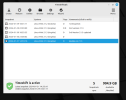
Then this. I think I'm doing it wrong. I can't fit the entire thing into a screenshot. Rsync log viewer .png


OK, the Timeshift one is good. ;)

Give me a minute and I'll come back, don't post until I say, please
 
Scratch that, our member has not seen my post yet.

Back in a minute or two
 
Todays Snapt shot.png
We got this....

but....the shot of the inxi -Fxxxz.....is not clear...fades away at the bottom etc etc

Scratch that, I have more in a minute - Wizard

So....run inxi -Fxxxz ....

Then at the top of that screen, you will see : File....Edit...View....Search.....terminal....Help....

Click on Edit ...select,,...SELECT ALL (the window will change...possibly to white....

Click on Edit again....and select Copy

Then comeback to this thread.....and right click in the usual reply box and select paste
 
Todays Snapt shot.png
We got this....

but....the shot of the inxi -Fxxxz.....is not clear...fades away at the bottom etc etc

Scratch that, I have more in a minute - Wizard

So....run inxi -Fxxxz ....

Then at the top of that screen, you will see : File....Edit...View....Search.....terminal....Help....

Click on Edit ...select,,...SELECT ALL (the window will change...possibly to white....

Click on Edit again....and select Copy

Then comeback to this thread.....and right click in the usual reply box and select paste
Give me a second. I got half way there. In my humble opinion, that's still progress to proud of!
 
You did fine but too small for us to read.

Following is better with text from Terminal

  1. Close Terminal (type exit), wait a few seconds, open Terminal
  2. input inxi -Fxxxz (long output)
  3. Go to Menu - Edit - Select All (output gets highlighted)
  4. Right-click anywhere in the highlighted part, choose Copy, don't do anything else yet
  5. Come back to your reply pane in forum. On the toolbar choose the 2nd of 3 lots of vertical dots and choose for more Options, choose Code.
  6. Then right click in the Codes and press Paste
I'll show you a screenshot in a moment.
 
dHWsUJl.png
 
bus-ID: 2-7:7 chip-ID: 0bda:b728 class-ID: e001 serial: <filter>
Report: ID: hci0 rfk-id: 4 state: down bt-service: enabled,running
rfk-block: hardware: no software: yes address: <filter>
Drives:
Local Storage: total: 931.51 GiB used: 26.05 GiB (2.8%)
ID-1: /dev/sda vendor: Western Digital model: WD10JPCX-24UE4T0
size: 931.51 GiB speed: 6.0 Gb/s type: HDD rpm: 5400 serial: <filter>
rev: 1A01 scheme: GPT
Partition:
ID-1: / size: 915.32 GiB used: 26.04 GiB (2.8%) fs: ext4 dev: /dev/sda2
ID-2: /boot/efi size: 511 MiB used: 6.1 MiB (1.2%) fs: vfat
dev: /dev/sda1
Swap:
ID-1: swap-1 type: file size: 2 GiB used: 1.3 MiB (0.1%) priority: -2
file: /swapfile
Sensors:
System Temperatures: cpu: 65.0 C mobo: N/A
Fan Speeds (RPM): N/A
Info:
Processes: 239 Uptime: 23h 29m wakeups: 72 Memory: 5.68 GiB
used: 2.86 GiB (50.3%) Init: systemd v: 249 runlevel: 5 Compilers:
gcc: 11.4.0 alt: 11/12 Packages: apt: 2176 Shell: Bash v: 5.1.16
running-in: gnome-terminal inxi: 3.3.13
oem@oem-Lenovo-G50-70:~$
 
Code:
    bus-ID: 2-7:7 chip-ID: 0bda:b728 class-ID: e001 serial: <filter>
  Report: ID: hci0 rfk-id: 4 state: down bt-service: enabled,running
    rfk-block: hardware: no software: yes address: <filter>
Drives:
  Local Storage: total: 931.51 GiB used: 26.05 GiB (2.8%)
  ID-1: /dev/sda vendor: Western Digital model: WD10JPCX-24UE4T0
    size: 931.51 GiB speed: 6.0 Gb/s type: HDD rpm: 5400 serial: <filter>
    rev: 1A01 scheme: GPT
Partition:
  ID-1: / size: 915.32 GiB used: 26.04 GiB (2.8%) fs: ext4 dev: /dev/sda2
  ID-2: /boot/efi size: 511 MiB used: 6.1 MiB (1.2%) fs: vfat
    dev: /dev/sda1
Swap:
  ID-1: swap-1 type: file size: 2 GiB used: 1.3 MiB (0.1%) priority: -2
    file: /swapfile
Sensors:
  System Temperatures: cpu: 65.0 C mobo: N/A
  Fan Speeds (RPM): N/A
Info:
  Processes: 239 Uptime: 23h 29m wakeups: 72 Memory: 5.68 GiB
  used: 2.86 GiB (50.3%) Init: systemd v: 249 runlevel: 5 Compilers:
  gcc: 11.4.0 alt: 11/12 Packages: apt: 2176 Shell: Bash v: 5.1.16
  running-in: gnome-terminal inxi: 3.3.13
oem@oem-Lenovo-G50-70:~$
 
But we have missed the top part, which is important.
 
I've finished with Gecko for now, will boot into Virginia
 
I'm in Virginia now (the distro, not the state)
 
Am I supposed to type (long out)? I get a syntax error if I do. If I don't, I keep getting more results than what is being pasted into the forum using the code option
I'm in Virginia now (the distro, not the state)

I think I remember there being an area in Australia called Virginia?


Follow Linux.org

Members online


Top