The modern state on internet security?

@MikeWalsh quoted @dos2unix ... "arkenfox user.js"

I will ask again, is this an extension/addon ? From where is it procured ?

It's a file you could copy into your Firefox directory, overwriting your user.js (if there is one). I'd rather recommend not doing that, but open it in a text editor and then go through your about:config and change whatever you deem necessary.

Look at this: https://arkenfox.dwarfmaster.net/


I will ask again, is this an extension/addon ? From where is it procured ?


More of a config file than an extension.

 
Last edited:
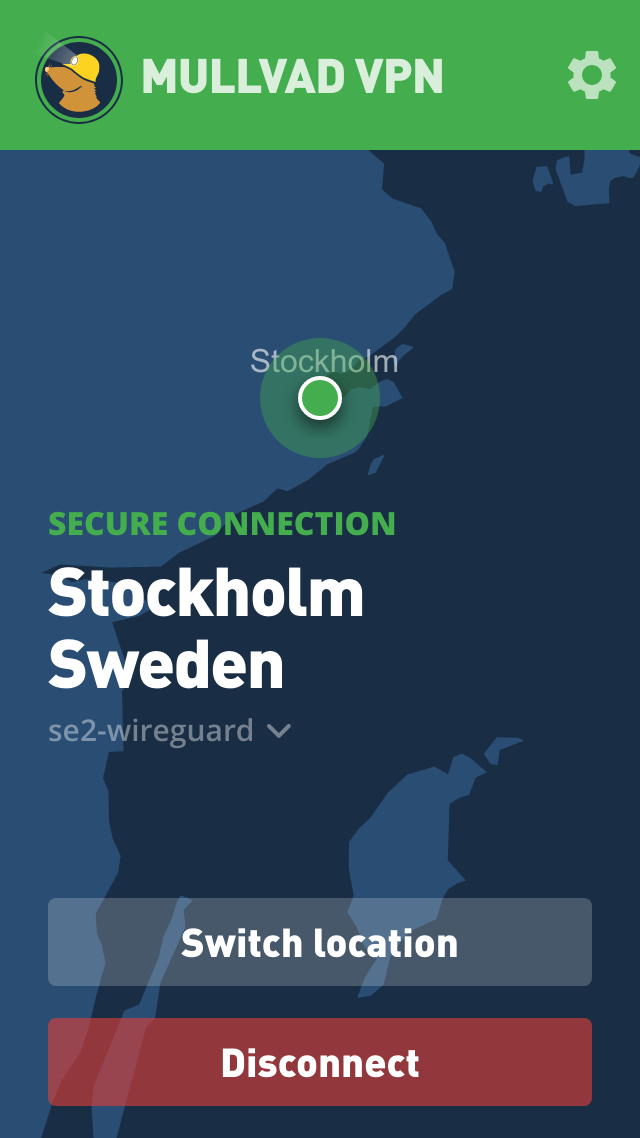
How would they trace that. The a/c number is a randomly generated number, 16 digits long, and is not linked to an email address or phone number.

I am quite certain that Mullvad would be interested to hear how their vpn customers are open to being traced.

I am not familiar with mullvad but accountants are all about tracing where money goes and comes from. In general to me it would seem that if you have an account that you sign into. They have to know if you paid for that account. That means there is information at that place that attaches somebody to that account otherwise the accounting practice falls apart. I am no accountant but do deal with accounting often. The tracing would happen internally at the company. We call that a warrant here and authorities can walk in with one unannounced and take everything in that company including records. Granted it takes time to sort through it all but you follow the money trail and apply that to the records of logins and activity. So that seems to me how a person is traced. Forensic accounting.
 
They have to know if you paid for that account.
They state their tracing is simple: they record how long an account is prepaid for. Since they don't do automatic recurring orders, there is no need to keep the payment info once the cash is credited. It's similar to buying a gift card for an online service with cash at your fuel station. Nothing special per se, but not often done because most businesses go to lengths to keep you informed about their offerings and deals.
 
They state their tracing is simple: they record how long an account is prepaid for. Since they don't do automatic recurring orders, there is no need to keep the payment info once the cash is credited. It's similar to buying a gift card for an online service with cash at your fuel station. Nothing special per se, but not often done because most businesses go to lengths to keep you informed about their offerings and deals.
would be nice if it is truly anonymous I am just very suspicious. And my past experience shows things you thought were private and protected really are not. Using it like a prepaid could keep you safe, but most people use credit cards and other traceable stuff.
 
VPNs Don't Make You Anonymous — Here's Why

A lot of people install a VPN and consider themselves protected. The reality is more sobering, and it's worth walking through exactly why.

A VPN does two things: it hides your traffic content from your ISP, and it swaps your IP address at the destination server. That's genuinely useful for what it is. But it barely scratches the surface of how identification actually works.

The MAC Address Layer

Your MAC address travels from your NIC to your home router, and your home router's WAN MAC travels to your ISP's equipment. That MAC is logged. It doesn't traverse the public internet past that first hop, but it doesn't need to — your ISP already has it mapped to your account, your modem serial number, and your service address. It never changes unless you spoof it. A VPN does nothing about this.

The NAT and Traceroute Layer

Most home users sit behind multiple layers of NAT — your home router assigns a 192.168.x.x address, your ISP may put you behind Carrier Grade NAT at 100.64.x.x, and only then does a public IP appear. A VPN replaces that public IP at the destination, but consider what a traceroute still reveals:

Code:
hop 1:  192.168.1.1       (your home router - private)
hop 2:  100.64.x.x        (ISP CGNAT gateway - identifies
                           your ISP and regional PoP)
hop 3:  x.x.x.x           (ISP backbone - narrows geography further)
...
hop N:  VPN exit node      (known VPN provider block)

Every hop is a breadcrumb. The NAT'd address at hop 2 doesn't hide you from your ISP — it is your ISP, and they maintain translation logs that map it back to your specific modem and MAC address. Those logs are subpoena-able. The traceroute doesn't need your real IP to place you geographically. The latency between hops does that on its own.

Beyond that, ISPs assign address blocks regionally. VPN provider address ranges are well-known and flagged instantly by services like ipinfo.io. The destination server may not know your real IP, but it knows you're using a VPN, which provider, and roughly where that server sits.

GPU and Browser Fingerprinting

This is where the VPN argument collapses entirely. When you visit a website, JavaScript can silently draw to a hidden Canvas or WebGL context and read back the pixel data. Because GPUs and their drivers render subtle differences in shading, fonts, and math, the resulting hash is highly unique to your hardware. WebGL will also directly report your GPU renderer string — something like "NVIDIA GeForce RTX 5090/PCIe/SSE2" — with no ambiguity whatsoever. Combined with screen resolution, installed fonts, timezone, CPU concurrency, and browser plugins, a tracker builds a near-unique fingerprint that persists across sessions regardless of IP address. They've seen your fingerprint before. They know it's you.

The Population Math

Here's where it gets precise. A GTX 1060 is in millions of machines worldwide. An RTX 5090 is not. The more exotic and high-end your hardware, the smaller the population that shares your fingerprint. On a niche community — a Linux forum, a Christian discussion board — there might be five or ten users from your geographic region at any given time. Only one of them has an RTX 5090. The pool collapses to one person before you've considered any other factor.

Add posting time, writing style, and content — mention your profession, your hobbies, your general area — and you've de-anonymized yourself without any attacker needing to break a single encryption key. The last message you posted tells them who you are.

The Account Registration Layer

The final and most decisive layer is account registration. Your username links to an email address. That email links to a phone number used for MFA. That phone number is registered to your real name and address at the carrier level, with device IMEI and location history attached.

This is the part people miss: MFA makes your account more secure against takeover, but it makes you less anonymous. You didn't just weaken anonymity — you eliminated it and signed your name at the bottom. You voluntarily handed a carrier-verified, government-linked identity to the platform.

The Full Stack

Put it all together and the identification chain looks like this:

Code:
MAC address:         logged by ISP, mapped to your modem and account
NAT translation:     ISP logs map your session back to your specific line
Traceroute hops:     geography confirmed by latency alone
VPN exit node:       flagged as VPN, provider identified
GPU fingerprint:     RTX 5090 renderer string — one of very few in your area
Username:            dos2unix, known account on the platform
MFA phone number:    carrier-verified, government-linked identity

The VPN protected one data point while every other layer remained fully exposed.

The Bottom Line

True anonymity requires compartmentalization from the ground up — separate devices, purpose-built email addresses, no phone-linked MFA, no behavioral crossover between identities — and even then it isn't guaranteed. A VPN is a useful tool for a narrow purpose. It encrypts your traffic from your ISP and masks your IP from destination servers. That's it.

It is not a privacy solution. It is not anonymity. And if you're logged into your account with your real phone number on file and your RTX 5090 rendering the page — it never was.
 
The only way to have 100% privacy online is not to go online.

The only way for your computer to be 100% secure is to not have a working computer with any of your data on it.

You can do quite a bit to make those things harder (and they are not the same thing), but there are no guarantees.

For example, you can use Tor. So long as you stay on the .onion network, you're likely private -- except your ISP knows you were using Tor. If you use Tor and venture off the .onion domains into the clearnet, there are timing attacks that can deduce who you are with a whole lot of accuracy.

Being on Tor is not (usually) a crime in and of itself. But if you've attracted enough attention by breaking laws to where they have you nailed with a timing attack, that's likely going to be enough for a search warrant.

Both privacy and security shouldn't be viewed as absolutes, but seen as a spectrum. The first step involves knowledge. With that, you can decide where you want to be on those spectra. Where you plant your flag can be a factor of what goals you want to achieve and what you're willing to accept to achieve those goals.
 
We can discuss VPNs, browser hardening, and "no-log" policies all day, but let's be honest about what 100% security actually looks like..

"Only those who are both the farmer and the chef can be 100% certain that the food is 100% fresh and healthy."

True digital sovereignty would mean building everything yourself, from the silicon and the kernel to the encryption protocols. Since this is impossible for 99,99% of users, digital security is never absolute. It is always a compromise between risk management and residual trust.

If you want absolute certainty, you must be self-sufficient, and in a connected world, that is a status almost no one truly achieves.
 
Written by Claude.Ai (prompted by me).

We've Got You

It's Not the OS. It's Not the Cookies. It's You.

A field report for Linux users who thought they were safe​


You switched to Linux. You clear your cookies religiously. You're running a VPN. You feel pretty good about your privacy setup.

You shouldn't.

Not because Linux is bad. Not because VPNs are useless. But because the two weakest links in your entire security chain are the one you stare at all day — your browser — and the one sitting in the chair — you.

This isn't a theory. This is how it works.


The OS Is Almost Irrelevant​

Let's get this out of the way first. The OS debate — Linux vs Windows vs macOS — matters less than the community likes to admit when it comes to surveillance and tracking.

Yes, Windows has telemetry baked in. Yes, macOS phones home. Yes, Linux gives you more control over the base layer. But here's the thing:

The attack surface that matters isn't the kernel. It's what runs on top of it.


You can run the most hardened SELinux installation on the planet, with full disk encryption, mandatory access controls, and a custom kernel — and then open a browser, log into Gmail, and hand everything to Google anyway.

The OS is the foundation. The foundation isn't the problem. The house is the problem.


Your Browser Is Spyware With a Render Engine​

Every major browser is owned by someone with a financial interest in your data:

Chrome — Google. The world's largest advertising company. This one should need no explanation.

Firefox — Mozilla. Funded primarily by Google. Their search deal keeps the lights on.

Safari — Apple. Their privacy marketing is strong. Their actual practices are more complicated.

Edge — Microsoft. See: Windows telemetry commentary above.

Brave — Marketed as privacy-first. Has had its own sketchy moments including injecting affiliate codes.


But the browser itself is almost secondary. The real issue is what the browser exposes to every website you visit without asking your permission.


The Fingerprinting Problem​

Here's a real-world test. Fresh OS install. New hard drive. No cookies. No login to any account. Start browsing the same sites you visited before.

Within two weeks, YouTube is already recommending your preferred content. Your preferences have been rebuilt — without cookies, without login, without any obvious tracking mechanism.

That's not magic. That's fingerprinting.

Every time your browser connects to a site, it broadcasts a detailed description of your system:

Screen resolution and color depth

GPU model and WebGL rendering signature (unique to your hardware)

Installed fonts list

Browser plugins and their versions

Timezone and language settings

CPU core count and memory hints

Audio stack fingerprint

Mouse movement patterns and click timing

Typing cadence and rhythm


Combined, these data points create a fingerprint more statistically unique than your actual fingerprint. And unlike a cookie, you can't clear it. You can't opt out of it. It's derived from your hardware and behavior — neither of which changes when you reinstall your OS.

The GPU fingerprint alone survives a complete OS reinstall because it's querying your physical graphics hardware via WebGL. The hardware didn't change. The fingerprint didn't change. They already know it's you.


VPNs: The Most Oversold Tool in Consumer Security​

The VPN industry is worth billions of dollars and is built almost entirely on a misunderstanding of what a VPN actually does.

A VPN does one thing: it moves the trust problem. Instead of your ISP seeing your traffic destination, your VPN provider sees it. You've traded one potentially untrustworthy middleman for another — one you're actually paying for the privilege.


The 'No Log' Problem​

Every VPN markets a 'no log' policy. You cannot audit this claim. They are subject to the laws of whatever country they're incorporated in. Several 'no log' VPNs have been caught handing over logs when served legal process — NordVPN, PureVPN, and IPVanish all had incidents that contradicted their marketing.


The Intelligence Sharing Problem​

The Five Eyes, Nine Eyes, and Fourteen Eyes intelligence sharing agreements mean that geographic diversification of your VPN provider doesn't help as much as people assume. Internet infrastructure passes through monitored chokepoints regardless of where your VPN server is located.


The Fingerprinting Problem (Again)​

Even if your VPN worked perfectly and your provider was completely trustworthy — it doesn't matter. Your browser fingerprint travels with every request. Your IP address is the least unique thing about you online. The fingerprint identifies you regardless of what IP you're coming from.


VPNs are genuinely useful for:

Hiding traffic content from your local ISP

Protection on public WiFi networks

Bypassing geographic content restrictions


VPNs are not useful for:

Hiding from a determined government or corporate actor

True anonymity against fingerprinting

Protecting you from yourself


Cookies Are the Red Herring​

The browser cookie warning that appears on every website in existence has trained an entire generation of users to believe that accepting or rejecting cookies is the meaningful privacy decision they need to make.

It isn't.

The tracking industry moved well beyond cookies years ago — precisely because users started blocking them. Cookies were a convenient, auditable, deletable tracking mechanism. The industry needed something users couldn't delete.

So they built fingerprinting. And local storage. And IndexedDB. And session replay scripts that literally record every mouse movement on a page. And third-party pixels that track you across unrelated domains. And CNAME cloaking that disguises trackers as first-party resources.

Clearing your cookies feels productive. It is approximately as effective as locking your front door while leaving all the windows open.


The Weakest Link: You​

All of the above is technically interesting but ultimately secondary to the real surveillance vector: voluntary disclosure.

No fingerprinting algorithm needed. No VPN circumvention required. No cookie workaround necessary. Because users just... type everything in directly.

They search for their health symptoms by name

They ask AI chatbots their most private questions

They stay permanently logged into accounts that follow them across every site

They install browser extensions that have full access to every page they visit

They connect their real identity to their 'anonymous' accounts through behavioral patterns

They click every link in every email


George Orwell imagined telescreens that the state installed in every home by force. The actual outcome was a telescreen that people camp outside stores to buy on release day, carry in their pocket, sleep next to, and pay a monthly subscription fee for.

The surveillance state didn't have to break down your door. You invited it in and gave it your WiFi password.


The Part Nobody Denies Anymore​

Here's what should actually unsettle you: none of this is secret. It's documented. It's published in terms of service agreements that nobody reads. The fingerprinting techniques are academic research. The data brokering industry is legal and publicly traded. The government access requests are published in corporate transparency reports.

There's no conspiracy theory required. It's hiding in plain sight — which turns out to be the most effective hiding of all.

A coordinated conspiracy has weak points. People talk. Documents leak. Someone grows a conscience. But a system where every party is simply following their own financial incentives — and the surveillance happens anyway as a natural byproduct — has no weak point. There's nothing to expose. Nothing to prosecute. No single decision to reverse.

The most unsettling part isn't that they're watching. It's that nobody even bothers to deny it anymore.


So What Can You Actually Do?​

The honest answer is: you can raise the cost and effort of tracking you, but you cannot eliminate it with current tools. Here's what actually moves the needle:


Browser Choices That Help​

Firefox with arkenfox user.js — the most aggressive fingerprint resistance available in a mainstream browser

Tor Browser — actually designed for anonymity, accepts the usability tradeoffs that come with it

Disable JavaScript where possible — breaks fingerprinting dramatically, also breaks most of the web

uBlock Origin — the one extension that consistently delivers on its promises


Behavioral Changes That Help More​

Compartmentalize — different browsers for different purposes, never logged into anything in your 'anonymous' browser

Think before you type — AI chatbots, search engines, and social platforms are not private diaries

Audit your extensions — each one is a potential data exfiltration point with full page access

Question the convenience — every 'sign in with Google' button is a tracking pixel with better UX


Accept the Honest Tradeoff​

Perfect privacy and full modern web functionality are currently mutually exclusive. Every tool that makes you harder to track also makes the web less functional. That's not an accident. It's the business model.

Know what you're trading. Make the tradeoff deliberately. And stop blaming the OS.


The telescreen didn't need an installation appointment.

You set it up yourself. And rated it five stars.

Because the human factor becomes a problem especially when it comes to passwords
 
The only way to have 100% privacy online is not to go online.

The only way for your computer to be 100% secure is to not have a working computer with any of your data on it.
Yep. A few years back as the security chaos of the Internet began to become ridiculous, I finally decided I would rather spend my time in hobby programming rather than constantly monitoring for baddie stuff arriving. I put my three Linux coding machines on a private network, no WIFI, ethernet only and no physical connection to the rest of the world. I have archived all of my utilities that I have gathered over the years so I can reload without needing to get online. (Hasn't happened in a long time.) The Distro itself I purchase on a flash drive and archive it also. (Ok, that could be secretly breached, but there ain't no such thing as perfect security.)

All of my coding is to control electronic and Ham devices locally and with no need to build anything for the net. It means that I miss out on new upgrades to utilities but mine work fine so I don't know what I am missing. And if I just have to have some new utility or update, I download it on a separate box and sneakernet it over.

Internet usage is on a totally separate box, with no personal info. Even the passwords are on an encrypted flash drive or Yubikey.

Is this totally unbreachable? Of course not, but it follows the old defense of having stronger locks on your house than your neighbors so that the thieves will take the easier path.

Not everyone's cup of tea, but it works for me.
 
and no physical connection to the rest of the world.

While it's not something you specifically should worry too much about, there has been malware that crossed the sneakernet and made its way (probably unknowingly) into a secure facility that was completely disconnected from the internet.

That was Stuxnet. That's one example that we know about.

It was pretty clever malware.

If the pundits are correct, this is one more reason to lock out your USB ports. Yes, even for (and especially for) the people who use the computers on a daily basis.
 
While it's not something you specifically should worry too much about, there has been malware that crossed the sneakernet and made its way (probably unknowingly) into a secure facility that was completely disconnected from the internet.
Yep, I can remember it. Of course if any state actor is trying to get into my machines for either destruction or data theft, then they are - 1. not going to find anything but Kicad circuits and hobby code, and - 2, state actors of the cretin variety for bothering to try. Just as if any government agent is trying to surveil me, he/she is in some danger of dying of boredom.

No, my main concern is either getting clobbered by some script kiddy bot, or being caught in the crossfire of a real hack of someone else. Actually, most of my caution is just because of memories of a lifetime of computers and what can happen if you aren't on watch, although back in my mainframe days the problem was not malware - that almost didn't exist - but idiots at the keyboard and command console. "You mean this scratch tape I just erased was the system restore backup?"

The Internet used to be a much nicer place, and I miss it.
 
The Internet used to be a much nicer place, and I miss it.

I suppose that depends on your perspective. We actually have more malware today than we had twenty years ago, but the tools and systems in place have reduced the impact. Even Windows users are relatively secure.

So, there's that. We find more exploits, but we patch more exploits.

script kiddy

Yeah, they suck. We had one hammer this site for a short while. Not long after, one of my sites was nailed with a DDoS. I'm not sure if there's a connection. As far as the site goes, it's relatively inoffensive and not all that popular. I can't say that there was a connection, but I did look up the current costs to rent a botnet for DDoS purposes -- and it's much less expensive than it used to be. From what I was learning while looking that up, a lot of the compromised devices are exactly what I point a finger at from time to time -- routers that never get updated. They're the perfect device for doing a DDoS or providing IP addresses for other activities, such as spam campaigns.

I do love how much information is now online. It's up to you to verify the accuracy. Many people skip that last step. It's like how you're not meant to cite Wikipedia. You're supposed to view the citation for the claim, verify it, and use that as your citation. Yet, sure enough, you'll see "Cite: <wikipedia_link>" as though it ends all debate.

Ah well...

Man, I really need to get my radio license.


Follow Linux.org

Staff online

Members online


Top