Since the upgrade to Zena PC slows to a halt after a couple of hours hard work ... anyone else?

Lawrence @ Aktileda

New Member
Joined
Jan 9, 2026
Messages
9
Reaction score
7
Credits
89
So here I was happily running the old Linux Mint Cinnaman on my old Dell optiplex 9020 ... everything just fine. Then along comes the Zena upgrade so I thought I'd go for it. All was well until I did 3 hours of concerted content creation. I had the Fox browser open to run Canva, I had Gimp open to create the images and I had the file manager open ... nothing else. This really shouldn't cause any problems ... but 3 hours in, PC gets slower and slower and slower until a final stand still. A total freeze of everything ... couldn't even re-start it. Pulling the plug was the only option. Anyone else get this?


Copy and paste this command in the terminal.

Code:
inxi -Fxz

Copy and paste the output to a post.

Posting system specs will help with a better solution.

If you were running a previous version of Linux Mint and you had know issues I'd revert back to it if possible.

You may also try rolling back to a previous kernel such as 6.8.xx.

If all else fails pull the side cove and carefully look for bloated swollen tops on capacitors doubtful although always a possibility.
 
Check your RAM usage. While you're there, check the CPU's usage.

If you don't have a nice GUI shortcut, maybe provided by a panel applet, you can just open your terminal and enter gnome-system-monitor.

When you have that open, using the top headers to sort by decending values, sort by RAM consumption. Then, check on the CPU usage by doing the same thing.
 
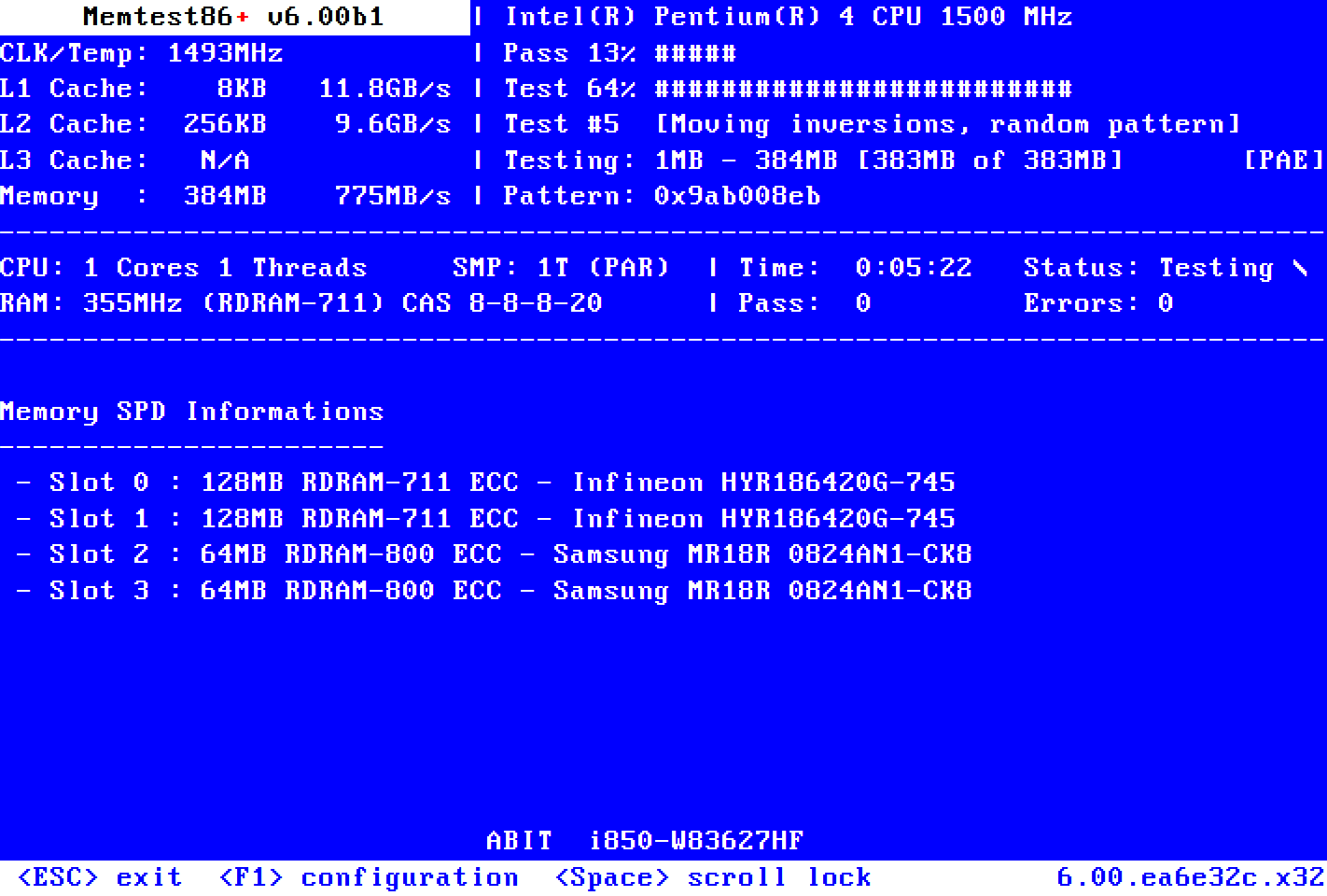
Memtest does exactly what it was designed to do. Worked like a charm for me in the past.
 
If I had to make a WAG, Firefox has a memory leak (again), or maybe keeping Canva open long-term results in increased memory usage. I suppose an easy way to tell would be to wait for the computer to become symptomatic and then just close Firefox to see if the expected system response times return to an acceptable level.

But that's just a WAG. It could also be another application, which the system monitor should identify.

There are also top, atop, htop, and myriad other choices that can be used in the terminal. I'd still use the GUI route, unless the system is so occupied that you can't open it and can only run terminal commands.
 
Do you have a temperature app on your pc ?

I use the 'CPU Temperature Indicator ' (by Claudiux)

It it can be found in Applets.....right click on panel, select applets....click on downloads.....download it.....and the click on Manage....single click to highlight it there...then click the + down the bottom
 
 
So here I was happily running the old Linux Mint Cinnaman on my old Dell optiplex 9020 ... everything just fine. Then along comes the Zena upgrade so I thought I'd go for it. All was well until I did 3 hours of concerted content creation. I had the Fox browser open to run Canva, I had Gimp open to create the images and I had the file manager open ... nothing else. This really shouldn't cause any problems ... but 3 hours in, PC gets slower and slower and slower until a final stand still. A total freeze of everything ... couldn't even re-start it. Pulling the plug was the only option. Anyone else get this?
What you have described sounds like it might be a memory leak. The following looks at that angle of the matter.

Memory leaks occur when software, say a particular program, reserves memory for its usage, but instead of releasing it when it's no longer needed, keeps it occupied causing RAM usage to grow continuously. As RAM is used up, there's less of it for processing, so all processing in the system can slow down.

There's scripts to check memory usage to see which processes may be implicated in eating too much memory. The following is a very basic script named: mem-monitor used here at times to do that. It outputs the top 10 processes which are using memory:
Code:
#!/bin/bash

i="0"
while [ $i -lt 4 ]
do
ps -eo %mem,rss,pid,args --sort=-%mem \
| awk '{print $1,$2"(KiB)",$3,$4}' \
| head -n 10 \
| column -t >> memLogFile

i=$[$i+1]

sleep 2
done

One can run the script with the following command from the directory the script is written in:
Code:
bash mem-monitor

In its current form it writes output into the file: memLogFile each 2 seconds, for 4 instances of memory usage of the top 10 processes using memory on the system. That's only measuring memory usage for 8 seconds. It's likely it needs to run for much longer, and perhaps for more than just the top 10 processes, so one can adjust the numbers to what suits in the script. The output on this machine for the above script looks like this:
Code:
[~]$ cat memLogFile
%MEM  RSS(KiB)     PID    COMMAND
2.9   475728(KiB)  3480   ./firefox
2.6   416688(KiB)  10108  ./waterfox
2.0   332668(KiB)  5592   /home/tom/browsers/firefox/firefox-bin
1.6   267176(KiB)  4188   /home/tom/browsers/firefox/firefox-bin
1.3   214032(KiB)  3674   /home/tom/browsers/firefox/firefox-bin
1.2   196632(KiB)  3761   /home/tom/browsers/firefox/firefox-bin
1.1   183968(KiB)  10344  /home/tom/browsers/waterfox/waterfox
1.1   181608(KiB)  11768  /home/tom/browsers/waterfox/waterfox
1.1   177060(KiB)  10351  /home/tom/browsers/waterfox/waterfox
%MEM  RSS(KiB)     PID    COMMAND
2.9   475732(KiB)  3480   ./firefox
2.6   416688(KiB)  10108  ./waterfox
2.0   332676(KiB)  5592   /home/tom/browsers/firefox/firefox-bin
1.6   267208(KiB)  4188   /home/tom/browsers/firefox/firefox-bin
1.3   214032(KiB)  3674   /home/tom/browsers/firefox/firefox-bin
1.2   196632(KiB)  3761   /home/tom/browsers/firefox/firefox-bin
1.1   183968(KiB)  10344  /home/tom/browsers/waterfox/waterfox
1.1   181608(KiB)  11768  /home/tom/browsers/waterfox/waterfox
1.1   177060(KiB)  10351  /home/tom/browsers/waterfox/waterfox
%MEM  RSS(KiB)     PID    COMMAND
2.9   475732(KiB)  3480   ./firefox
2.6   416688(KiB)  10108  ./waterfox
2.0   332720(KiB)  5592   /home/tom/browsers/firefox/firefox-bin
1.6   267248(KiB)  4188   /home/tom/browsers/firefox/firefox-bin
1.3   214052(KiB)  3674   /home/tom/browsers/firefox/firefox-bin
1.2   196632(KiB)  3761   /home/tom/browsers/firefox/firefox-bin
1.1   183968(KiB)  10344  /home/tom/browsers/waterfox/waterfox
1.1   181608(KiB)  11768  /home/tom/browsers/waterfox/waterfox
1.1   177060(KiB)  10351  /home/tom/browsers/waterfox/waterfox
%MEM  RSS(KiB)     PID    COMMAND
2.9   475796(KiB)  3480   ./firefox
2.6   417012(KiB)  10108  ./waterfox
2.0   332784(KiB)  5592   /home/tom/browsers/firefox/firefox-bin
1.6   266444(KiB)  4188   /home/tom/browsers/firefox/firefox-bin
1.3   214052(KiB)  3674   /home/tom/browsers/firefox/firefox-bin
1.2   196632(KiB)  3761   /home/tom/browsers/firefox/firefox-bin
1.1   183968(KiB)  10344  /home/tom/browsers/waterfox/waterfox
1.1   181644(KiB)  11768  /home/tom/browsers/waterfox/waterfox
1.1   177060(KiB)  10351  /home/tom/browsers/waterfox/waterfox

The 4 instances are clearly visible, divided off by the headings. The percentage of memory use shown is not rising, but constant for the applications which in this case are two browsers, firefox and waterfox, both run from usr tom's home directory. The PID value is provided in the output so that the user can kill a process using that number if needed. The RSS value is basically the size of the program in RAM, but there's more detail to it which can be checked in man pages for ps and top.

Running the script with adjusted figures for the amount of time that one has previously experienced the slowing down would be a logical approach. The log file would be large, but the output may be revealing. All files are removable so the whole procedure is not resource sapping in the end. There are more advanced specialised scripts available online for the same purpose which the OP may which to investigate.

 
Last edited:
What you have described sounds like it might be a memory leak. The following looks at that angle of the matter.

Memory leaks occur when software, say a particular program, reserves memory for its usage, but instead of releasing it when it's no longer needed, keeps it occupied causing RAM usage to grow continuously. As RAM is used up, there's less of it for processing, so all processing in the system can slow down.

There's scripts to check memory usage to see which processes may be implicated in eating too much memory. The following is a very basic script named: mem-monitor used here at times to do that. It outputs the top 10 processes which are using memory:
Code:
#!/bin/bash

i="0"
while [ $i -lt 4 ]
do
ps -eo %mem,rss,pid,args --sort=-%mem \
| awk '{print $1,$2"(KiB)",$3,$4}' \
| head -n 10 \
| column -t >> memLogFile

i=$[$i+1]

sleep 2
done

One can run the script with the following command from the directory the script is written in:
Code:
bash mem-monitor

In its current form it writes output into the file: memLogFile each 2 seconds, for 4 instances of memory usage of the top 10 processes using memory on the system. That's only measuring memory usage for 8 seconds. It's likely it needs to run for much longer, and perhaps for more than just the top 10 processes, so one can adjust the numbers to what suits in the script. The output on this machine for the above script looks like this:
Code:
[~]$ cat memLogFile
%MEM  RSS(KiB)     PID    COMMAND
2.9   475728(KiB)  3480   ./firefox
2.6   416688(KiB)  10108  ./waterfox
2.0   332668(KiB)  5592   /home/tom/browsers/firefox/firefox-bin
1.6   267176(KiB)  4188   /home/tom/browsers/firefox/firefox-bin
1.3   214032(KiB)  3674   /home/tom/browsers/firefox/firefox-bin
1.2   196632(KiB)  3761   /home/tom/browsers/firefox/firefox-bin
1.1   183968(KiB)  10344  /home/tom/browsers/waterfox/waterfox
1.1   181608(KiB)  11768  /home/tom/browsers/waterfox/waterfox
1.1   177060(KiB)  10351  /home/tom/browsers/waterfox/waterfox
%MEM  RSS(KiB)     PID    COMMAND
2.9   475732(KiB)  3480   ./firefox
2.6   416688(KiB)  10108  ./waterfox
2.0   332676(KiB)  5592   /home/tom/browsers/firefox/firefox-bin
1.6   267208(KiB)  4188   /home/tom/browsers/firefox/firefox-bin
1.3   214032(KiB)  3674   /home/tom/browsers/firefox/firefox-bin
1.2   196632(KiB)  3761   /home/tom/browsers/firefox/firefox-bin
1.1   183968(KiB)  10344  /home/tom/browsers/waterfox/waterfox
1.1   181608(KiB)  11768  /home/tom/browsers/waterfox/waterfox
1.1   177060(KiB)  10351  /home/tom/browsers/waterfox/waterfox
%MEM  RSS(KiB)     PID    COMMAND
2.9   475732(KiB)  3480   ./firefox
2.6   416688(KiB)  10108  ./waterfox
2.0   332720(KiB)  5592   /home/tom/browsers/firefox/firefox-bin
1.6   267248(KiB)  4188   /home/tom/browsers/firefox/firefox-bin
1.3   214052(KiB)  3674   /home/tom/browsers/firefox/firefox-bin
1.2   196632(KiB)  3761   /home/tom/browsers/firefox/firefox-bin
1.1   183968(KiB)  10344  /home/tom/browsers/waterfox/waterfox
1.1   181608(KiB)  11768  /home/tom/browsers/waterfox/waterfox
1.1   177060(KiB)  10351  /home/tom/browsers/waterfox/waterfox
%MEM  RSS(KiB)     PID    COMMAND
2.9   475796(KiB)  3480   ./firefox
2.6   417012(KiB)  10108  ./waterfox
2.0   332784(KiB)  5592   /home/tom/browsers/firefox/firefox-bin
1.6   266444(KiB)  4188   /home/tom/browsers/firefox/firefox-bin
1.3   214052(KiB)  3674   /home/tom/browsers/firefox/firefox-bin
1.2   196632(KiB)  3761   /home/tom/browsers/firefox/firefox-bin
1.1   183968(KiB)  10344  /home/tom/browsers/waterfox/waterfox
1.1   181644(KiB)  11768  /home/tom/browsers/waterfox/waterfox
1.1   177060(KiB)  10351  /home/tom/browsers/waterfox/waterfox

The 4 instances are clearly visible, divided off by the headings. The percentage of memory use shown is not rising, but constant for the applications which in this case are two browsers, firefox and waterfox, both run from usr tom's home directory. The PID value is provided in the output so that the user can kill a process using that number if needed. The RSS value is basically the size of the program in RAM, but there's more detail to it which can be checked in man pages for ps and top.

Running the script with adjusted figures for the amount of time that one has previously experienced the slowing down would be a logical approach. The log file would be large, but the output may be revealing. All files are removable so the whole procedure is not resource sapping in the end. There are more advanced specialised scripts available online for the same purpose which the OP may which to investigate.
I can go along with this explanation. I have induced the symptoms again by running Canva and Gimp. Taking more notice this time, I see the hard drive starts to run for no apparent reason, then just runs more and more as the system slows down.

A PC restart stopped the total collapse. Since then by deliberately limiting the running of both these programs to 2 hrs max, then simply closing and re-opening them, the symptoms have not returned.

A simple work around, and I get a coffee break every 2 hours, so happy days ... not the ideal solution admittedly, but adequate until I can afford a replacement for this old Dell.

Thanks, L
 
A simple work around, and I get a coffee break every 2 hours, so happy days ... not the ideal solution admittedly, but adequate until I can afford a replacement for this old Dell.

all things in moderation ;)
 
Considering the performance issue's that you've mentioned in your first post....
Running Memtest is a sure way to know if the RAM is bad. I would want to know this right away if this were my kettle of fish.

And, I'd like to encourage you to run the script that our member @osprey suggested.
The information that the script would kick out could save you hours of frustration allowing for less headaches.:)
 

Attachments

  • MemLogFile.png
    MemLogFile.png
    288.1 KB · Views: 47
Last edited:
In all fairness to everyone, I don't mind running the odd command into terminal, but I have never had any intention of becoming a computer engineer in any of the 30 years that I've been using computers. Linux Zena runs just fine on both my PCs, but one has a bit of a memory leak problem. It's old and in due course, I'll replace it. I posted the problem in-case it was a Zena known issue.
 
In all fairness to everyone, I don't mind running the odd command into terminal, but I have never had any intention of becoming a computer engineer in any of the 30 years that I've been using computers. Linux Zena runs just fine on both my PCs, but one has a bit of a memory leak problem. It's old and in due course, I'll replace it. I posted the problem in-case it was a Zena known issue.
Honesty appreciated.
Have a nice weekend.
 
Zena known issues are not particularly clear just yet, although a few are starting to surface. there are other factors involved, so obtaining clarity is a waiting game.

So far, I have not see any connected to memory issues in any way.

Stay tuned.

Edit to add: open system monitor, and click on processes. scroll down to mintupdate

What MB numbers do you see under disk read, and disc write..


Follow Linux.org

Members online


Top