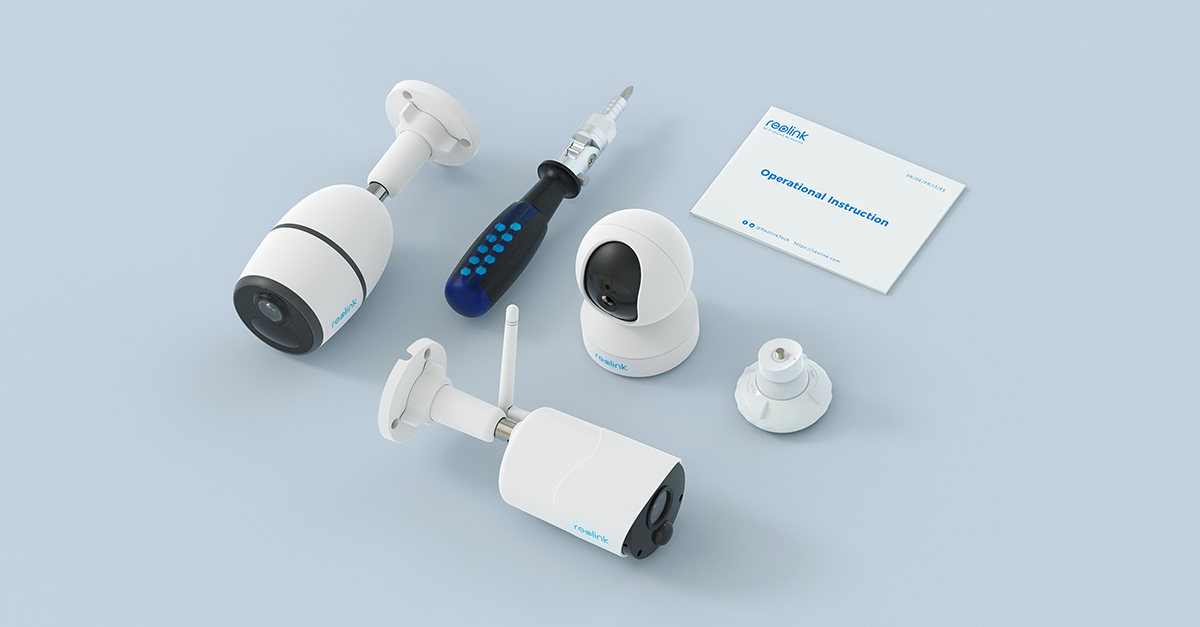
Choosing a distro, help needed for using Reolink

Sueti

New Member
Joined
Apr 30, 2025
Messages
4
Reaction score
1
Credits
51
I have had a read of the forum (and other places) as I am going to try to make the jump from Windows to Linux. I have purchased a cheap laptop to give it a try so that if I break it the world will not end. I am wanting something as "similar" to windows as possible as I have only ever used that before so it is going to be a big learning curve for me and I am not young enough to be technically minded now!
Laptop specification is
Asus notebook i7 running Windows 10
CPU i7 7500u 2.7GHz
RAM 8Gb DDR4
SSD 250Gb
Hard drive 640Gb
2 x intel HD Graphics 620
GeForce 940mx

Use is for basic day stuff, internet, Libre office, Whatsapp - and my problem which is that I have Reolink cameras and Reolink do not have a Linux app.
I have seen elsewhere that it can be made to work on Linux but am wondering if anyone knows more about which distro would be best for me on here.
I hahe looked through the forums and originally thought Mint/Cinnamon or Elementary, then used the distrochooser questionaire thing and that came up with loads more with the top 2 being Kubuntu and Zorin and then Mint and low down was Elementary so I am now more confused than when I first started looking :confused:

So does anyone have Reolink cameras (as that seems to be the problem area) working with Linux or any other advice please?


G'day Sueti, Welcome to Linux.org

I truly believe, for a new user, that the best choice is the simplest

That means the distro with the most support.

That means Linux Mint 22.1 Cinnamon

Now.....Reolink Cameras.....I have zero experience with Reolink.

It is possible that another member here will have that experience.

I see that some of their cameras can be accessed from the browser....Firefox.

Someone else is sure to chime in on that topic.
 
I am wanting something as "similar" to windows as possible...

Zorin OS. Free version should be fine.

So does anyone have Reolink cameras (as that seems to be the problem area) working with Linux or any other advice please?

You would have to use WINE. It's a layer that lets you use Windows programs on Linux. You probably will need to install VLC (it's a popular and free media player). Just Google "Reolink cameras on Linux". If you need help with setting WINE correctly or installing VLC, I'm sure Zorin people will be able to help.
 
Thank you both, I had first thought from these forums and generall googling that Mint would be better for me, so at least I seem to have been correct about that.
I will have a closer look at Zorin and also wine (adding a layer seems simple enough) and VLC, hopefully I can manage to do the switch with some help if the cameras are not as simplie.
There is a big thread on the Reolink site about Linux, but it seems as if the actual app is not easily going to work unless I can find an old version, so I may need to see if the cameras are viewable from a web browser.
More investigation needed, shame Reolink are still stuck in the Windows Mac programming and do not have anyone to also make the app Linux friendly
 
Hello @Sueti
Welcome to the Linux.org forum, enjoy!
I would second @Condobloke suggestion Mint has a good simple interface and great forum. So you wouldn't go wrong using it. Can't help with the camera issue either. But someone here maybe able too. Good Luck in your journey!
 
welcome to the forums!

i took a quick glance at the reolink website - it looks like monitoring/management is entirely app based - it's not a traditional, coaxial cable based security system. I agree with the wine/winOS in a vm recommendation. those can be anywhere from trivial to very tricky to setup in regards to a specific app (see recent discussions on getting zoom to work). when you're setting up the vm, make sure you give it a lot of resources - more than you'd expect it to need. winOS is a bit of a glutton, even in a vm.

if, instead, the camera managment can be done from a browser and you want an "app" instead, look into Electron encapsulation - an example is https://github.com/nativefier/nativefier

distrowise though? whichever one you like. a lot of folks prefer Debian derivatives (ubuntu, mint, mx, etc). Fedora is pretty nice, as is Arch. just depends on what you want out of a distro
 
@Mike-BTU :-

Nice find, mate.

The app I usually recommend for this is Felenasoft's Xeoma, which supports most of the available cameras OOTB. I use it with a bunch of USB webcams for a home CCTV system; basic, but it does the job, AND makes use of existing hardware I already have cluttering the place up!.

However, it appears that even Xeoma has "issues" with detecting Reolink stuff.....primarily because it uses proprietary rather than industry-standard connectors.

@Sueti :-

Welcome to Linux.org.

Don't take this as a criticism - it's not; if anything it's a commiseration - but.....whoever "conned" you into buying such bloody awkward cameras in the first place? As @theLegionWithin says above, it's definitely not a "standard" tyoe of system at all, and appears to need quite a bit of proprietary stuff you can only get from Reolink themselves.

I always thought this was supposed to be the day & age of total cross-compatibility for everything.... This, if nothing else, has shown THAT to be a false assumption.

As for the OS, for you I, too, would recommend Zorin. This is from personal experience (I've had an install on an external USB HDD for several years). It's designed to be easy for Windows refugees, though in all fairness, Linux is no longer the "beast" it was once perceived to be. Over the last several years, there has been SO much effort put into making all the "mainstream" distros as simple & user-friendly as possible, it's almost untrue.

Most of the "mainstream' candidates will serve adequately for your needs; GUIs, in particular, abound wherever you look.....and although that scary item, the terminal, is still present, you need never go anywhere near it IF you don't want to.

(shrug...)


Mike. o_O
 
Last edited:
Many many thanks to everyone for the welcome and the advice, I think I will (as a first try) boot from usb, so will get Cinnamon and Zorin downloaded to the USBs, then get wine on top and vlc - then see if I can get the app working somehow! The app is a lot better for me as I discovered that my router can change ip addresses which gives me another thing to sort out and give each camera a fixed IP if I use the browser, also in the browser I could not see all at the same time which when its silly o'clock in the morning when the alarm goes off every hour or so (watching livestock) is a big bonus.
As to why Reolink - when I first got the cameras about 10 years ago I was not considering Linux so they worked really well for me plus I could have other users log in and see what was on them as well plus my battery ones do not work on the browser and they are at the far ends of the barns away from the power sockets, but now with the change to Linux they are a pain in the posterior!
 
Last edited:
Hey there! I totally understand the hesitation of moving from Windows to Linux, especially if it’s your first time making the jump. I’ve been in a similar position—starting off in Windows and later transitioning to Linux for both personal and work-related setups (at Phonexa, we also do quite a bit of testing with Linux-based systems).

Given your needs and the specs of your laptop, I think you’ll find that Linux Mint (Cinnamon) or Zorin OS would be your best bet. They both offer a very Windows-like experience, with familiar interfaces, and are well-suited for users transitioning from Windows. Both distros have strong community support and lots of resources to guide you through the learning curve.

Here’s a quick breakdown of your options:

  • Linux Mint (Cinnamon): This is an excellent choice for Windows users. It’s lightweight, stable, and comes with everything you need for basic tasks like browsing the web, using LibreOffice, and managing files. Since you’ve already looked into it, you probably noticed it’s highly praised for being beginner-friendly.
  • Zorin OS: Zorin is also great for those who are familiar with Windows. It comes with a Windows-like desktop and makes the transition easier. It’s a bit more polished in terms of design than Mint, and it’s a solid choice for everyday use.
  • Kubuntu: This one might be a bit more of a learning curve compared to Mint and Zorin, but it’s definitely a good option if you want a more customizable desktop environment.
As for Reolink cameras, it’s true that they don’t officially support Linux with an app, but you can make it work through third-party software like VLC for viewing RTSP streams or MotionEyeOS if you’re okay with setting up a network video recorder (NVR) on a Raspberry Pi or a Linux server. Alternatively, you could use Wine to run the Windows app, though that might be a bit more tricky.

If you run into any issues with setting up Reolink cameras on Linux, I’d be happy to help walk you through it.

Good luck with your Linux journey! It’s a bit of a learning curve, but I think you’ll find it rewarding once you get the hang of it.
Thank you, I did do a reply above, but it is waiting for approval. The cameras work over wifi as the original recorders kept crashing and the cables were far too long between it and the cameras so wifi has been a much better option now it is availble.
 
I have had a read of the forum (and other places) as I am going to try to make the jump from Windows to Linux. I have purchased a cheap laptop to give it a try so that if I break it the world will not end. I am wanting something as "similar" to windows as possible as I have only ever used that before so it is going to be a big learning curve for me and I am not young enough to be technically minded now!
Laptop specification is
Asus notebook i7 running Windows 10
CPU i7 7500u 2.7GHz
RAM 8Gb DDR4
SSD 250Gb
Hard drive 640Gb
2 x intel HD Graphics 620
GeForce 940mx

Use is for basic day stuff, internet, Libre office, Whatsapp - and my problem which is that I have Reolink cameras and Reolink do not have a Linux app.
I have seen elsewhere that it can be made to work on Linux but am wondering if anyone knows more about which distro would be best for me on here.
I hahe looked through the forums and originally thought Mint/Cinnamon or Elementary, then used the distrochooser questionaire thing and that came up with loads more with the top 2 being Kubuntu and Zorin and then Mint and low down was Elementary so I am now more confused than when I first started looking :confused:

So does anyone have Reolink cameras (as that seems to be the problem area) working with Linux or any other advice please?
You can still access the Reolink feed on a web browser and if you dig into their website they have a workaround for lack of a linux app ; I have switched the most unskilled of windows users onto Mint without issue. But there are many very good distros. You might try Zorin, Ubuntu or ... Blend which apparently makes running Android apps in containers simple. Then you could use your Reolink phone app on your PC.
 

Attachments

  • Screenshot 2025-12-31 165627.png
    Screenshot 2025-12-31 165627.png
    48 KB · Views: 143
@Risque , please avoid reerecting the dead, when making a comment please check the date of the OP's last post, this OP has not been back for 9 months.


Follow Linux.org

Members online


Top