One Million Two-Factor Authentication Codes Were Recently ExposedThis further underscores that SMS is the worst option for 2FA. (June 18, 2025)

Condobloke

Well-Known Member
Joined
Apr 30, 2017
Messages
13,214
Reaction score
11,145
Credits
94,845

One-time SMS codes are widely used as the second checkpoint in two-factor authentication (2FA) to sign into everything from banking apps to email accounts. As I've written before, though, SMS is one of the least secure 2FA methods, as it can be phished relatively easily.

read on from the link above.

Edit to add: the "I've written before" link above goes to :

(Hint: when you ask....'what else can I use?....?
That 'authenticator' that you have thought of putting on your phone, could be a godsend.
it can be googles, bitwardens, etc etc...they refresh the number (6 digits) every 30 seconds. It works.

How to maximize MFA security​

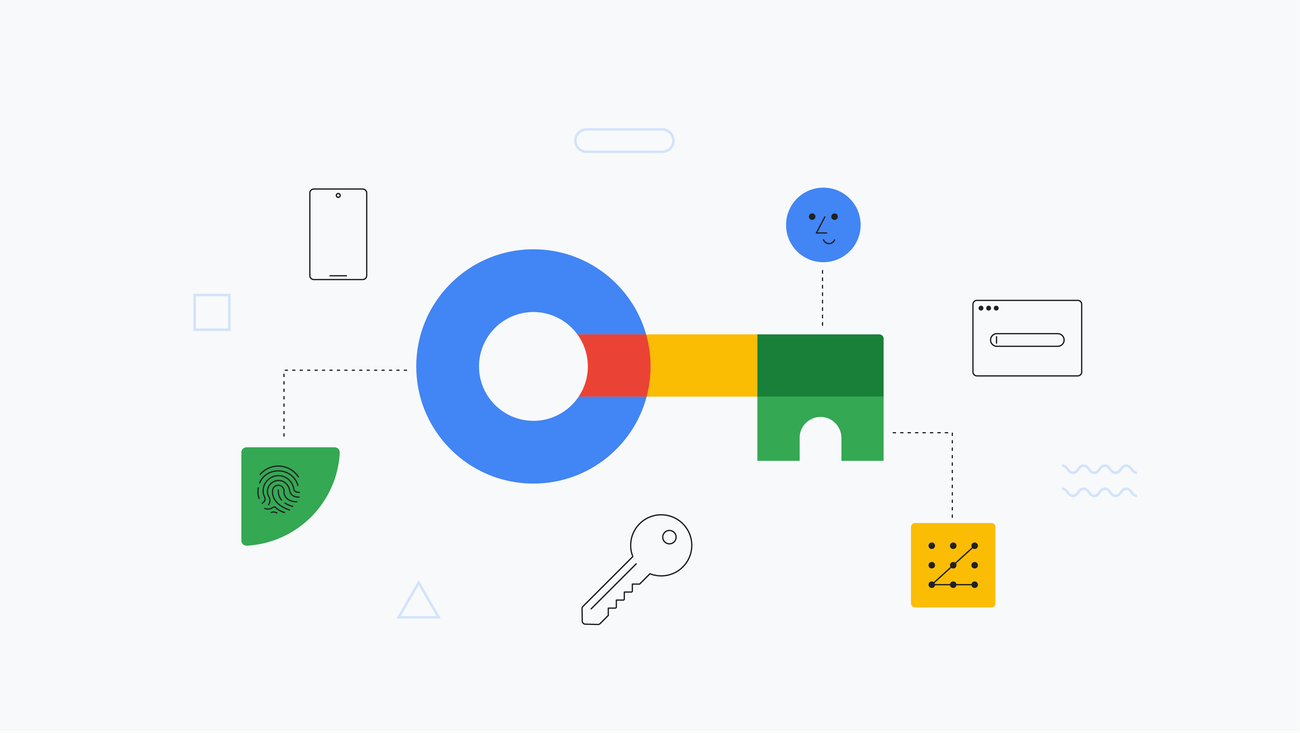
To get the most out of MFA, consider switching from factors like SMS codes and push notifications to an authentication method that is more resistant to phishing. The best option is MFA based on WebAuthn credentials (biometrics or passkeys) that are stored on your device hardware or a physical security key like Yubikey. Authentication works only on the real URL and on or in proximity to the device, so adversary-in-the-middle attacks are nearly impossible.

In addition to switching up your MFA method, you should also be wary of the usual phishing red flags. Like many phishing schemes, MFA attacks prey on the user's emotions or anxiety about their account being compromised and the sense of urgency to resolve the problem. Never click links in messages from unknown senders, and don't react to supposed security issues without checking their legitimacy first.

------------------------------------------
In case you were going to ask, "can I install an authenticator on my PC/laptop/desktop ?...my answer would be NO.
I have not found anything that is as simple as installing one on a phone. (if anyone here has an authenticator that installs SIMPLY on a pc/laptop etc....please enlighten us)

You usually keep your phone close to your pc...correct?...if you answered Yes, that is a good thing. It makes man in the middle attacks virtually impossible.
 
Last edited:


The codes should be different every time. They should also be time-limited (and typically are). Knowing a single factor isn't enough to do much. They have to have your phone (or cloned your SIM) and have the 2FA code within like 10 minutes. If your phone is compromised, they still need to know your username and password. If your username and password are compromised, they still need your phone.

Hold on... (It has been a minute.)

Here was my last authentication code for this very site: 213559

You're not going to do much with that. It's no longer valid. You'd still need access to my other credentials.

That said, I prefer passkey methods and using email as my 2nd factor. Specifically, I prefer email accounts that are under my control. I also often don't even know my password. I just use the reset password function, unless it's a site I frequent regularly and a site that's not connected to anything too personal.

If you're really looking for some more fun stuff, there are things like the YubiKey and ways to tie it with biometrics. You can also encrypt pretty much anything you want. You just need to be aware that modern encryption isn't something you're going to break easily, so don't forget your credentials - and please, for the love of dog, don't just rely on biometrics. They can force you to put your thumb on something. It's much harder to compel someone to put their thumb on something and to reveal their password.

For example, and to digress just a wee bit - while still being on-topic, I see nothing wrong with cloud storage of your personal files. I don't use that function of the internet (generally speaking) but I see nothing wrong with it - so long as you personally encrypted it before you uploaded it. Even if the cloud provider provides true no-knowledge encryption (such as mega.nz), I still only trust it if I personally encrypted it on my end of things. Things can be encrypted twice, so that's not a concern that I have.

Anyhow... Those are my thoughts on 2FA. That's my real last authentication code for this site. I'll give you $5 USD if you can use it to break into my account.
 

One-time SMS codes are widely used as the second checkpoint in two-factor authentication (2FA) to sign into everything from banking apps to email accounts. As I've written before, though, SMS is one of the least secure 2FA methods, as it can be phished relatively easily.

read on from the link above.

Edit to add: the "I've written before" link above goes to :

(Hint: when you ask....'what else can I use?....?
That 'authenticator' that you have thought of putting on your phone, could be a godsend.
it can be googles, bitwardens, etc etc...they refresh the number (6 digits) every 30 seconds. It works.

How to maximize MFA security​

To get the most out of MFA, consider switching from factors like SMS codes and push notifications to an authentication method that is more resistant to phishing. The best option is MFA based on WebAuthn credentials (biometrics or passkeys) that are stored on your device hardware or a physical security key like Yubikey. Authentication works only on the real URL and on or in proximity to the device, so adversary-in-the-middle attacks are nearly impossible.

In addition to switching up your MFA method, you should also be wary of the usual phishing red flags. Like many phishing schemes, MFA attacks prey on the user's emotions or anxiety about their account being compromised and the sense of urgency to resolve the problem. Never click links in messages from unknown senders, and don't react to supposed security issues without checking their legitimacy first.

------------------------------------------
In case you were going to ask, "can I install an authenticator on my PC/laptop/desktop ?...my answer would be NO.
I have not found anything that is as simple as installing one on a phone. (if anyone here has an authenticator that installs SIMPLY on a pc/laptop etc....please enlighten us)

You usually keep your phone close to your pc...correct?...if you answered Yes, that is a good thing. It makes man in the middle attacks virtually impossible.
I have to whole heartedly disagree. sms for 2fa is not the least secure and worst. It is the 2nd least secure and worst. Doing over email is the worst. I always say security is most effective when you don't see it and don't know about it. But making things more complex and difficult is not security it is just another weakness to exploit.
 
For how long does that code last?
 
the codes referred to by @KGIII last for 30 seconds
 
the codes referred to by @KGIII last for 30 seconds

I think it's 10 minutes, actually. It's longer than 30 seconds as it takes longer than that for the message to arrive most of the time.

That said...

My last stint in the USMC was relevant to this thread.

My initial MOS was 8156 - meaning I worked in the embassy. (Lima, Peru, if you're curious.) That's an 18 month stint.

After that, I was shunted into 5831 (military police and corrections, the latter of which I did - mostly just moving detainees from one place to another).

That meant I had my security clearance. (It's a time-limited thing, not something you have for life and only something you have for as long as your job requires it.)

I then ran a company that processed data belonging to other people. I employed people who gave talks at Def Con and/or Blackhat. Note: I do not claim to have their expertise.

I mention that because I think it adds some weight to the following...

Good security starts with three things. They are, who you are, something you have, and something you know.

So, you have a secure ID (at least one that can be verified).

The next factor is who you are.

That is, you have to match the person on the ID. This can even include biometric verification methods.

The final thing is something you know.

That might be the passphrase of the day.

It's more involved than that, especially in the physical realm. You'll also want things like areas that are even more secure, which could include a man-trap before you reach the server room and then someone already in the server room has to visually verify you before you enter your code and get through the 2nd door to enter the server room.

Good security is something you should very much be thinking of.

Good security is already 2FA (really MFA, which is multi-factor authentication). The more factors you have, the harder it becomes to bypass your security. There are good reasons why secure institutions do this at a minimum.

Of course, nothing is completely secure.

There's an excuse some folks use. "If you make security too hard, your employees will look for ways to circumvent it." That's why you train your employees. That's why you continue to train your employees. That's why you fire those employees who attempted to circumvent the security in place and that's why you do so immediately.

But, well, what do I know?
 
I am unsure exactly what was meant by "how long do those codes last"

The time I referred to (30 seconds) is the time the 6 digit number displays on the phone screen.

At the end of that time, the number is replaced. The process never stops.
 
I am unsure exactly what was meant by "how long do those codes last"

The time I referred to (30 seconds) is the time the 6 digit number displays on the phone screen.

At the end of that time, the number is replaced. The process never stops.
I meant SMS code before it expires.
The number that never stops - I think I have heard that the technology is synced for some 200 numbers ahead, so not really never, although it might feel like it if you were to verify it :D
 
Re: hardware bound passcode - this puzzles me still. If your access to an account is tied to your hardware, what happens when that hardware breaks or is no more?
 
Re: hardware bound passcode - this puzzles me still. If your access to an account is tied to your hardware, what happens when that hardware breaks or is no more?

Your passkey may be stored in the TPM and, as you said, it's stored in hardware.

When that hardware dies, you pick an alternative method to log in and create a new passkey.

If you're using something like Bitwarden, it is not stored in the TPM. (The passkey isn't necessarily stored in the TPM, it's just that it's more secure if it is. Or at least that it can be more secure that way.)
 
Your passkey may be stored in the TPM and, as you said, it's stored in hardware.

When that hardware dies, you pick an alternative method to log in and create a new passkey.

If you're using something like Bitwarden, it is not stored in the TPM. (The passkey isn't necessarily stored in the TPM, it's just that it's more secure if it is. Or at least that it can be more secure that way.)
And some malware cannot pull out that passkey from guts of the hardware, like they get cookie sessions, for example?
 
And some malware cannot pull out that passkey from guts of the hardware, like they get cookie sessions, for example?

Not that I know of, at this time. TPM 2.0 is more secure but I don't know of any open vulnerabilities that'd allow that with TPM 1.0, at least not without user intervention.
 
Yeah but you want to sacrifice convenience...i generally prefer email, because then i don't absolutely need to have a mobile phone subscription.

If the keys expire, this shouldnt be a big deal.
 
Not that I know of, at this time. TPM 2.0 is more secure but I don't know of any open vulnerabilities that'd allow that with TPM 1.0, at least not without user intervention.
TBF I have very limited knowledge about technicals of this, but social engineering is a thing. Just remember fake captcha, also mentioned here. Old stuff that has seen new surge perhaps, because a few youtubers also elaborated on it recently.
If the system responds on demand from outside by confirming authenticity, somebody might eventually find out how to authenticate fake input.
 
but social engineering is a thing.

It's not just a thing, it's one of the more easily accomplished things.

This is, again, why you have multiple factors. Who you are. Something you have. Something you know. That's the basics. It's often good to expand on them and employee training is essential.

Nothing (that works) is 100% secure, but you can make it very difficult. There have been hacks of hardware that are air-gapped (meaning no connection to the 'net).

If the system responds on demand from outside by confirming authenticity, somebody might eventually find out how to authenticate fake input.

You can start by sanitizing your inputs. This is true even on stuff that doesn't face the public web. And, again, this is why you use multiple factors for better security. There are reasons why more and more people are enabling MFA. Like almost everything on the web, it's about time.

Heck, the internet was built without any thoughts to security. That has all been bolted on. It was built so that you could type in an address and retrieve a document. There were no security certificates and browsers didn't even support them if there were.

It was horrible security for a very long time. It's still not that great.

Then, you have people. Man, do we people make mistakes and dumb decisions.

I only do limited banking online. I have some accounts that only have certain amounts of money in them. If they're compromised, I'm not going to cry about it. I'm going to be annoyed, but it's money that I'm willing to risk losing. I also assume the banks/credit unions will make me whole if their system is compromised.

Anyhow, I do that for a reason...

Back when I was first able to connect to a bank online, I could log into my account. Once I logged in, it had my account number in the URL.

As I was already authenticated, I could just change the URL - changing the account number itself - and I'd be able to use someone else's account. That's right... I just had to change a 5 digit number to other 5 digit (and below) numbers. After I did that, I could see their account, change their settings, and stuff like that.

I let the bank know the following day. The bug wasn't fixed for well over six months.

And that's why I don't do much banking online. I tend to use PayPal where I can, as it adds a degree of separation, though I don't trust PayPal that much. But, yeah... All of the accounts that I use online are limited by how much money I have in those accounts. (I use different accounts for different reasons.)


Follow Linux.org

Members online


Top